Physical Address
304 North Cardinal St.
Dorchester Center, MA 02124
Physical Address
304 North Cardinal St.
Dorchester Center, MA 02124

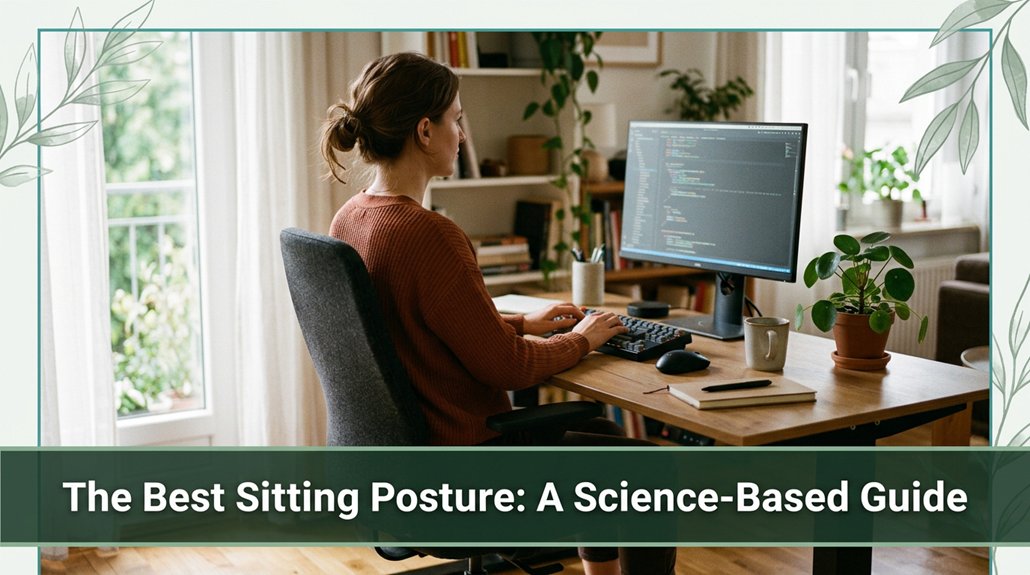
If your lower back is talking to you after hours at your desk, you already know terrible posture is part of the problem. You want to sit in a way that keeps your spine happy and pain-free that means maintaining a neutral, gentle S-curve with your back supported and your pelvis aligned. Keep your feet flat, knees bent at about 90 degrees, and sit on your sit bones not slouching into your lumbar or slumping forward. Your monitor should be slightly below eye level, and your arms close to your sides. If you keep micro-movements and breaks, you’re less likely to wind up with that dull, nagging ache you’ve had after hours. Stick around, and you’ll discover how tiny tweaks make a huge difference for long-term comfort.
This article contains affiliate links. If you purchase through them, I may earn a small commission at no extra cost to you. I only recommend products I genuinely believe in.
Alright, let’s be honest if you’ve ever spent hours hunched over your laptop or slouched in your chair, you’ve probably felt that nagging tension somewhere in your back or neck that just won’t quit.
According to OSHA ergonomic guidelines, your best sitting posture isn’t just about looking poised; it’s about maintaining spinal health.
When you sit with a neutral spine, you keep those natural S-curves cervical (neck), thoracic (mid-back), and lumbar (lower back) intact. This position shares the load evenly across your vertebrae, discs, and ligaments, reducing strain. Good posture can help prevent musculoskeletal issues and improve overall comfort during long periods of sitting.
Slouching or flexing your spine puts extra stress on your lumbar and cervical regions, making pain more likely.
Imagine your spine as a well-balanced stack of books; if one slides out of place, everything else tips. Research on spinal biomechanics suggests that proper posture keeps your discs healthy, reduces nerve pinches such as sciatic or cervical radiculopathy, and prevents long-term issues like thoracic kyphosis.
For individuals who sit more than 6 hours a day, maintaining a neutral spine is crucial to avoid chronic discomfort and degenerative changes.
To support spinal health, consider ergonomic chairs with lumbar support, adjustable work surfaces, and monitor stands to promote the correct alignment. Additionally, understanding spinal biomechanics can help you actively maintain healthier sitting habits.
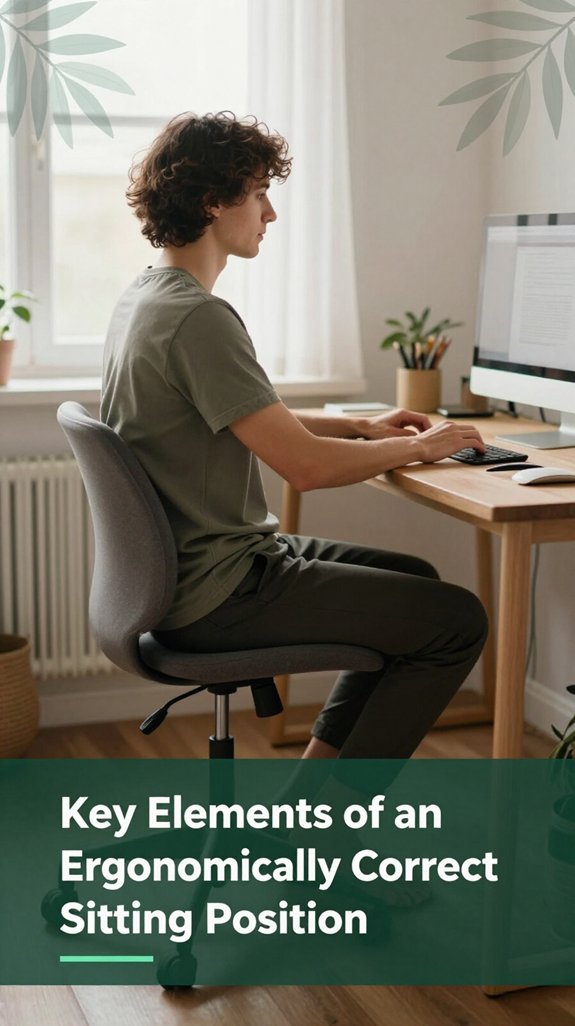
Now, let’s talk about the key elements that make your sitting position truly ergonomic.
First, you want your lower body aligned. Place your feet flat on the floor or on a footrest this helps maintain proper circulation. Your thighs should be parallel to the floor, and your knees should be at or just below hip height; this position reduces stress on your hip and knee joints. Keeping your lower body properly aligned supports overall posture and comfort during prolonged sitting.
Your pelvis should be in a neutral position, which allows your lumbar, thoracic, and sacral spine to maintain their natural curves, according to OSHA ergonomic guidelines. This prevents flattening or over-arching of the lumbar spine, reducing the risk of lower back pain or disc issues. Proper pelvic positioning is fundamental to maintaining spinal health.
Sit back so your buttocks touch the seat, providing even support across your hips and pelvis. Support your lower back with lumbar support if needed, particularly if you have existing lower back issues or experience discomfort. Maintaining contact with the lumbar region helps preserve the natural inward curve of the lumbar spine, reducing strain.
Keep your torso upright and relaxed to prevent unnecessary fatigue and muscle tension. Your shoulders should be kept down and relaxed, avoiding elevation or hunching, while your arms stay close to your sides at an angle of about 90 to 120 degrees per Mayo Clinic recommendations, this range helps prevent shoulder and neck strain.
Position your forearms parallel to the floor to minimize pressure on your wrists and forearm nerves. Finally, ensure your head sits balanced over your neck, with the monitor or screen positioned slightly below eye level about 15 to 20 inches from your eyes to reduce neck strain and prevent thoracic kyphosis.
Proper monitor height gives your neck a break, especially after long periods of staring. In summary, these ergonomic sitting principles collectively support spinal health and reduce discomfort during extended sitting periods.
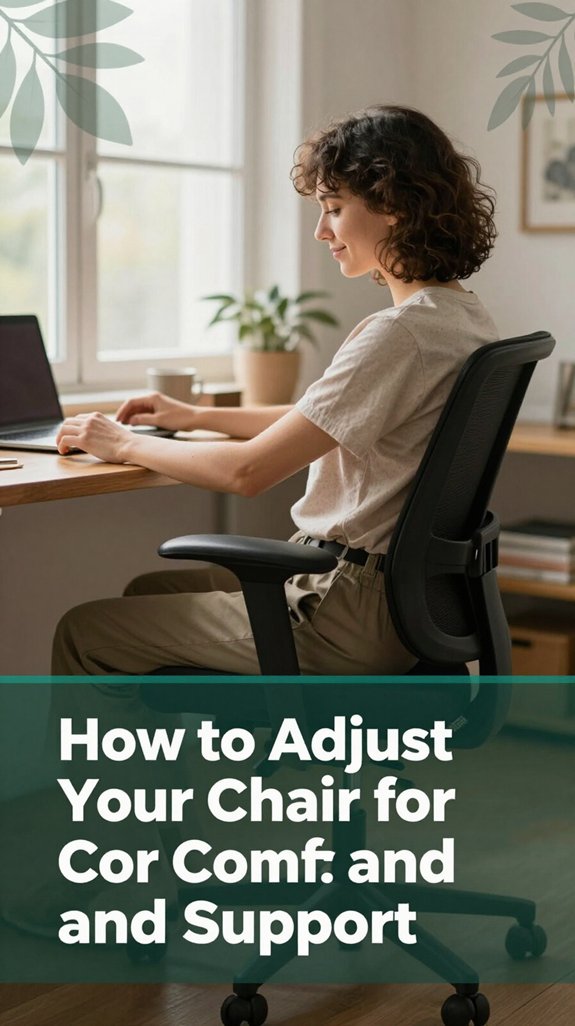
When you sit down at your desk, it’s tempting to just settle in and forget about the lower part of your body. However, your chair adjustments are the secret to feeling good all day, according to OSHA ergonomic guidelines.
You want that hip and knee angle around 90–100° (which helps reduce pressure on the lumbar spine and promotes circulation), with your thighs nearly parallel or just slightly sloping downward. To achieve this, set the seat height so your knees are roughly level with your hips, with your feet flat on the floor no dangling toes or pressure under your thighs.
Adjust the backrest and lumbar support to match your lower lumbar spine’s natural lordotic curve; research on spinal biomechanics suggests proper lumbar support can help prevent lower back pain and conditions like sciatica.
If you’re on the shorter side or have lower limb disparities, a footrest can elevate your feet to ensure your knees stay at a right angle, preventing slouching and pressure buildup under your thighs. Maintaining your ergonomic seated posture regularly is key to avoiding discomfort and strain, so it’s beneficial to check and adjust your chair maintains proper alignment, which is crucial for long-term comfort.
Small adjustments in your chair setup make a significant difference in comfort and spinal health, especially for those who sit more than 6 hours a day. Ultimately, proper ergonomic sitting posture reduces the risk of musculoskeletal disorders and enhances productivity.
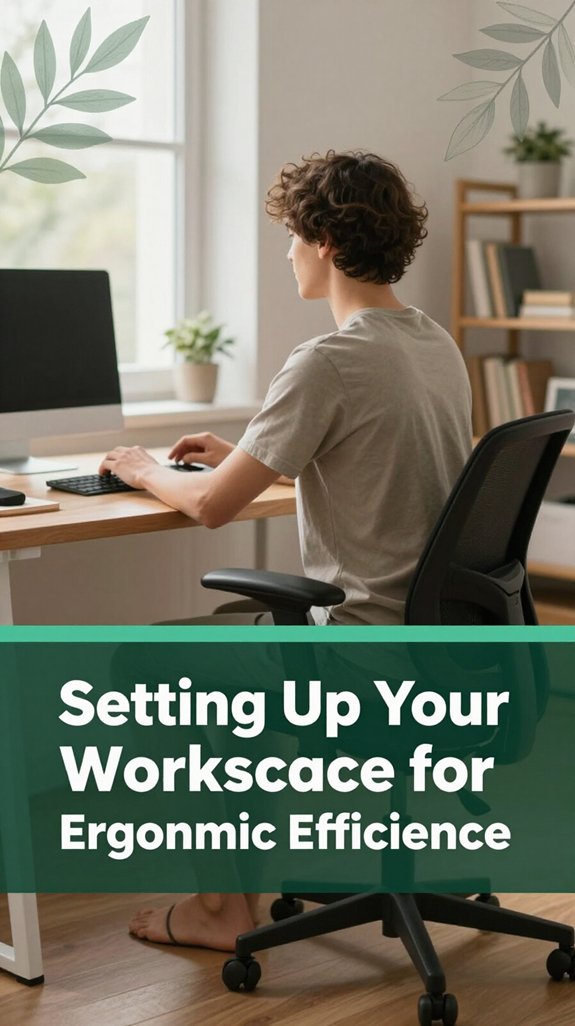
Setting up your workspace for ergonomic efficiency might sound like a fancy project, but honestly, it’s just making your desk work for you like a good teammate that keeps you comfy and focused. You want your desk at or just below elbow height so your arms stay relaxed and not like you’re about to do push-ups.
Keep your most-used items within about 14 to 18 inches (which helps prevent overreaching and reduces shoulder strain). Your monitor? According to OSHA ergonomic guidelines, the top of the screen should be just below eye level, angled downward 15 to 20 degrees (which helps reduce neck and cervical strain).
This positioning prevents your head from tilting forward or downward excessively, minimizing the risk of thoracic kyphosis and neck pain. Additionally, the monitor’s distance should be at arm’s length to promote proper viewing posture without straining your eyes.
Keep your keyboard flat or slightly tilted research on spinal biomechanics suggests this helps keep your wrists in a neutral, straight position, reducing the risk of carpal tunnel syndrome. Don’t forget to place your phone nearby or use a headset your neck and cervical spine will thank you.
Maintaining proper workspace organization can help prevent awkward postures that might lead to musculoskeletal discomfort. Keeping frequently used tools within easy reach prevents awkward postures that could lead to musculoskeletal discomfort. Shortcuts and smart placement of accessories make all the difference, helping you maintain comfort and focus throughout your workday.
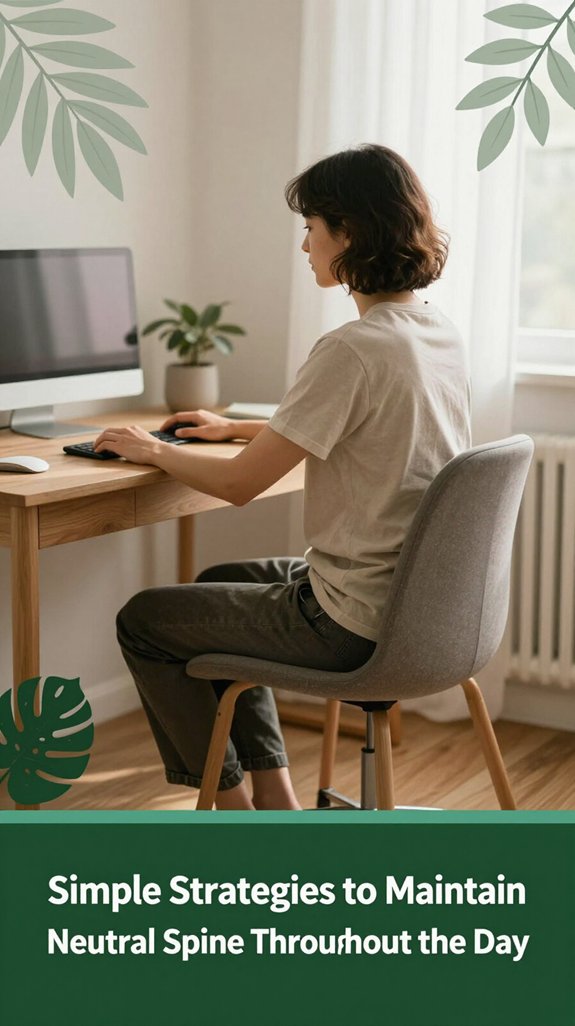
You’ve probably experienced it: sitting at your desk for a little too long, feeling that tightness creep into your lumbar region or that weird, stiff neck. I get it; I’ve been there too.
Here’s the thing maintaining a neutral spine is key. According to OSHA ergonomic guidelines, a neutral spine involves preserving your natural spinal curves, which resemble a gentle S-shape without overly arching or slumping.
You can achieve this by sitting on your sit bones, also known as ischial tuberosities, to promote proper pelvis alignment. Keep your shoulders relaxed and avoid slouching or overly stiff postures. External feedback can help think of using a mirror or gently touching your sacrum to monitor your alignment.
Additionally, gentle engagement of core muscles, including the transversus abdominis and pelvic floor, along with glute activation, stabilizes your lumbar and sacral regions. Proper posture is essential for reducing strain on your back muscles during long periods of sitting.
Research on spinal biomechanics suggests that micro-movements and quick breaks every 30 to 60 minutes can significantly reduce discomfort and prevent issues like lumbar disc degeneration or muscle fatigue.
Getting your hip and knee angles right might just be the easiest way to save your back from a long day of sitting. Think of it like tweaking a seatbelt you want everything aligned. Ideally, your hip flexion should be around 100–110°, not squished down or overly open.
According to ergonomic guidelines based on research on spinal biomechanics, sitting with hip flexion less than 90° flattens your lumbar curve and can increase lower back strain. Sitting with excessive recline, around 120° or more (which means leaning back slightly, not sitting bolt upright), actually helps reduce disc pressure in the lumbar region.
Maintaining proper pelvic alignment is also crucial for minimizing strain. For your knees, aim for roughly 90° or slightly more keeping them level with or just below your hips. This positioning helps maintain proper pelvic alignment and reduces stress on the lumbar spine. People who sit more than 6 hours a day should pay special attention to these angles to mitigate back pain.
All right, let’s talk about how to keep your neck healthy during those marathon screen sessions. You’ve probably noticed that your neck feels completely fine until around the third hour of sitting, and then discomfort or strain begins. Here’s the key: keep your ears aligned over your shoulders. According to OSHA ergonomic guidelines, a head pushed forward by 1 to 2 inches significantly increases muscle demand on the cervical spine.
Research shows that maintaining proper head posture can significantly reduce the risk of developing chronic neck pain. A forward head posture can cause increased strain on the cervical vertebrae and neck muscles. To prevent this, sit back with a slight thoracic extension, supporting your upper and mid-back especially if you spend long hours seated.
Keep your screen at eye level and close enough to you, so you avoid leaning forward, which places additional stress on your cervical and thoracic vertebrae. Research on spinal biomechanics suggests that improper screen setup and poor posture can contribute to neck pain and headaches over time.
Relax your shoulders and incorporate microbreaks into your routine to reduce muscle fatigue. Additionally, stretch tight muscles around your neck, shoulders, and upper back regularly. Using ergonomic tools like adjustable monitor arms or chairs with proper lumbar and thoracic support can also promote better alignment.
When it comes to sitting posture, the debate about whether to recline or stay upright isn’t just a matter of personal comfort: there’s real science behind what’s better for your spine. You might think sitting straight at 90° (which means a perpendicular position relative to your thighs) sounds safer, but research on spinal biomechanics suggests that a moderate recline around 135° (which involves leaning back slightly, not sitting bolt upright) actually lowers disc pressure by about 50-60%, according to OSHA ergonomic guidelines.
This reduction in disc pressure is beneficial because it provides your lumbar and thoracic discs with less compression, helping to prevent disc degeneration and lower back pain. Supporting evidence from ergonomic studies shows that maintaining this angle not only benefits spinal discs but also improves overall sitting comfort and reduces fatigue.
Reclined positions, especially between 95° and 115° (angles that support a relaxed reclining posture without excessive backward tilt), reduce muscle effort and slow fatigue. When you recline, your backrest supports more of your upper body, which means your erector spinae and other back muscles don’t have to work as hard to maintain posture.
This decreased muscular effort contributes to less strain on the spinal ligaments and surrounding tissues, potentially reducing the risk of discomfort or injury over time. Additionally, proper lumbar support can help maintain this optimal spinal alignment and further enhance sitting comfort.
Furthermore, a slight recline helps keep the lumbar lordosis more natural, supporting the inward curve of the lower back that’s essential for spinal stability and health. Maintaining this natural curve can make long-term sitting more comfortable and help prevent common issues such as thoracic kyphosis or lower back pain, especially for people who sit more than 6 hours a day.
Let’s face it many of us fall into the trap of sitting in ways that seem harmless, but secretly, they’re the culprits behind our neck and back aches. Here are three common mistakes you’ll probably recognize:
If you’re sitting at your desk for hours on end, chances are your body’s begging for a break, and not the kind that comes from scrolling through your phone. Here’s the scoop: Microbreaks, lasting 30 seconds to 5 minutes, are your new best friend. They involve light movements like standing, walking a short stretch, or gentle twists no heavy lifting here.
You should aim to take a microbreak every 20-30 minutes, especially if your posture has been static or awkward. Incorporating sit-stand ratios and scheduled movement into your routine can further optimize your comfort and health. Using timers or apps can remind you to pause and move regularly.
Think of a microbreak as a quick tune-up for your body marching in place, seated cat-cow stretches, or a brief walk down the hall can help. Your muscles and joints, including those supporting the lumbar and thoracic spine, will thank you. According to OSHA ergonomic guidelines, these small movements can reduce risks of musculoskeletal strain and improve circulation, thereby decreasing discomfort and potential injury.
Prolonged sitting isn’t just about feeling a little stiff at the end of the day; it’s actually affecting your overall health in ways you mightn’t realize. You’re at increased risk for conditions such as heart disease, type 2 diabetes, and weight gain, especially if you spend many hours glued to your chair, according to Mayo Clinic recommendations.
Prolonged sitting raises health risks like heart disease, diabetes, and weight gain, affecting your overall well-being.
Here’s what happens:
Because of these effects, incorporating regular movement and ergonomic adjustments such as standing desks or ergonomic chairs is a practical way to mitigate health risks. Remember, standing up and stretching every 30 minutes can significantly improve circulation and musculoskeletal health.
Finding your comfortable sitting range is similar to tuning a musical instrument you want everything to be in harmony so your body doesn’t protest after a few minutes. First, keep your feet flat, either on the floor or a footrest, with ankles just in front of your knees. This promotes good circulation and even weight distribution, according to OSHA ergonomic guidelines.
Proper foot positioning helps prevent unnecessary strain on your legs and lower back throughout the day. Next, adjust your seat so your knees are roughly at hip level, with a gentle bend around 90° to 100° (which means a slight bend for comfort and optimal joint alignment).
Sitting well back in the chair, ensure your pelvis is aligned under your shoulders, maintaining the natural lumbar curve of the lower back. Proper lumbar support can help maintain spinal integrity and reduce the risk of lower back pain. Set your computer screen to eye level to prevent neck strain, and position your arms close to your sides with elbows bent comfortably around 90°.
According to Mayo Clinic recommendations, maintaining this arm position helps reduce shoulder and neck tension. Add props like lumbar rolls, cushions, or adjustable footrests when needed to support your natural spinal curves and improve comfort. Additionally, incorporate micro-movements small postural adjustments every few minutes to prevent stiffness and enhance alertness.
You should change your sitting position every 25 to 30 minutes.
I get it you might think, “I’ll just shift a little,” but small micro-movements are what really help.
Why? Because blood flow slows down, muscles stiffen, and discs get compressed if you stay static too long.
So, stand, stretch, or wiggle around.
Think of it as giving your body a mini break before it starts protesting loudly.
A standing desk is better than sitting all day, but only if you use it right.
Think of it as swapping one marathon for a series of sprints constantly changing your position.
Standing burns more calories, improves circulation, and can boost mood, but standing too long without breaks leads to leg fatigue and pain.
So, you’re better off alternating every 30–60 minutes, moving around, and setting up ergonomically.
Balance is key.
Yes, certain chair features can seriously cut down your lower back pain.
If you’ve got adjustable lumbar support, it’ll fit your spine’s natural curve, like giving your back a custom hug.
Seat height and depth controls prevent pressure buildup, and recline functions keep your muscles active, not stiff.
Armrests that support your forearms keep your neck relaxed.
Basically, the right features act like a personal masseuse but at your desk.
You should aim for a break every 40 minutes of sitting. I know, it sounds like a lot, but that’s what science suggests your neck and shoulders start getting fatigued around then.
All right, maybe you think, “But I’m in the zone,” and that’s fair. But your muscles need a quick reset stretch, stand, walk even for five minutes.
It keeps fatigue at bay and your body happier longer.
You know your posture is correct when your ears are level with shoulders and hips from the side, chin is parallel, shoulders relaxed, and back gently curved.
Your hips and knees are at about 90 degrees, feet flat, and your arms are comfy near your sides.
When you sit back without slumping and move comfortably after breaks, you’re probably doing it right.
If in doubt, check mirror or photo from the side that vertical stack is your gold standard.
All right, so here’s the thing you sit, you slouch, your back protests, and your neck throws a tiny tantrum. But if you just pause, adjust, and move a little, you’re giving your spine a chance to breathe, to balance, to stay happy. You’ll still get those awkward, “why does my shoulder feel like it’s doing jazz hands” moments, but that’s okay. Keep these tips in mind, and your back will thank you and hey, maybe your future self will even thank you at that barbecue.





