Physical Address
304 North Cardinal St.
Dorchester Center, MA 02124
Physical Address
304 North Cardinal St.
Dorchester Center, MA 02124

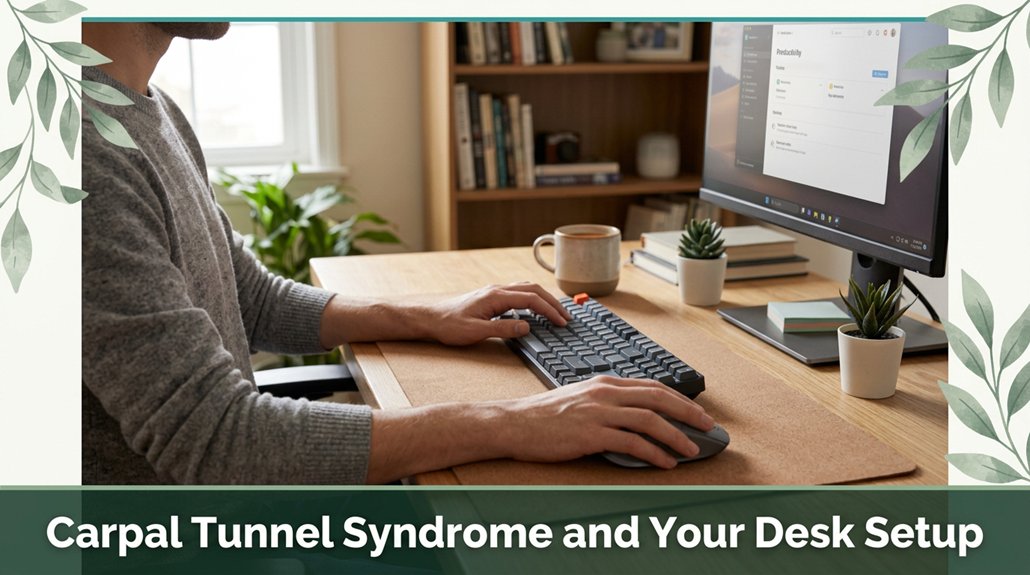
If your wrists are aching or tingling after long hours at your desk, you’re not imagining things your setup might be part of the problem. Poor ergonomics like wrist angles that bend too much or your keyboard too high puts pressure on your median nerve, causing those annoying symptoms. Now, the fix is simple: keep your wrists neutral, your keyboard and mouse at elbow height, and take short breaks to stretch. Stick around, and you’ll discover easy tweaks to keep those nerves happy.
This article contains affiliate links. If you purchase through them, I may earn a small commission at no extra cost to you. I only recommend products I genuinely believe in.
All right, let’s cut to the chase: if you spend a significant portion of your day typing, clicking, or gripping tools, you’ve probably felt that weird numbness or tingling creeping into your hand at some point.
According to OSHA ergonomic guidelines, a proper desk setup for preventing carpal tunnel syndrome involves keeping your wrists in a neutral position think of them as being in the “resting” zone meaning they shouldn’t be bent up or down. Your keyboard and mouse should be positioned at elbow height (roughly 90 degrees at the elbows), so you’re not reaching forward or hunching your shoulders, which can cause additional strain and discomfort.
If you’re constantly gripping tightly or applying force while working, you’re increasing pressure on the median nerve inside your wrist, as research on spinal biomechanics suggests. Repetitive motions can lead to inflammation and swelling of tendons, which further compresses the median nerve, making proper workspace setup even more critical. Maintaining a neutral wrist position plays a crucial role in preventing nerve compression and reducing strain.
To reduce this pressure, invest in ergonomic tools like split keyboards, wrist rests, or mouse pads designed to support good hand and wrist alignment. Small adjustments in your workspace such as maintaining a straight wrist and avoiding excessive force can prevent long-term nerve damage and reduce the risk of developing carpal tunnel syndrome.

All right, so here’s what’s really sneaky about poor ergonomics: it can quietly set the stage for your wrist trouble without you even realizing it. When your wrists bend away from a neutral position such as when your fingers hit keys or scroll the pressure inside your carpal tunnel increases, according to OSHA ergonomic guidelines.
This heightened pressure can compress your median nerve, which runs through the carpal tunnel, leading to symptoms like numbness, tingling, or pain, especially at night. The median nerve is one of the key structures affected in CTS. If your desk height forces your wrists into awkward extensions bending upwards or downwards this adds extra strain.
Holding these extended positions for prolonged periods can contribute to repetitive strain injury, much like bending a paperclip back and forth until it weakens. Repetitive motions combined with poor posture can turn minor discomfort into persistent wrist pain, which may develop into carpal tunnel syndrome.
To minimize these risks, aim to keep your wrists in a neutral position, avoid excessive extension or flexion, and take regular breaks to stretch your wrists and fingers. Proper ergonomic setup and mindful movement are essential for preventing wrist strain and maintaining median nerve health.
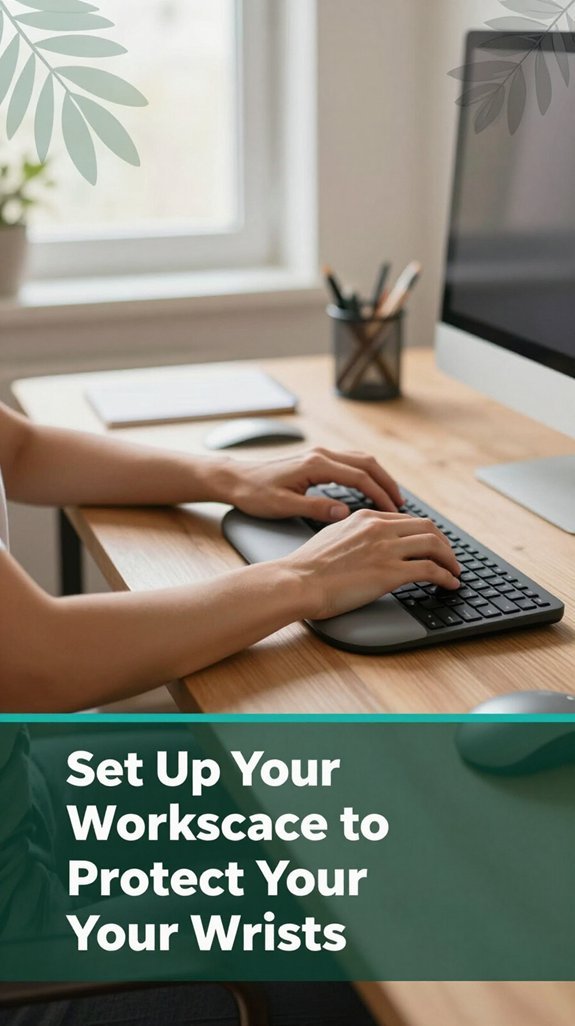
Now, let’s talk about how to set up your workspace so your wrists don’t feel like they’re fighting an uphill battle all day. Think of it like aligning a puzzle you want everything in the right spot to prevent strain and promote comfort. Your chair should be adjusted so your feet rest flat on the floor, with your knees bent at approximately 90 degrees this position helps maintain proper lumbar curvature and improves circulation.
Your desk or keyboard tray ought to be just below elbow height, keeping your forearms parallel to the floor and your wrists in a neutral position, which research on spinal biomechanics suggests reduces the risk of repetitive strain injuries like carpal tunnel syndrome. Armrests should support your forearms lightly; avoid shrugging your shoulders by elevating them or overusing your neck and shoulder muscles. If necessary, use seat cushions to elevate your hips for better overall posture.
Here’s a quick snapshot:
| Chair Height | Monitor Position | Desk Setup |
|---|---|---|
| Feet flat on the floor, knees at 90° (which helps support lumbar health) | Top of the monitor at eye level (to prevent neck strain) | Keyboard slightly below elbow height (to maintain neutral wrist position) |
| Seat cushions as needed (to ensure proper pelvic positioning) | Monitor centered directly in front of you | Proper armrest support (to avoid shoulder and forearm fatigue) |
| Shallow monitor angles (to reduce glare and neck rotation) | Screen at about an arm’s length away (to avoid eye strain) | Micro-movements encouraged (to reduce static muscle fatigue) |
Additionally, incorporating proper ergonomic practices can further help minimize tension and repetitive stress in your wrists throughout the workday.

When it comes to your keyboard and mouse positions, the goal is simple: keep everything in a happy, neutral place so your wrists don’t feel like they’re stuck in a constant knot. According to OSHA ergonomic guidelines, wrist extension over 30 degrees, or bending toward your thumb or little finger, only increases nerve pressure, which can lead to conditions like carpal tunnel syndrome.
Believe me, I’ve learned the hard way that maintaining proper wrist alignment can prevent discomfort and long-term injury.
So, float your hands just above the keys and mouse, with light contact instead of resting all your weight on your wrists. Keep your forearms and hands level, with your wrists straight and aligned from forearm to hand. Research on spinal biomechanics suggests that keeping the wrists in a neutral position reduces strain on the median nerve and tendons.
Proper wrist position is crucial in preventing carpal tunnel syndrome. Position your keyboard close to your body to minimize reaching, and if possible, use a slight negative tilt (the keyboard slightly downward from front to back). This tilt helps maintain a neutral wrist position and can reduce wrist extension during typing. Additionally, adjusting your chair height and desk setup can further support proper ergonomic alignment.
Your mouse should be right next to the keyboard, at the same height, with smooth, controlled movements. According to ergonomic standards, minimizing lateral and vertical wrist movements lessens strain, reducing the risk of repetitive stress injuries like tendinitis or nerve compression.

If you’ve ever stood up after hours at your desk and felt like you just sat in a twisted pretzel, you’re not imagining things. Your chair and posture are probably playing a significant role. When your chair height is correct feet flat on the floor, knees at a 90° angle (which promotes proper circulation and reduces lower back strain) you can prevent discomfort. According to OSHA ergonomic guidelines, keeping knees at a 90° angle encourages blood flow and reduces stress on the lumbar spine.
If your chair is too high, your pelvis tilts forward, increasing pressure on the lumbar discs. Conversely, if it’s too low, your shoulders tend to slump forward, which can cause thoracic kyphosis and shoulder tension. Ensure your backrest supports the natural lumbar curve; otherwise, your spine may adapt to an improper position, risking lower back strain and disc issues. Research on spinal biomechanics suggests that lumbar support helps maintain the spine’s natural lordotic curve. Maintaining a proper sitting posture is essential for long-term spinal health.
Armrests should gently support your forearms set 1 to 2 inches below your elbows (this distance minimizes shoulder tension) and should not make you reach or hunch. Proper armrest positioning reduces tension in the shoulder girdle and neck muscles. Keeping these adjustments in mind can significantly improve comfort during long periods of sitting.
You’ve probably felt that eye-strain-heavy moment when your neck starts to get sore, and suddenly your wrists feel like they’re fighting through Jell-O. This usually happens because your desk and monitor aren’t quite right. According to OSHA ergonomic guidelines, proper placement can significantly reduce musculoskeletal strain during prolonged work.
Your monitor should sit directly in front of you, with the top at or just below eye level approximately 20 to 24 inches away from your eyes to prevent craning your neck and minimize forward head posture. Keeping the monitor about an arm’s length away (about 18 to 30 inches) is crucial; too close, and you’ll lean forward, increasing cervical and lumbar strain, too far, and your eyes will strain from focusing.
Optimal monitor distance helps maintain ergonomic comfort. Use a slight tilt, aiming the screen a bit upward (about 10 to 20 degrees), so your gaze stays downward (roughly 15 degrees below eye level). This angle helps reduce thoracic kyphosis and neck tension, and prevents wrist strain caused by holding your head up unnecessarily. Ensuring your monitor height aligns with ergonomic principles will help prevent unnecessary neck flexion and reduce discomfort during long work sessions.
Position your monitor directly in front, 20–24 inches away, with the top at or just below eye level.
Set yourself up properly your body will thank you when you’re still typing efficiently at 5 pm. Proper desk and monitor positioning are essential for reducing cumulative musculoskeletal fatigue and supporting spinal health during extended computer use.
All right, let’s talk about the tools and accessories that can turn your chaotic, awkward desk setup into a mindful ergonomic oasis.
First, ergonomic keyboards and trays are game changers; they keep your wrists in a neutral, comfortable position, which can reduce strain and lower the risk of conditions like carpal tunnel syndrome, according to OSHA ergonomic guidelines.
Ergonomic keyboards with features like split design, tented angles, and adjustable tilt help maintain proper wrist alignment. Keyboard trays that are adjustable, lateral, and allow for isometric movement enable you to customize your workspace, reducing repetitive strain injuries.
Next, consider ergonomic mice, which are shaped to fit your hand and reduce pinch grip; some models are vertical, promoting a handshake posture that minimizes forearm pronation and muscular tension.
According to research on spinal biomechanics, keeping the forearm in a neutral position can prevent sciatica and thoracic kyphosis. Wrist rests made of gel or foam with low-profile designs offer support that minimizes compression on the median nerve, thereby reducing discomfort.
Forearm supports that cradle the forearm help distribute pressure evenly, decreasing muscular tension and shoulder load.
It’s also beneficial to position your keyboard tray at an appropriate height to maintain optimal wrist alignment and prevent undue strain during prolonged typing sessions.
Don’t forget about the importance of properly positioned keyboard trays and ergonomic tools in your workspace.
An adjustable tray with lateral and isometric features allows you to maintain proper ergonomic postures, which is essential for long-term comfort and musculoskeletal health.
By incorporating these specific ergonomic tools into your workspace, you can create an environment that promotes better posture, reduces the risk of repetitive strain injuries, and enhances overall comfort.
Getting into the habit of taking small, intentional breaks can feel almost too simple to make a real difference, but trust me, it’s a game changer. When you pause every 30 to 60 minutes for about five minutes, it lowers the strain on your wrist tendons and prevents your wrists from locking into static postures that increase carpal tunnel pressure, according to OSHA ergonomic guidelines.
Proper wrist flexibility and stability are crucial for injury prevention. Microbreaks of just 10 to 30 seconds every 10 to 15 minutes can interrupt awkward, bent-wrist stretches that build up inflammation over time. Research on spinal biomechanics suggests that these brief pauses act like a reset button for your muscles and tendons. During these breaks, stand up and stretch your arms overhead, or wiggle your fingers to promote joint mobility.
Incorporating these preventive practices into your routine can further enhance your wrist health. Switching tasks frequently such as typing, reading, or simply looking away can also help reduce repetitive strain. Additionally, rotating your mouse hand occasionally distributes the load between both wrists, alleviating persistent stress on one side.
Trust me, these small habits add up over time your wrists will thank you later. Incorporating regular, intentional movement and break habits supports healthy wrist biomechanics and can prevent chronic conditions like carpal tunnel syndrome.
When you’ve already taken those small breaks and are looking for ways to give your wrists a little extra love without leaving your desk, these simple exercises can be a game-changer.
All right, start with a wrist flexor stretch: extend your arm, palm up, and gently pull your fingers downward with the other hand. Hold for 15–30 seconds and do it on both sides.
Then, try the wrist extensor stretch: arm straight, palm down, and bend your wrist so your fingers point toward the floor; deepen the stretch with your opposite hand. According to OSHA ergonomic guidelines, stretching these muscles helps reduce strain and prevent repetitive stress injuries like carpal tunnel syndrome.
Want to get a little pump? Do some finger spreads or flex–extending drills. These moves help loosen muscle tension, glide nerves smoothly, and can counteract the “I-had-my-fifth-coffee” feeling when wrists get crunchy from typing.
Regularly performing these exercises can improve wrist flexibility and reduce discomfort during prolonged keyboard use. Additionally, maintaining proper desk posture can further prevent strain and support overall wrist health.
Here’s the thing: switching to an ergonomic workspace isn’t just about buying fancy gadgets or changing your chair once and calling it a day. It’s about building a setup that protects your body long-term. You want a dedicated, clutter-free desk with natural or bright task lighting that’s key for decreasing eyestrain and avoiding that forward-leaning look we all do when we’re tired.
All right, think of your workspace like your body’s best friend supportive, organized, and just right for the long haul. Maintaining proper ergonomics involves regularly assessing and adjusting your workspace to ensure comfort and safety over time, since poor setup can lead to chronic pain or injury. Creating an environment that encourages proper posture and reduces physical strain is essential for maintaining spinal health and preventing musculoskeletal disorders over time.
Have you ever caught yourself rubbing your wrist or stretching your fingers just to shake off that weird numbness that sneaks in while you’re at your desk? If yes, you’re not alone.
These signs tingling or “pins and needles” in your thumb or a burning pain in your wrist after hours of typing indicate that you might be sitting incorrectly.
Tingling in your thumb or wrist pain after typing may signal poor sitting posture.
According to Mayo Clinic recommendations, wrists that are bent or extended unnaturally, or elbows that sit significantly above or below the desk, can contribute to nerve compression syndromes such as carpal tunnel syndrome.
You might also notice increased clumsiness or that numbness worsens at night, which can wake you up from sleep. This pattern suggests that your recurring symptoms are related to nerve or musculoskeletal strain caused by poor ergonomic alignment.
Proper desk setup, including adjustable furniture and monitor height, can significantly reduce these risks by promoting a natural wrist position. Many ergonomists recommend addressing these issues early to prevent long-term damage, as ignoring persistent signals can lead to conditions like tendinitis or nerve entrapment.
Your body’s warning system is trying to tell you something take action before the problem becomes chronic.
You mightn’t realize it, but some of the simplest mistakes at your desk can seriously worsen carpal tunnel issues. For example, keeping your wrists bent or resting on hard edges puts extra pressure on the median nerve, which can compress it and lead to pain or numbness.
According to OSHA ergonomic guidelines, maintaining neutral wrist positions is essential to prevent nerve compression and inflammation. The way you position your keyboard and mouse can significantly influence wrist health, as incorrect placement can force your wrists into unnatural angles.
Think about how your keyboard’s tilt can push your wrists into awkward extension, which many ergonomists recommend avoiding this position can strain tendons and increase pressure on the median nerve over time.
It’s also tempting to use gadgets that aren’t ergonomic, like narrow keyboards or overly large mice, which make your grip awkward and strain tendons needlessly. An improper grip can lead to repetitive strain injuries such as tendonitis or nerve entrapment. Using ergonomic accessories can help maintain proper wrist alignment and reduce strain. Common mistakes to watch out for include:
To protect your wrists, make sure to take regular breaks, adjust your chair and desk to support proper posture, and keep your wrists aligned in a neutral position during work.
A proactive approach can help prevent pain and functional impairment. Remember, giving your wrists a break before they stage a protest is key to maintaining long-term comfort and health.
You’ll notice early signs like tingling, numbness, or “pins and needles” in your thumb, index, middle, or the inside of your ring finger usually in your dominant hand first.
Itchy sensations or feeling like your fingers are swollen are common too. These symptoms often pop up when you’ve been working at your desk, especially at night, and might temporarily ease when you shake out your hand.
If you ignore it, things could get worse.
You can’t fully prevent carpal tunnel syndrome, no matter how perfect your setup looks.
Think of ergonomics like putting a sturdy lid on a pot you’re reducing some risk, but you’re not stopping everything. Your genetics, hormonal changes, or health conditions like diabetes are still doing their thing, sometimes without any warning.
You can totally strengthen your wrist muscles with specific exercises.
All right, start with isometric holds press your palms together or against your knuckles, holding steady.
Then, do wrist curls with light weights or even canned goods.
Movement matters too try tendon-gliding and nerve mobilization exercises. These help keep things flexible, reduce pain, and build strength without overloading your wrist.
Honestly, I’ve found doing these daily makes a difference.
You should aim for short, frequent breaks roughly every 30 minutes to an hour for about 3 minutes if things are intense, like high typing or forceful tool use.
Longer breaks of 10–15 minutes each hour help if you’re really pushing, like with vibrations.
Think of it as giving your wrists a quick, friendly “pause” so they don’t turn into overworked spaghetti.
Trust me, your future self will thank you.
You want tools that treat your wrist like a delicate plant, not a piece of heavy machinery. Think of rigid or adjustable braces, night splints, and ergonomic devices like vertical mice or split keyboards they keep things in line, not squished and twisted.
Use wrist rests to buffer pressure, positioning supports so your wrists stay neutral. All right, do that, and you’ll notice your hands thank you over time, a little less cranky at the end of the day.
All right, think of your wrists like a delicate musical instrument you want to keep them tuned, not strained. Simple tweaks to your desk setup are your secret weapons against carpal tunnel. And hey, it’s not about perfection; it’s about making small adjustments that add up over time. So, give yourself permission to tinker, stretch, and listen to what your body’s telling you. Trust me, your future self will thank you probably with a wave of relief.





