Physical Address
304 North Cardinal St.
Dorchester Center, MA 02124
Physical Address
304 North Cardinal St.
Dorchester Center, MA 02124


If your wrists are aching after hours of typing, you’re not alone and it’s a sign you need to tweak your setup. To reduce strain, focus on your ergonomics: keep your wrists straight, hover your hands over the keyboard, and avoid bending your wrists up or down for long stretches. Take micro-breaks every 20 minutes, and gently stretch your wrists during those pauses to keep tendons happy. Support braces or wraps can help, but don’t tighten them too much. Follow these tips, and you’ll find small adjustments that make a big difference in keeping wrist pain at bay and there’s more you can do if you keep exploring.
This article contains affiliate links. If you purchase through them, I may earn a small commission at no extra cost to you. I only recommend products I genuinely believe in.
You know that feeling when you realize you’ve been typing away for hours, and suddenly your wrist is reminding you it’s not exactly a fan of all that repetitive motion? That’s wrist pain from typing, my friend.
Here’s the deal: every tiny movement you make thousands of times adds up. Repetitive strain stresses your tendons, nerves,, and muscles according to OSHA ergonomic guidelines, this can lead to conditions like carpal tunnel syndrome.
Repetitive tiny movements can lead to strain and conditions like carpal tunnel syndrome over time.
If your wrist is bent, twisted, or jammed in a non-neutral position, it presses on nerves in the carpal tunnel, increasing discomfort and pressure on tendons. Maintaining a neutral wrist position, with your forearm parallel to the ground and your wrist straight, helps reduce strain.
The force you put into keystrokes also matters. The more forceful the hitting, the more overworked your flexor and extensor muscles become. Many ergonomists recommend using light finger movements and an ergonomic keyboard to minimize force.
Proper ergonomic setup can dramatically decrease the risk by aligning your workstation to support natural wrist and arm positions, reducing unnecessary strain.
All these factors collide, turning those small motions into significant pain over time. Additionally, poor ergonomics can exacerbate strain and prolong recovery, making proper workspace setup crucial.
To prevent or reduce wrist discomfort, it’s essential to take frequent breaks, adjust your workspace for optimal ergonomic alignment, and avoid excessive force during typing. Remember, small adjustments can make a big difference in preventing repetitive strain injuries.

It’s pretty easy to spot when your posture is worsening your wrist pain if you know what to look for. You might notice pain or tingling that spikes when your wrists are in extension or flexion while typing or mousing, then eases when you straighten them out. According to OSHA ergonomic guidelines, keeping your wrists in an extended or flexed position can increase strain on the carpal tunnel, potentially aggravating nerve compression.
All right, here’s what else to watch for:
Making ergonomic adjustments like improving wrist support, adjusting workspace height, and incorporating regular movement can help prevent worsening wrist pain caused by poor posture.
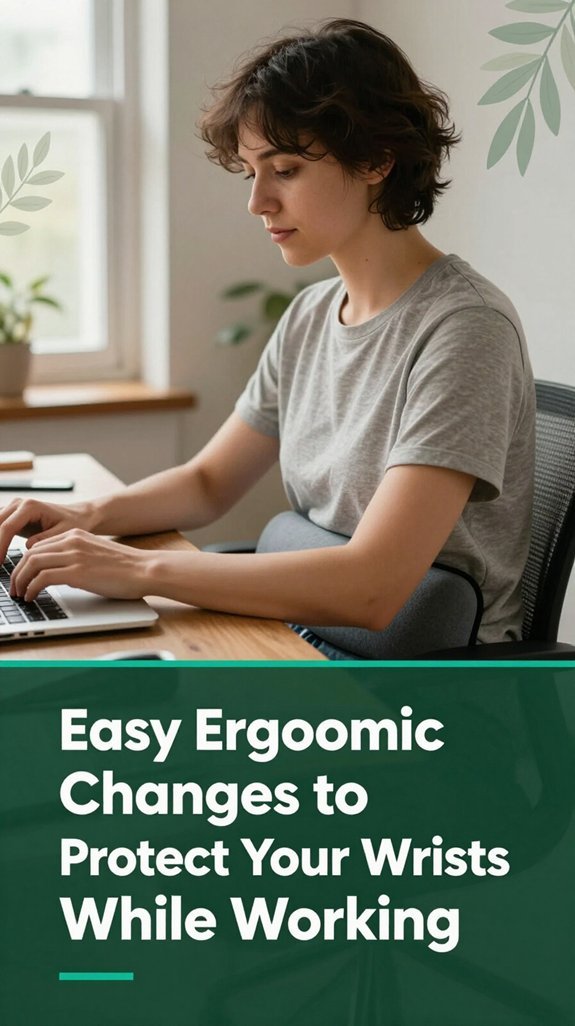
Alright, let’s start with the basics because honestly, small tweaks can make a big difference when it comes to protecting your wrists. You can adjust your chair and desk height so your elbows hang at roughly 90 degrees (which means your forearms are parallel to the floor). According to OSHA ergonomic guidelines, maintaining this position reduces wrist strain. Imagine your forearms are on a flat surface not bent up or down this position keeps tension off your wrist tendons.
Also, center your keyboard directly in front of you, close enough so you’re not reaching. Research on spinal biomechanics suggests that minimizing reaching helps reduce shoulder and wrist strain. Use a split or ergonomic keyboard if you can it’s a game-changer that encourages a more natural wrist position. Keep your wrists straight, “float” your hands above the keyboard, and lighten your keystrokes.
Lightening your keystrokes eases the load on wrist tendons and reduces fatigue. You might feel awkward typing like a pianist, but your wrists will thank you. Maintaining these habits helps prevent repetitive strain injuries such as carpal tunnel syndrome and tendinitis. Proper wrist rest usage placing it just right can further support wrist health during long hours at your computer.
| Change | Why it helps | How it feels |
|---|---|---|
| Adjust chair and desk height | Reduces wrist and forearm tension | Less tension, more comfort |
| Center keyboard | Minimizes reaching and shoulder strain | Relaxed shoulders, easy typing |
| Use ergonomic designs | Promotes natural wrist, forearm alignment | Smooth, effortless movement |
| Light keystrokes | Decreases tendinous load on wrists | Less fatigue and discomfort |
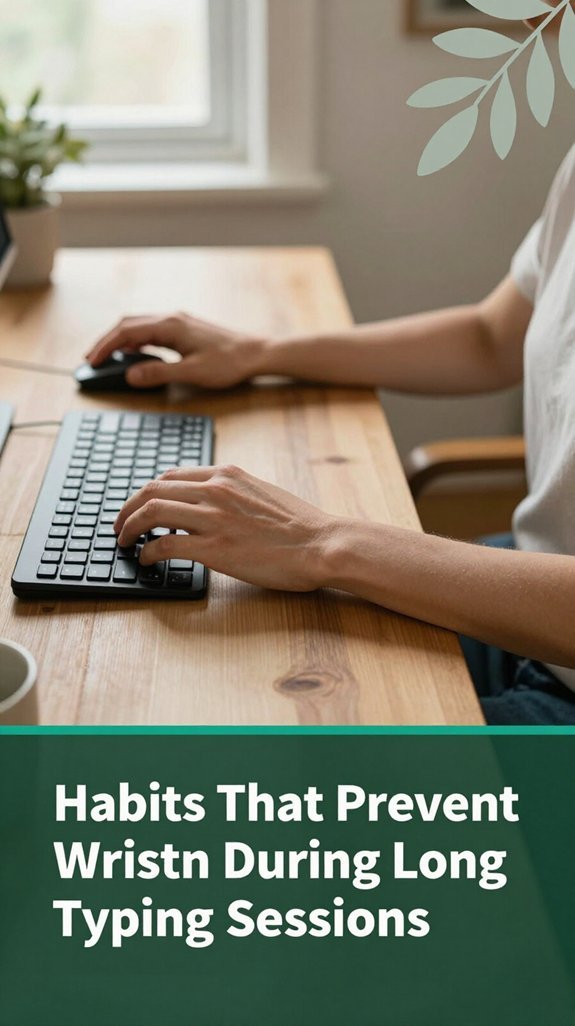
Now that you’ve adjusted your desk setup, the real game-changer is how you handle those long stretches of typing. According to OSHA ergonomic guidelines, small habits can significantly reduce the risk of wrist strain. Trust me, these tiny behavioral tweaks make a big difference.
Small habits like taking micro-breaks and alternating postures significantly reduce wrist strain during long typing sessions.
Here are some habits that can help you save your wrists:

If you’re spending hours pounding away at the keyboard, your wrists probably aren’t bragging about their endurance.
Here’s the thing simple stretches can make a big difference.
Try the wrist flexor stretch: hold your arm straight, palm up, and gently pull your fingers down for 10-30 seconds. Switch sides to ensure balanced flexibility.
The extensor stretch works the opposite way palm down, fingers flexed toward the floor. According to Mayo Clinic recommendations, this stretch helps relieve tension in the extensor muscles of the forearm.
You can also try the prayer stretch: place your palms together at chest level, with elbows out, and slowly lower your hands. This stretch targets the flexor and extensor muscles, improving flexibility and reducing strain.
For mobility, incorporate small movements like wrist circles, side-to-side deviations, and finger tendon glides. Research on spinal biomechanics suggests these movements enhance wrist flexibility and reduce stiffness, especially for those who sit more than 6 hours a day.
Additionally, gentle strength exercises such as wrist curls with light weights can strengthen the forearm muscles, providing support to the wrist joint. According to OSHA ergonomic guidelines, strengthening exercises can help prevent repetitive strain injuries like carpal tunnel syndrome.
Furthermore, arranging your workspace according to ergonomic principles such as proper mouse positioning can significantly reduce wrist strain and prevent discomfort during extended computer use.
By regularly practicing these stretches and exercises, you can help alleviate wrist discomfort and improve overall wrist health.
All right, so you’ve been doing your stretches, taking breaks, maybe even switching up your mouse grip, but if that nagging wrist pain or numbness sticks around after a week, it’s time to get serious.
You should see a doctor if:
You might assume slipping into a support device or splint is straightforward, but there’s a bit of artistry involved you want it to effectively support your joint without constricting your hand like a sausage.
First, inspect your brace for any worn straps, cracks, or bent metal components, as per Mayo Clinic recommendations on device maintenance. Keep your skin clean and dry before applying the support to prevent skin irritation and ensure proper fitting.
Inspect your brace for damage and keep skin clean to ensure proper fit and prevent irritation.
Match your wrist size to the support’s guidelines size matters, or it won’t function correctly. Proper sizing can help maintain proper joint alignment and provide effective stabilization. Position your wrist in a neutral alignment, which is the comfortable middle ground between excessive looseness and tight constriction; research on carpal tunnel syndrome suggests that neutral wrist positioning helps reduce nerve compression.
When securing the support, start close to the wrist and tighten the straps so that it fits snugly but not too tight. Your fingertip should be able to slide in easily, indicating adequate circulation and comfort, as recommended by ergonomic guidelines. Remember, a support device should stabilize the joint without impairing blood flow or nerve function. Wearing the support correctly is crucial for achieving optimal relief and preventing further injury.
Here is a quick reference for different wrist support types and their ideal use cases: a functional brace is typically suitable for mild carpal tunnel syndrome, while a resting hand splint is often used overnight to relieve wrist stiffness. A volar splint provides support for overuse injuries, and glove-style supports offer light stabilization for minor discomfort. For severe deformities, custom-molded braces provide tailored stabilization.
All right, let’s talk about setting up your workspace so your wrists won’t feel like they’ve been waging a tiny war all day long. You want an environment that supports a neutral posture because, according to OSHA ergonomic guidelines, nobody’s wrist should be crying for help after just an hour.
Here’s what you should aim for:
Yes, wrist pain from typing can become permanent if you ignore it. The problem is that repeated overuse causes microscopic damage to tendons, nerves, and ligaments, which, if left untreated, can turn into scar tissue and chronic issues.
Over time, this can lead to nerve damage, weakness, or even permanent numbness. So, if your wrist’s been bothering you, don’t wait early treatment and ergonomic tweaks can stop that pain from becoming lifelong.
All right, you want brands that help reduce wrist strain? Honestly, the best bets are ergonomic options like Kinesis, Logitech, or Microsoft they’re designed with natural hand positions in mind.
Look for split or wave layouts, built-in wrist rests, and low-force keys. The Kinesis Advantage360 or Logitech Ergo K860 are favorites.
But really, it’s about finding what feels natural for you so don’t hesitate to try different styles to see what your body cheers for.
All right, you wanna know how long it takes for RSI to kick in? Well, it varies, but generally, you can start feeling those warning signs like aching or tingling within a few weeks of heavy, repetitive typing.
If you ignore it, those symptoms can stick around and become a chronic problem after several months, especially if you don’t change up your work habits or take breaks.
Imagine your wrist as a worn-out hinge medications can help loosen it up temporarily. OTC NSAIDs like ibuprofen or naproxen work wonders on inflammation
You shouldn’t ignore mild wrist discomfort during work. I know it feels tiny now like a little buzzing or stiffness and you think, “It’ll go away.”
But that’s the warning sign your tendons, nerves, or ligaments are getting irritated. If you keep pushing, those warnings turn into full-on problems like carpal tunnel.
Trust me, taking a break, adjusting your posture, or doing simple stretches now can save you from long-term pain and even surgery later.
All right, think of your wrists like delicate French presses too much pressure, and it all just spills out. If you treat them with care, use those little tricks like ergonomic tweaks and breaks, you’ll keep the coffee flowing smoothly. You’re not doomed to suffer in silence your wrists can handle the workload if you listen to what they’re telling you. So go ahead, give them that break, and your future self will thank you at your next barbecue.





