Physical Address
304 North Cardinal St.
Dorchester Center, MA 02124
Physical Address
304 North Cardinal St.
Dorchester Center, MA 02124

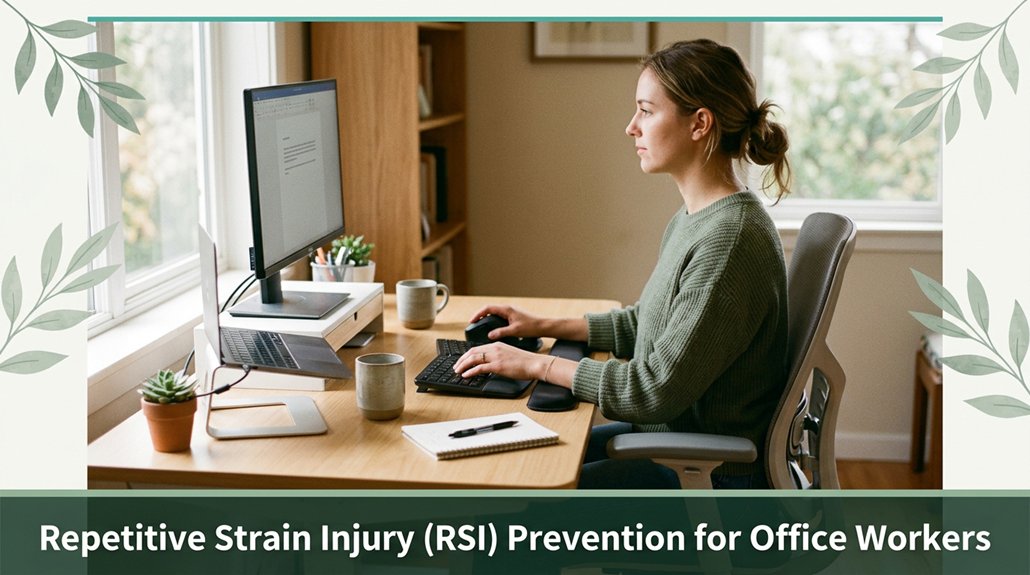
If you spend most of your day at a desk, you’ve probably felt that nagging discomfort in your wrists, shoulders, or back. To avoid the dreaded RSI, you need to set up your workspace thoughtfully think adjustable chair with good support, your monitor at eye level, and your keyboard positioned at elbow height so your wrists stay straight and your shoulders stay relaxed. Remember to move often stretch, shift your stance, do micro-movements and take breaks every 20 minutes. Stay mindful of your habits and make small tweaks to keep pain at bay; there are plenty more tips if you keep exploring.
This article contains affiliate links. If you purchase through them, I may earn a small commission at no extra cost to you. I only recommend products I genuinely believe in.

RSI, or Repetitive Strain Injury, is one of those sneaky ailments that slowly creeps up on you kind of like that missing sock, only it’s your wrists, neck, or shoulders that complain instead. If you’re an office worker, you’re probably familiar with the feeling of your neck feeling totally fine until about three hours into work, then suddenly it protests loudly. That’s your muscles and tendons overdoing it, especially with repetitive motions like typing and clicking.
All right, RSI prevention for office workers involves understanding these early stress signals such as when your wrist starts tingling or your shoulders stiffen and taking proactive steps. It’s about developing conscious habits, arranging ergonomic setups, and listening to your body’s quiet warnings before they develop into more serious issues.
According to OSHA ergonomic guidelines, maintaining proper ergonomic practices can significantly reduce the risk of developing RSI. Practical measures include adjusting your chair so that your hips are at a 90 to 100-degree angle (which encourages good lumbar support), positioning your monitor at eye level to avoid neck strain, and ensuring your wrists are kept in a neutral position during typing to prevent carpal tunnel syndrome.

All right, let’s get real most of us don’t think about how we sit or move until something nags. The repetitive clicking, typing, or reaching for your mouse isn’t just annoying; it overloads muscles, tendons, and nerves mainly in your hands, wrists, shoulders, and neck. According to OSHA ergonomic guidelines, repetitive motions can cause micro-trauma to soft tissues, leading to injuries such as carpal tunnel syndrome and tendinitis. Imagine doing the same simple motion over and over that’s what causes the strain.
Repeated motions can cause micro-injuries, leading to conditions like carpal tunnel syndrome and tendinitis.
If your workspace is awkward for example, if your monitor is too low or your mouse is too small you force your body into unnatural positions that increase stress on your musculoskeletal structures. Research on spinal biomechanics suggests that improper monitor height (ideally at eye level, about 20 inches away) and inadequate hand support contribute significantly to strain.
Proper ergonomic setup can reduce the risk of injury and improve overall comfort throughout your workday. Additionally, understanding how ergonomic principles influence posture can help you make better adjustments.
Sitting still for hours doesn’t help either; prolonged static positions can cause muscles to fatigue and become ischemic, which is when blood flow is reduced, exacerbating discomfort. Many ergonomists recommend taking short breaks every 30 to 60 minutes to stand, stretch, or walk, allowing your muscles and circulatory system to recover.
Bad habits, poor workspace setup, and static postures turn simple tasks into injuries waiting to happen. To prevent office-related RSI, you should maintain good ergonomic habits, such as adjusting your chair and monitor to support natural spinal curves, using ergonomic keyboards and mice, and staying mindful of your posture throughout the day.

Ever notice that dull ache in your wrists or neck that sneaks in after a long day of clicking and typing? It might be your body’s way of saying, “Hey, something’s off.” According to OSHA ergonomic guidelines, early signs of repetitive strain injury (RSI) include mild soreness or stiffness, primarily toward the end of your workday. This discomfort often loosens with rest, indicating initial stages of strain.
Repetitive motions can strain muscles and tendons, leading to inflammation if not addressed. Proper tools and habits, such as the correct use of wrist rests, play a vital role in prevention. You might also feel tingling, numbness, or burning sensations in your fingers or forearms after extended keyboard use.
These symptoms may signal nerve compression, such as carpal tunnel syndrome or cervical radiculopathy, which require prompt attention. Additionally, a persistent ache can evolve into sharp pain over time, alerting you to worsening tissue inflammation or nerve involvement.
You may notice reduced grip strength or observe swelling in your hands, which are common indicators of tendinopathy or joint stress due to repetitive motions. Per Mayo Clinic recommendations, early recognition of these symptoms can prevent progression to more severe conditions like tendinitis, thoracic outlet syndrome, or musculoskeletal disorders involving the cervical, thoracic, or lumbar regions.

Have you ever pushed through that nagging discomfort in your wrists or shoulders, only to find it sticking around long after you’ve shut down your computer? I’m sure you’ve noticed that your neck feels fine until about hour three, then suddenly it’s shouting at you.
Here’s the thing: if your RSI symptoms last beyond a week or worsen despite resting, it’s time to see a doctor. According to Mayo Clinic recommendations, persistent pain, tingling, or stiffness that keeps coming back during work isn’t normal it’s a sign your body needs a professional’s assessment. Persistent symptoms can develop into chronic issues if not addressed promptly.
If the pain spreads to your fingers or forearm, becomes constant, or wakes you up at night, don’t wait it out. These are indicators of a potentially serious condition. Rapid swelling, inability to move your fingers, or signs of numbness require immediate medical attention.
According to research on spinal biomechanics, such symptoms could signal nerve compression or other serious injuries. Your body is trying to tell you something important listening promptly can prevent long-term damage. Recognizing early signs and understanding body signals can make a crucial difference in preventing long-term injury.
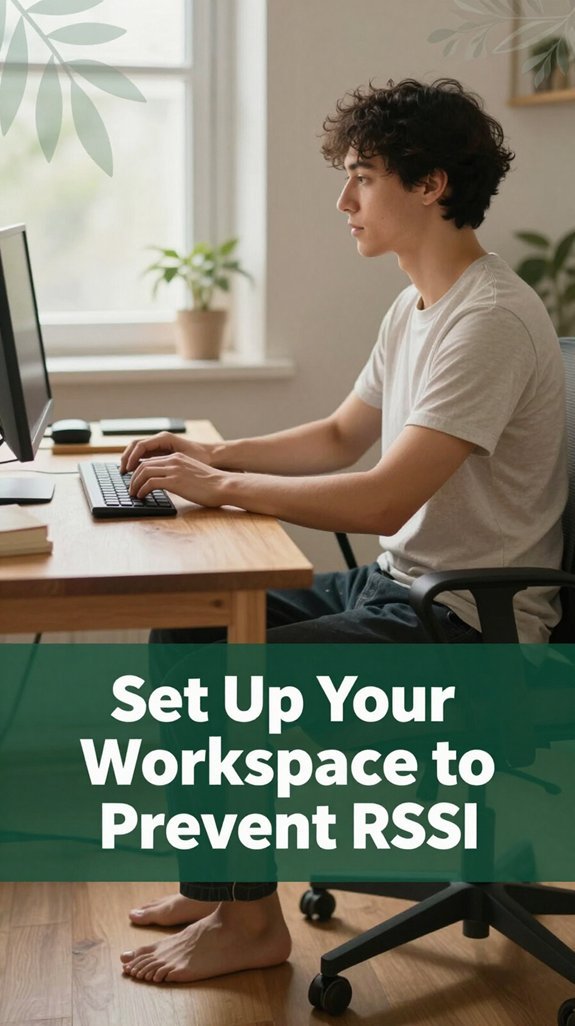
Setting up your workspace might not seem like a big deal, but it can actually be one of the best ways to prevent repetitive strain injuries (RSI) from creeping in. Imagine your chair, desk, and monitor working together like a well-rehearsed team. Here’s a quick cheat sheet:
| Chair & Seating | Desk & Layout |
|---|---|
| Feet flat on the floor, knees bent at approximately 90 degrees (which reduces pressure on the lower back). | Keyboard positioned at elbow height, with wrists kept straight (per Mayo Clinic recommendations to prevent carpal tunnel syndrome). |
| Lumbar support that maintains the natural curve of your lower back, with slight recline around 100–110 degrees (supporting spinal alignment). | No clutter under the desk, legroom clear to prevent constriction of blood flow or sciatic nerve compression. |
| Seat with a 2-3 finger gap (about 1-2 inches), allowing comfort without pressure, aiding circulation during prolonged sitting. | Break tasks into zones and avoid excessive reaching by organizing frequently used items close to your body. |
| Armrests set at 90 degrees, shoulders relaxed to avoid shoulder strain and thoracic kyphosis. | Use risers if your desk is too low, ensuring your keyboard stays at elbow height and wrists remain in a neutral position. |
| Supportive cushion and breathable fabric fabric that promotes airflow can reduce discomfort during extended periods. | Regularly adjust your workspace setup to maintain ergonomic alignment, reducing the risk of musculoskeletal disorders. |
| Additionally, maintaining proper body awareness while working can help you catch habits that lead to strain before they become problematic. | |
Maintaining an ergonomic workspace supports proper body posture and reduces discomfort, making it easier to sustain productivity without risking strain or injury.
All right, let’s talk about making those small yet impactful adjustments to your desk setup that can significantly improve how your body feels by the end of the day. According to OSHA ergonomic guidelines, improper workspace alignment can lead to neck strain, numb legs, and musculoskeletal discomfort that many people overlook until they stand up.
Here’s what you need to focus on:
If you execute these ergonomic adjustments, you’ll notice a difference even mid-morning, reducing discomfort and promoting better postural habits during your workday.
Sometimes, it feels like your muscles are quietly sending you a memo to slow down, but you barely notice until they scream during an awkward stretch. All right, here’s the thing: switching between sitting and standing every 20 to 60 minutes keeps your muscles from throwing up their hands in protest, according to OSHA ergonomic guidelines.
Muscles whisper to us switch positions every 20-60 minutes to keep them happy and pain-free.
When you stand, gently shift your weight think heel raises or leaning slightly for about 15 degrees (which means leaning forward or back slightly, not twisting or leaning excessively). This helps promote healthy circulation and reduces muscle fatigue. According to research on spinal biomechanics, maintaining constant pressure on one area can contribute to discomfort, so gentle movement is beneficial. Proper desk and chair adjustments help maintain these positions, reducing strain during transitions. Incorporating dynamic postures into your routine can further support musculoskeletal health throughout the day.
While seated, stay flexible recline a bit, move your feet, and avoid that stuck-in-one-position feeling. Make sure your lumbar spine is supported, and keep your hips at a 90-degree angle (which helps prevent lower back strain).
Keep your shoulders relaxed and avoid slouching into thoracic kyphosis; this maintains good posture and reduces upper back tension. Don’t forget to keep your neutral spine position even when changing between sitting and standing, so your cervical, thoracic, and lumbar regions stay aligned. This helps prevent long-term postural issues like sciatica or lower back pain.
Add micro-movements like shoulder rolls or neck rotations a small range of motion can help stimulate circulation and keep the muscles responsive. These movements are especially useful for preventing fatigue and stiffness in the cervical, thoracic, and lumbar areas.
Research suggests that small, frequent movements are more effective than static positions in maintaining musculoskeletal health during extended periods of sitting or standing.
Now, I’m sure you’ve felt that slow, creeping discomfort creeping into your shoulders or wrists after hours of typing away per Mayo Clinic recommendations, this can be a sign of early signs of repetitive strain injury (RSI).
Holding your breath or ignoring these signals can lead to more serious conditions like carpal tunnel syndrome or thoracic outlet syndrome.
Here’s the thing: taking strategic breaks and doing some quick stretches can be your best friends in preventing RSI, according to OSHA ergonomic guidelines.
Additionally, being aware of your posture and ergonomics can help prevent RSI symptoms from developing further. Remember, regularly incorporating these breaks can significantly help keep your musculoskeletal system healthy and pain-free.
Your muscles will thank you.
When you start mixing things up during your workday sitting, standing, walking you’re actually giving your body a break from that all-too-familiar static hold. According to OSHA ergonomic guidelines, changing positions reduces sustained pressure on the lumbar discs and spinal facets, which many ergonomists recommend to prevent low back pain and neck discomfort.
Switching between sitting and standing every 30 to 60 minutes helps decrease the constant compressive load on your lumbar and thoracic vertebrae. Standing more frequently and taking quick walks encourages blood flow to muscles and tissues, which helps prevent stiffness, fatigue, and circulatory issues. This movement is especially important for those with existing lower back issues or poor circulation. Additionally, research shows that frequent postural changes can significantly boost overall mobility and reduce discomfort caused by static positions.
In addition, micro-movements such as wrist circles, shoulder rolls, and ankle pumps distribute workload across muscles and joints, helping prevent overuse injuries like carpal tunnel syndrome or shoulder impingement. These small actions activate muscles that tend to become dormant during prolonged static postures. Incorporating dynamic ergonomic practices into your routine can further enhance the benefits of movement and support musculoskeletal health.
Carving out tiny walking breaks like chatting with a coworker or grabbing a drink not only keeps circulation optimal but also enhances muscle recovery and mental focus.
Regular movement breaks are a practical way to reduce the risk of musculoskeletal disorders related to static sitting or standing positions. Remember, incorporating varied postures and routine micro-movements into your workday can significantly improve comfort and musculoskeletal health.
If you want to prevent RSI from sneaking up on you during long workdays, it’s all about training yourself to work smart, not just hard. You’ve probably felt that dull ache creeping in after hours, right? Here’s how to stop it early:
By making these small adjustments, you can stay in control and avoid that “just waiting for your back to give out” moment.
Organizational policies are the backbone of actually preventing RSI from sneaking up on you, even during the busiest workdays. If your workplace doesn’t have clear rules supporting ergonomic health, you’re left to fend for yourself and no one wants that. Truly, policies matter; they set the tone and create safe habits, such as regular breaks and task variation, instead of endless repetition.
Here’s a quick look at what makes a meaningful RSI prevention plan:
| Policy Element | Why it Matters | How It Helps |
|---|---|---|
| Ergonomic equipment | Prevents strain; according to OSHA ergonomic guidelines, using adjustable chairs, keyboard trays, and monitor stands helps maintain optimal joint angles and reduces musculoskeletal risk. | Less pain, better posture, and less likelihood of conditions like carpal tunnel syndrome or thoracic kyphosis. |
| Break policies | Breaks are mandatory; research indicates that taking short, frequent breaks helps prevent fatigue and repetitive strain. | Reduces muscle fatigue and the risk of RSI, especially in the lumbar, cervical, and wrist regions. |
| Workload management | Avoids overload; managing task complexity and duration decreases continuous static loading on muscles, tendons, and ligaments. | Keeps muscles, particularly in the lumbar and shoulder areas, fresh and less prone to injury. Additionally, workload variation can help prevent monotonous strain. |
| Committee oversight | Keeps policies current; regular reviews ensure ergonomic measures adapt to technological or workflow changes. | Risks and ergonomic issues are spotted early, promoting continuous health improvements. |
| Job design | Adds variation; designing tasks to alternate between different postures and movement patterns reduces static positioning. | Limits static postures like thoracic kyphosis or lumbar flexion, which can lead to discomfort or spinal issues. |
In addition, research shows that adequate ergonomic training significantly enhances employees’ understanding of proper posture and equipment use, ultimately reducing injury risk.
All right, you get it crafting policies that support your body is the smart way to work smarter, not harder.
All right, if you’ve been pushing through those lingering RSI symptoms and they’re stubborn maybe even worse than they were a week ago it’s time to get serious. Don’t ignore red-flag signs like numbness, swelling, or weakness because that’s your body warning you something needs a closer look.
Here’s what you should do:
Trust me, acting quickly is crucial you don’t want this to develop into a long-term pain condition that could affect your daily activities and work productivity.
You support RSI prevention by creating a culture that values safety and awareness.
Offer regular ergonomic training think of it as tuning up your workspace and encourage prompt reporting of early symptoms like tingling or soreness.
Invest in adjustable furniture and tools, and set clear break policies with reminders.
Ultimately, you’re helping your team stay comfortable and prevent pain before it sneaks up, because a happy, healthy worker is a productive worker.
You want the most effective ergonomic tools? Look for the adjustable chair with lumbar support trust me, it keeps your spine happy and reduces back pain.
Add a sit-stand desk, so you’re not glued to your seat all day. Armrests that really support, and a keyboard tray that puts your wrists in a neutral spot these little things make a huge difference.
Honestly, it’s about fitting your workspace to your body, not the other way around.
All right, here’s the thing: your training plays a vital role in cutting down RSI risks. When you learn to spot warning signs early, you catch problems before they become chronic saving you from missed days or worse.
Education on ergonomic setups and safe habits makes sure you’re not just guessing, but actively reducing strain. Basically, the more you know, the better you’re protected like having a personal injury shield built right into your daily routine.
You need to make reporting early RSI symptoms as easy as grabbing a quick message or clicking a button.
All right, people sometimes hesitate, fearing they’ll be seen as complainers or worry it’s minor. But trust me, if you encourage a culture where highlighting those tiny, nagging pains gets quick action, you prevent the big, painful mess down the line.
Keep channels simple, remind everyone, and show that early reports lead to real help fast.
You can definitely keep RSI prevention habits alive long-term.
All right, the secret? Make it part of your daily routine, like brushing your teeth no magic trick here. Use software reminders, designate specific stretches, and rotate tasks.
Honestly, it’s about building habits, not miracles. When you embed these into your workday, they become automatic, so your body stays happier and healthier, even after months of typing away.
Alright, here’s the thing RSI is like that clingy plant; if you don’t give it the right care early on, it’s gonna take over. But if you listen to your body, take breaks, and set up your workspace right, you can keep that plant healthy instead of watch it slowly choke your wrists and neck. Trust me, a little effort now saves a lot of pain later. You’ve got this don’t let RSI turn your desk into a pain factory.





