Physical Address
304 North Cardinal St.
Dorchester Center, MA 02124
Physical Address
304 North Cardinal St.
Dorchester Center, MA 02124

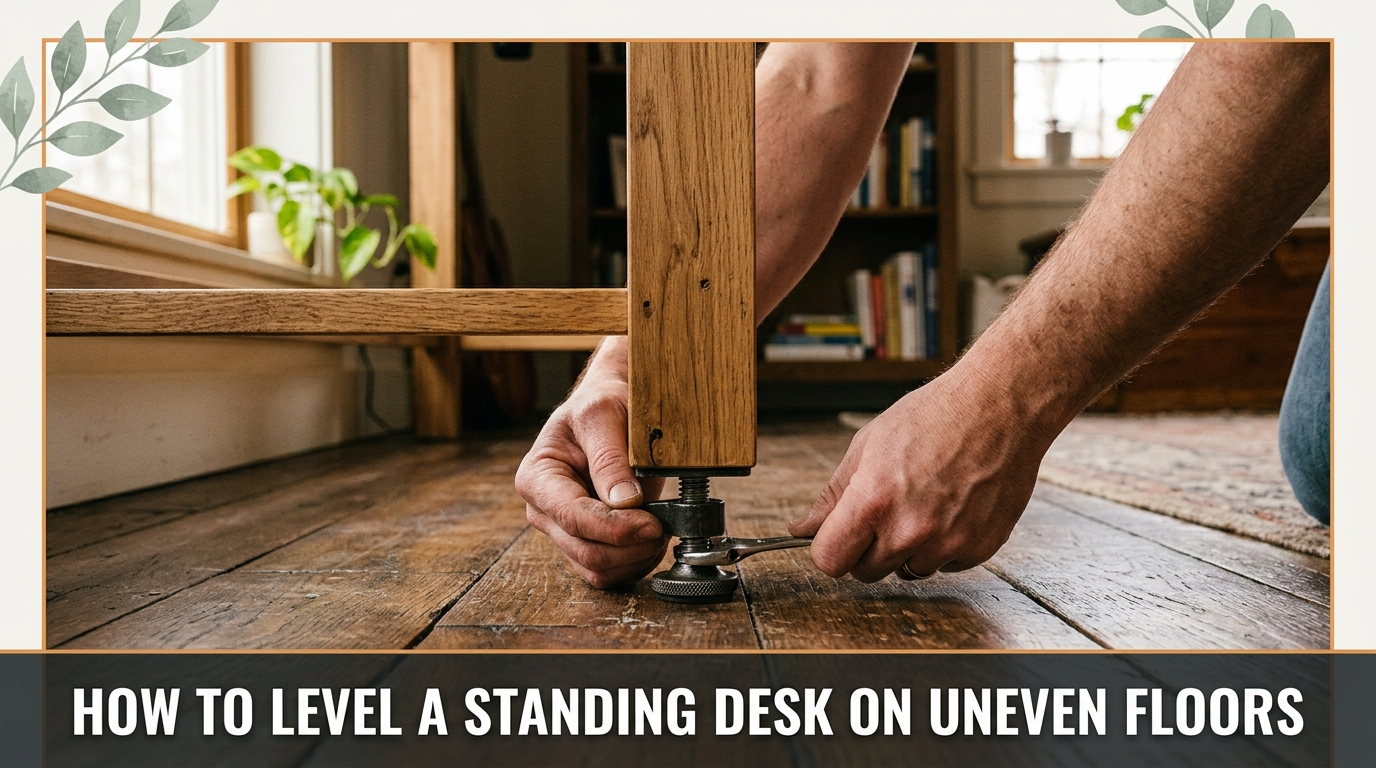
Your standing desk wobbling on that uneven floor? That’s a common headache, but don’t worry you can fix it. First, grab a level or straightedge to check out the dips and hills, even those tiny imperfections matter.
Then, use adjustable feet or screw-in levelers your best friends here and tweak until everything feels stable. If stubborn gaps remain, some shims can help smooth things out. Still wobbling after trying these tips? It might be time to call in the pros or explore different flooring options. Stick with me for the full scoop on leveling your desk easily.
This article contains affiliate links. If you purchase through them, I may earn a small commission at no extra cost to you. I only recommend products I genuinely believe in.
Alright, let’s get real about this first step: evaluating your floor’s levelness. If you’ve got a standing desk on an uneven floor, it’s time to get the tape measure out because an uneven surface can cause instability and discomfort.
First, place a level or a straightedge across different parts of the surface where your desk will sit because this helps identify major dips or hills affecting stability.
Use a level or straightedge across your desk area to detect major dips or hills for better stability.
Next, don’t just glance at the surface; take accurate readings at multiple points along the entire span of the area. You’ll quickly spot uneven spots maybe a slight slope or a wobble that’s more than just your imagination so be thorough in your inspection.
Remember, the goal isn’t perfection but identifying the major dips and hills that’ll make your desk wobble or feel weird. Because a significant slope or dip can lead to instability, a wobbling desk, or ergonomic discomfort, it’s essential to measure accurately.
Measurement tip:
– For a stable workspace, the surface shouldn’t vary more than 1/8 inch (3 millimeters) over a 48-inch (122 centimeters) span.
Be aware of common mistakes: You might assume a slight tilt isn’t worth correcting, but even small irregularities can cause persistent wobbling or discomfort over time. To prevent this, ensure you measure across multiple points and note any significant deviations.
And remember, understanding floor levelness is crucial for creating an ergonomic and stable workspace that promotes comfort and reduces strain over long periods of use.
Now you’re equipped to assess if your floor’s levelness meets the ergonomic standard, ensuring your standing desk remains stable and comfortable during use.
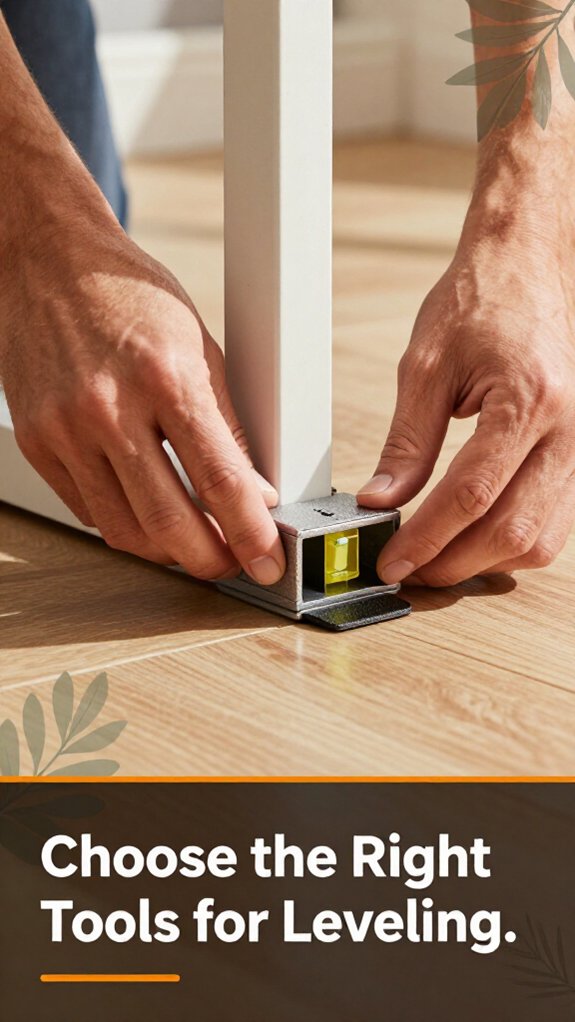
Choosing the right tools for leveling isn’t something you want to half-ass. Trust me, I’ve been there trying to balance a massive level on a tiny desk corner, wondering why my whole setup wobbles like a tequila shot on a trampoline.
Here’s what you need:
Select tools that match your desk’s shape and weight. For example, use a robust adjustable feet set like the Ecco Delta series, rated for up to 200 pounds, if your desk is heavy. A lighter desk may only need plastic shims.
Use the bubble level to identify uneven spots, because the level indicates when surfaces are perfectly horizontal or vertical. It’s also beneficial to understand surface stability and how it impacts overall balance.
Key measurement: Place the bubble level on your desk surface; the bubble should be centered between the marked lines to confirm levelness.
Avoid going for the cheapest tools, because imprecise levels or flimsy shims lead to inaccurate leveling and frustration later.
Now, you’re halfway there; just remember this essential step.
Errors to watch out for:
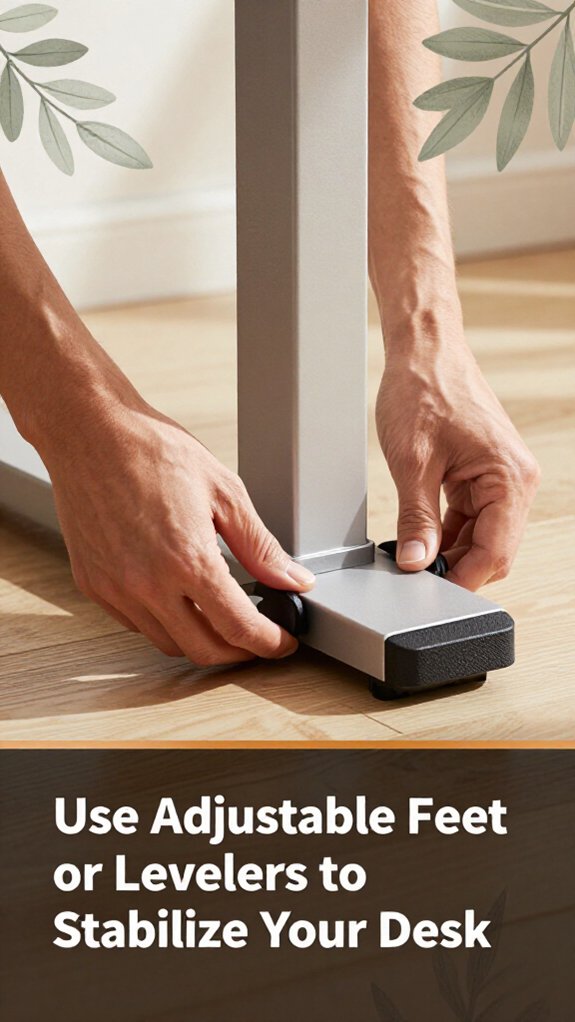
If your desk has been wobbling more than a worn-out rocking chair, adjustable feet or levelers are your new best friends. They are like tiny, steadying agents that keep your desk from teetering every time you brush past. Here’s the game plan:
Follow these detailed steps for each leg:
| Leg | Adjustment | Tips |
|---|---|---|
| Front left | Turn clockwise | Make sure the area around the leg is clear of obstruction because debris can prevent proper seating of the leveler. |
| Front right | Turn counter-clockwise | Avoid overtightening because this can damage the threads or cause difficulty in future adjustments. |
| Back left | Adjust slightly | Keep the desk even because unevenness causes wobbling during use. |
| Back right | Fine-tune | Test stability by gently rocking the desk because this confirms whether the adjustment was successful. |
| Central | Lock in | Firm but not too tight because over-tightening can warp the frame or stress the levelers. |
Additional Tip: When leveling the desk, measure the height difference between the highest and lowest points and aim for a variance of no more than 1/8 inch (3 millimeters). Proper leveling is especially important on uneven floors to minimize wobbling and ensure a secure workspace.
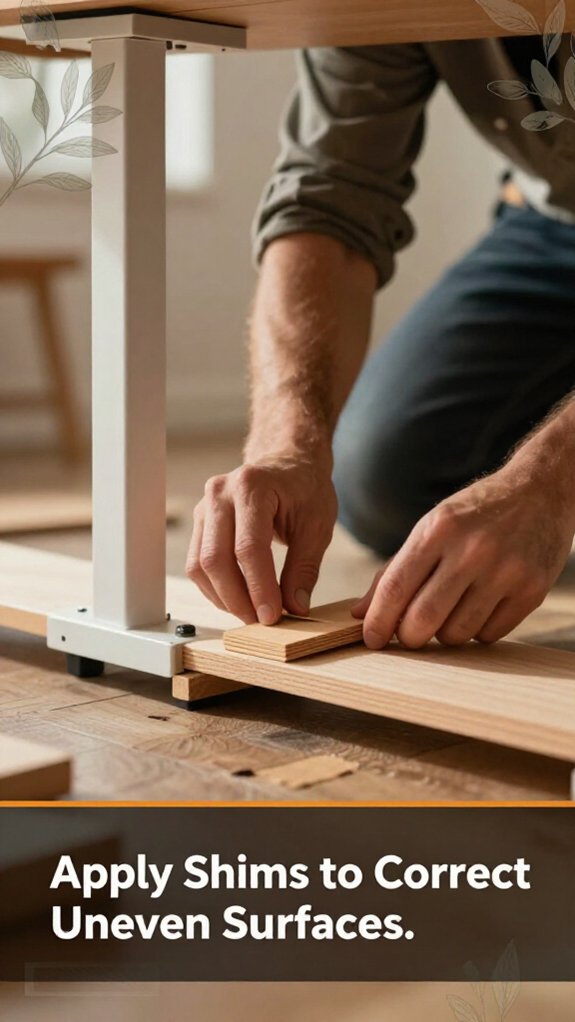
Most of us have experienced this: you set up your new desk, everything seems fine, and then you realize it wobbles worse than a Jenga tower in a breeze. That’s when you grab shims.
All right, here’s the thing: shims are tiny wedges you slide under the desk’s legs or frame for a quick fix.
Shims are small wedges used to quickly stabilize wobbly furniture.
Pick the right shim thickness because thin shims are suited for slight unevenness, while thicker shims are necessary if the floor’s really off.
Slip the shim between the leg and the floor because this helps stabilize the furniture and eliminate wobbling.
Test the wobble after each shim tweak because adjusting gradually ensures the best stability. Continue adjusting until everything feels solid.
Patience pays off more than forcing it because forcing the shims into place or rushing adjustments may cause damage or insufficient stabilization.
Important Measurement and Formula:
When shims aren’t enough to level your desk because the floor’s really uneven, it’s time to get creative with underlayment or rugs. All right, grab that thick rug or some foam padding something you don’t mind sacrificing if it doesn’t work out.
Place it under the desk legs or at the base where unevenness is worst because an extra layer helps spread out tiny dips and bumps, creating a more stable surface.
Consider floor irregularities when choosing your underlayment to ensure effective leveling.
Why? Because leveling small, irregular floor areas prevents the desk from wobbling, which can cause your monitor to bounce or slip. You don’t need perfection in stability just enough to keep the monitor from bouncing visibly during use.
Here’s what to do: test the setup by gently pushing the desk a little. If it wiggles less and feels sturdier, you’ve succeeded. If not, adjust by adding more underlayment or repositioning the rug. Remember, every setup’s different, so fine-tune accordingly.
Important Measurement:
– To achieve a stable desk, the top of the monitor should be aligned roughly at or just below your eye level** when seated, typically about 20 to 30 inches** from your eyes.
Additional Tip:
– Use a level (such as a carpenter’s level or a smartphone app) placed on the desk surface to verify it’s horizontally even after adjustments.
The truth is, your leveling adjustments won’t do much good if they’re just floating around unsecured.
Once you’ve got your desk roughly level, you need to lock those adjustments in place, because otherwise everything will shift probably while you’re in the middle of an email.
Here’s what you should do:
– Tighten all the locking nuts or screws firmly, because this prevents movement.
Don’t tighten them to the point of stripping, as overtightening can damage the threads.
Important measurement:
– The top of your computer screen should be at or just below your eye level when seated comfortably, which is typically about 20 to 30 inches from your eyes.
Additional tips:
– Lower the monitor to just below eye level, because looking slightly down reduces neck strain and promotes good posture.
All right, do this step, then take a breath.
A loose adjustment is just asking for trouble and can lead to uneven desk surfaces or monitor misalignment over time.
Keeping your desk perfectly level isn’t a one-and-done deal. Trust me, I’ve been there tightening a screw thinking it’ll stay perfect, then noticing it’s now wobbly a week later.
So, here’s the deal: check your desk regularly, especially after moving or heavy use.
Get in the habit of eyeballing it, but don’t rely on just your eyes. Use a carpenter’s level, like a 24-inch Stanley FatMax or Bosch Laser Level, for accuracy.
Use a carpenter’s level for accuracy, not just your eyes, to keep your desk perfectly aligned.
Fact: The bubble in a carpenter’s level should be centered between the marked lines to indicate a perfectly level surface.
If things seem off, tighten those leveling feet or shims again, because uneven floors shift things over time and your desk reacts accordingly. Remember that floor surfaces might be uneven due to foundation settling or previous construction issues.
To keep your desk steady:
Avoid ignoring unevenness; it leads to wobbly monitors and back strain. Maintain your desk by performing these checks once a month or after significant floor shifts, because consistent maintenance prevents long-term discomfort and damage.
Common mistakes:
A little proactive maintenance keeps your desk steady, your workspace ergonomic, and your frustration minimal.
If your desk keeps wobbling even after you’ve fiddled with the leveling feet, you’re not imagining things, because this is quite common.
Sometimes the feet just don’t sit right because the floor is more like a warp than a flat plane. Here’s what to check:
All right, try tightening or adjusting the feet again because this can often resolve minor imbalances.
If the wobbling persists, you might need to shim underneath the desk or consider a sturdier footing because slight height differences or uneven surfaces sometimes require additional support.
Remember, a typical adjustable leveling foot can be turned to raise or lower the desk by approximately 1/8 inch per full turn.
Don’t give up sometimes it’s just one small, precise tweak away from sitting perfectly stable.
Sometimes, no matter how many turns you give the leveling feet or how many shims you stack underneath, that wobbling desk just won’t stop. That’s when you know it’s time to call in a professional.
Look, if you’ve spent more than half an hour tweaking and it’s still shaky, don’t keep spinning your wheels. If the floor’s unevenness is causing serious instability, a flooring expert can level the surface itself. Because they can grind high spots or add a new layer, which provides a stable foundation for your desk.
Or maybe the desk frame is warped. Because a professional can assess the situation quickly, they can determine the best corrective action.
Honestly, you reach a point where your frustration outweighs the DIY effort. That’s when you should probably just hand the job over and save your sanity.
Once you’ve wrestled with uneven floors and stubborn wobbling for what feels like an eternity, it’s worth considering adjustable desk frames and modular bases because they’re a game changer. You can customize the height and stability on the fly, saving yourself from constant readjustments.
Here’s the thing:
Here’s the thing: customizing your workspace with adjustable and modular furniture can transform your comfort and stability.
Obviously, it’s not magic, and installation might still involve some trial and error. But trust me, once you get it right, your workspace feels solid, and your frustration decreases significantly.
Adjustment Tips and Facts:
Common Mistakes and Solutions:
There’s no escaping it: your floor won’t stay perfectly level forever. You set up your desk, thinking you’re good to go, but sooner or later, unevenness creeps back in.
Here’s the thing: if you don’t take care to prevent damage now, your floors will thank you with scratches, scuffs, or worse cracks.
So, you should put down protective pads or rubber feet under your desk legs because these cushion the contact points, spreading out weight and absorbing impacts.
Why is this important? Because without proper protection, the weight of furniture can cause stress points on the flooring, leading to permanent damage over time.
All right, maybe you’re thinking, “That’s obvious,” but trust me, most people forget until it’s too late.
Now, follow these steps to prevent floor damage and future unevenness:
Keep up with this routine, and future unevenness won’t just be a problem you’ll prevent it entirely.
Important measurement:
– The height of protective pads or rubber feet should be sufficient to raise the furniture so that the bottom of the legs are level with or just slightly above the flooring surface, typically 1/8 to 1/4 inch, to ensure stability without causing imbalance or tilting.
If your standing desk starts wobbling during a Zoom call, don’t panic. You can take quick action to stabilize it instantly. First, check for loose screws or uneven legs. Tighten any that seem loose because securing them prevents movement and enhances stability.
Next, identify any shorter leg(s). Use household objects such as books, stacks of paper, or sturdy boxes as shims because they can provide an immediate lift and level the desk.
Use household objects like books or boxes as shims to quickly level uneven desk legs.
To do this, place the household objects under the shorter leg(s) until the desk becomes level.
Measurement Tip: The top of the desk should be level within 1/8 inch across all legs.
If your desk has adjustable feet, give them a quick turn to level it out temporarily because this adjusts the height of each leg independently for stability.
Steps to level your desk with adjustable feet:
Common mistakes to avoid:
With these quick fixes, you can prevent wobbling and maintain workflow smoothly without drawing attention or risking further instability.
Absolutely, leveling your standing desk can boost ergonomic comfort.
When your desk’s uneven, you end up hunching or straining trust me, I’ve been there.
By adjusting the feet or adding shims, you create a stable surface, reducing back pain and awkward postures.
It’s like fixing your chair height, but for the whole desk.
Do it right, and you’ll feel the difference less fatigue, more focus.
Simple fix, big payoff.
Here’s the thing: adjusting your desk probably won’t void the warranty if you stick to basic leveling most manufacturers expect it.
But if you start drilling or removing parts, yeah, that could get tricky.
So, keep it simple, use the adjustable feet or shims as intended.
Trust me, I’ve learned the hard way that making permanent changes can open a can of warranty worms.
Just tune it and keep it within reason.
You should keep the weight on your stabilizing devices within the manufacturer’s recommended limits, usually around 10–20 pounds per corner.
You might be tempted to overload it thinking more weight makes it stable, but nope, that can strain the adjustment mechanisms or even damage your desk.
All right, so aim for a balanced weight enough to keep things steady without turning your setup into a weightlifting challenge.
You should recheck your desk’s levelness every couple of weeks, or after heavy movement or rearranging your workspace.
Think of it like tuning a guitar if you don’t, it’ll go out of tune faster. Life gets in the way, sure, but it’s worth catching small shifts early before everything starts wobbling, or you accidentally give yourself a mini chiropractic appointment.
Keep a mental note or set a calendar reminder your back will thank you.
Absolutely, flooring materials influence your leveling method.
If you’ve got carpet, you’ll want shims, not just adjustable feet carpets compress, messing with your level.
For tile or concrete, adjustable feet work well, but make sure they don’t scratch the surface.
Wood floors get delicate: use rubber pads or non-slip furniture grippers under your shims.
Basically, you’ve gotta match your fix to the floor’s personality don’t fight the material.
Look, fixing your uneven desk isn’t rocket science most of us just jump straight into tinkering without a game plan. Did you know that uneven floors can cause ergonomic issues and strain, leading to discomfort or even long-term pain? Now you’re armed with the know-how to level that thing, so you won’t waste another afternoon trying to tighten screws that won’t hold. Trust me, once it’s level, you’ll wonder why you waited so long to get it right.





