Physical Address
304 North Cardinal St.
Dorchester Center, MA 02124
Physical Address
304 North Cardinal St.
Dorchester Center, MA 02124

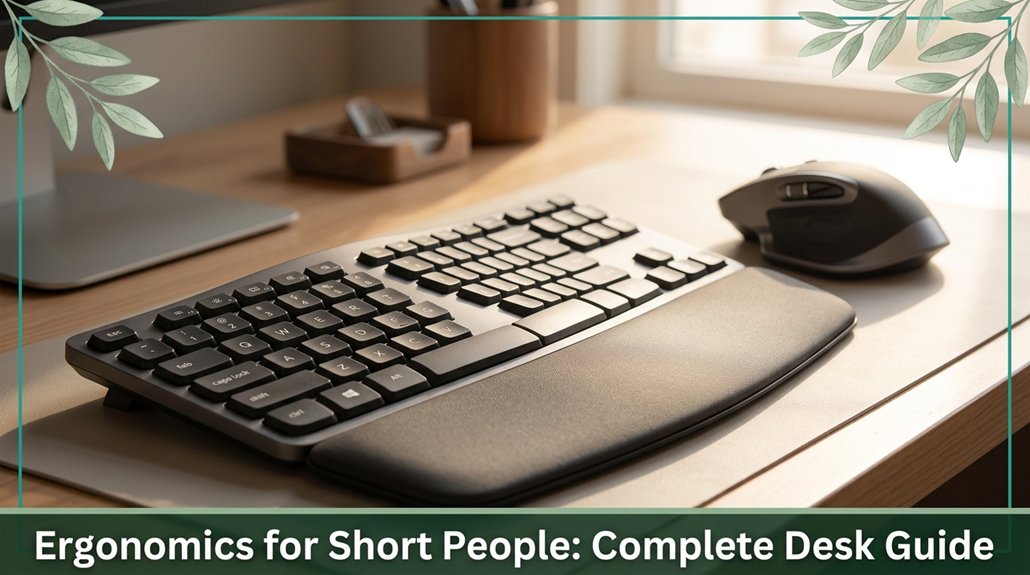
If you’re short, your workspace probably feels like a constant juggling act and honestly, it kind of is. The key is to set your desk height so your elbows are at a 90-degree angle, ideally 20 to 24 inches from the floor, with your monitor at or just below eye level.
Using adjustable chairs, keyboard trays, and footrests can make a huge difference, preventing that nagging neck or wrist ache. Stick with good habits, and you’ll find comfort if you keep tuning your setup, you’ll eventually make it perfect.
This article contains affiliate links. If you purchase through them, I may earn a small commission at no extra cost to you. I only recommend products I genuinely believe in.
There’s a good chance you’ve already felt it those little aches that sneak up when your workspace isn’t quite right. That’s why ergonomics for petite workers matter. If your desk is too high, your shoulders elevate more than 15 degrees (which can contribute to shoulder strain as per OSHA ergonomic guidelines), and suddenly neck pain skyrockets.
You might notice wrist strain when your keyboard is beyond a 20-degree extension (research on wrist biomechanics suggests that maintaining a neutral wrist position reduces risk), or your legs feeling numb after sitting with dangling feet. Properly measuring and adjusting your seated elbow height is essential because it directly influences the ideal desk height, ensuring your setup remains comfortable and reduces the likelihood of strain.
These aren’t just annoyances; they’re signals your body is trying to tell you something. Proper ergonomic setups reduce musculoskeletal risks, including conditions like lower back pain and carpal tunnel syndrome, and can even boost your confidence, making you feel more in control of your space. Many ergonomists recommend adjusting your chair height, monitor position, and keyboard angle to better suit your petite stature.
All right, let’s get real about setting your desk height if you’re on the shorter side. You want your desk to match your elbow height measured from the floor to the underside of your elbow while seated, with your feet flat on the floor and your elbows at approximately 90 degrees.
According to OSHA ergonomic guidelines, proper desk height helps prevent musculoskeletal discomfort and long-term strain. To determine the correct height, follow these steps:
1. Measure your seated elbow height, which for someone roughly 4’8” to 5’0” is approximately 20 to 24 inches. This measurement is crucial because it ensures your forearms are aligned to reduce shoulder and neck tension during work.
2. Subtract 1 inch from that measurement; this is the ideal height for your keyboard to promote neutral wrist positioning and reduce risk of carpal tunnel syndrome.
3. If your desk can’t be adjusted to this height, consider an ergonomic keyboard tray. Using a tray can help position your keyboard at the proper level, minimizing strain on your shoulders, wrists, and forearms.
Adjustable furniture is essential for petite individuals to create a workstation that fits their specific needs and reduces discomfort.
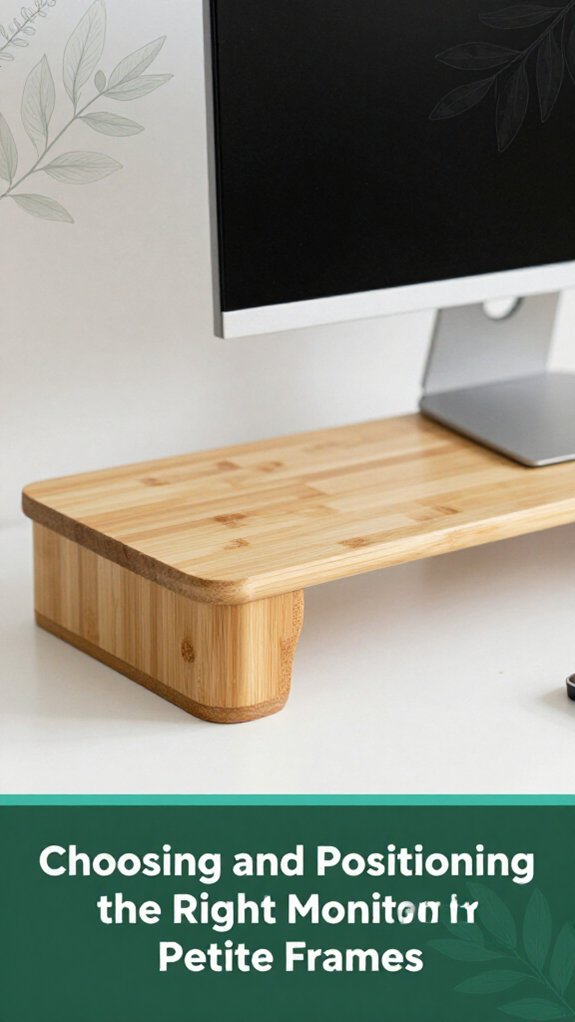
Thinking about your monitor mightn’t be the most thrilling part of your setup, but trust me, it’s worth the effort especially if you’re on the petite side. According to OSHA ergonomic guidelines, proper monitor positioning can help prevent neck strain and reduce the risk of musculoskeletal issues.
You’ve probably noticed that when your monitor is too high or too low, your neck begins to ache around hour two, and you end up stretching excessively, like a cat. For shorter individuals, the top of your screen should be level with or just below your eye line to keep your neck in a neutral, relaxed position. This typically requires an adjustable monitor arm or a riser.
Proper monitor positioning can improve comfort and prevent long-term neck discomfort. All right, get a screen approximately 22 to 24 inches in size, and ensure it has high resolution to avoid eye strain caused by tiny, hard-to-read text, which can contribute to cervical and visual fatigue.
Adjust your monitor so the top is at or below eye level to prevent neck strain.
Maintaining an optimal monitor distance of about an arm’s length roughly 20 to 30 inches away so you’re not leaning forward or craning your neck. Maintaining this distance allows your eyes to naturally focus without excessive effort, reducing ocular and cervical strain. Additionally, ensuring the monitor’s tilt is around 10-20 degrees downward can align it better with your natural line of sight for additional comfort.
Getting your keyboard and mouse positioned just right isn’t just about neatness it’s about reducing strain on your shoulders, wrists, and overall comfort during those long workdays. According to OSHA ergonomic guidelines, improper positioning can contribute to issues such as carpal tunnel syndrome, tendinitis, and musculoskeletal discomfort.
Keep your keyboard at elbow height, approximately 22-24 inches from the floor, which allows your elbows to stay at a comfortable 90 degrees (a neutral ergonomic position). This height helps minimize shoulder and neck tension. Adjustable keyboard trays can be particularly helpful to achieve this optimal positioning.
Place your keyboard directly in front of you, within 6-8 inches of your torso this distance encourages good posture and prevents reaching forward, which can cause shoulder and thoracic spine strain. Keep your mouse no more than 2-3 inches from the keyboard edge to reduce wrist deviation and strain.
Use a wrist rest that’s positioned slightly below the keyboard; this helps keep your wrists in a neutral, straight position and reduces the risk of repetitive strain injuries like carpal tunnel syndrome.
Additionally, taking micro-breaks every 20-30 minutes can help prevent fatigue and improve circulation, especially during extended typing sessions. Incorporating proper wrist posture and workstation adjustments can further enhance comfort and reduce long-term injury risks.
Proper positioning of your keyboard and mouse, along with regular breaks, can significantly improve long-term comfort and prevent repetitive strain injuries for short people.
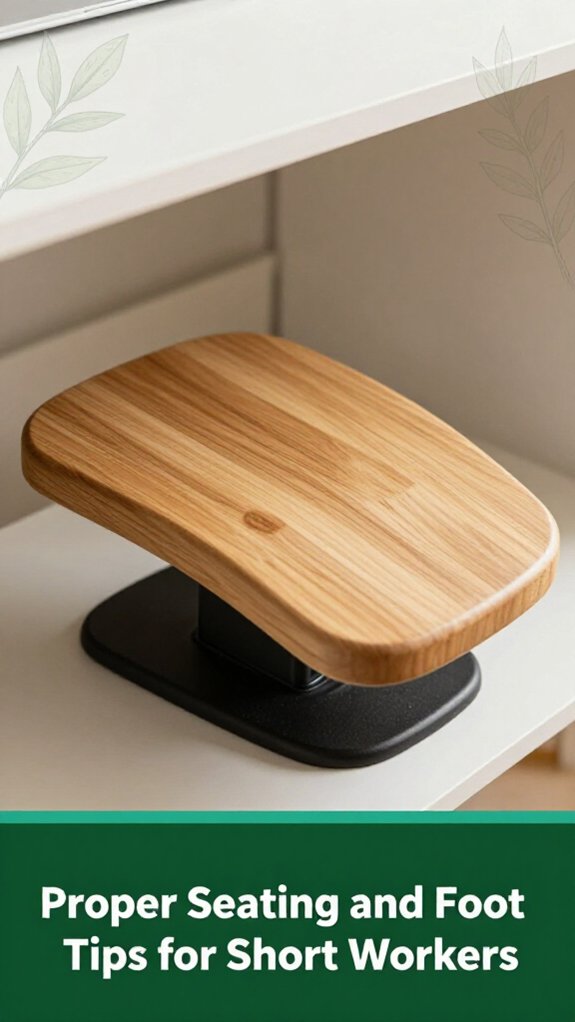
When it comes to sitting comfortably at your desk, foot support might seem like a small detail until you realize it’s the secret to avoiding that nagging lower back ache or the feeling of your legs falling asleep. If your chair’s height is too high or too low, your legs won’t sit properly, and over time, this can contribute to musculoskeletal discomfort.
According to OSHA ergonomic guidelines, proper seating height is crucial for spinal health and overall comfort. It’s important to note that petite individuals often face challenges finding furniture that fits their unique proportions, making tailored support even more critical for ongoing comfort and health. Ensuring the correct foot placement can also aid in maintaining spinal alignment, preventing unnecessary strain during long hours of sitting.
Here’s what you need to know:
| Aspect | What to Do | Tips |
|---|---|---|
| Seat height | Keep it approximately 16 inches from the floor, which allows your thighs to be parallel to the ground and reduces pressure on the lumbar spine. (This height supports neutral lumbar curvature for most people.) | Use an adjustable chair to find your optimal position. |
| Footrest options | Use a footrest if your feet cannot reach the floor comfortably. A footrest supports full foot contact, which helps stabilize the pelvis and maintains proper lumbar and sacral alignment. | Ensure the footrest supports your entire foot with a gap behind your knees for circulation. |
| Footrest design | Choose an adjustable, non-slip footrest measuring around 12×6 inches. Tilting it 10-15 degrees enhances comfort by promoting natural ankle and knee angles, reducing strain. | Adjust the tilt within 10-15° for optimal ergonomic support. |
| Foot placement | Keep your feet flat on the footrest or floor, with knees bent at approximately 90°, to promote proper circulation and maintain lumbar support. (Maintaining this position prevents sciatica or lower limb numbness.) | Using a footrest helps achieve the ideal angle and reduces pressure on the lower back. |
You know that feeling when you’re digging through your desk looking for that one pen or document, and it suddenly feels like you’re doing a full workout just to reach it? It’s probably because your most-used items are outside that comfortable 12-inch zone, which is the optimal reach distance for reducing shoulder strain according to OSHA ergonomic guidelines.
It’s important to keep everything within arm’s reach, but without raising your shoulders or stretching awkwardly, which can cause shoulder impingement or neck discomfort. To achieve this, keep essential items like pens, sticky notes, and phones on the same side as your dominant hand, within 10 inches of the desk edge this minimizes overstretching of the upper limb and shoulder girdle.
Keep essential items within 10 inches of the desk edge to prevent shoulder strain and maintain comfortable posture.
Use slide-out trays or turntables, such as Lazy Susans, to keep frequently used items accessible within a 90° arc research on spinal biomechanics suggests this setup reduces unnecessary trunk twisting and shoulder movement.
Magnetic clips, small containers, or labeled zones help organize your workspace, making it easy to identify and retrieve items quickly, minimizing repetitive reaching motions that can contribute to conditions like carpal tunnel syndrome.
Additionally, arranging your workspace to support a neutral posture can help prevent discomfort and maintain long-term ergonomic health. By applying these ergonomic principles, you can maintain a more natural, comfortable posture while working, ultimately reducing strain on your cervical, thoracic, and lumbar regions.

Think of ergonomic accessories as your tiny secret weapons for small-frame workers, they’re game-changers. When you’re under 5’4”, standard desks and chairs can feel like trying to fit into a suit two sizes too big. According to OSHA ergonomic guidelines, these mismatched setups can lead to musculoskeletal discomfort and repetitive strain injuries.
Fortunately, accessories like adjustable keyboard trays, footrests, and monitor arms make a significant difference. You can set your keyboard at elbow height, which aligns your forearms parallel to the floor and reduces wrist strain. Many ergonomists recommend maintaining your wrists in a neutral position to prevent conditions like carpal tunnel syndrome.
You can also keep your knees at a 90-degree angle, promoting better circulation and reducing pressure on the lumbar spine. A footrest that tilts 15–20° (which helps improve blood flow and reduce lower limb fatigue) supports your knees and ankles.
Additionally, a monitor arm enables you to position your screen at eye level, reducing thoracic kyphosis and neck strain. Adjusting the monitor vertically by 10–15 inches ensures your gaze is natural, minimizing neck and shoulder tension.
All these small tweaks can prevent your neck from turning into a noodle, helping you avoid strain and discomfort, and make your workday significantly more comfortable.
All right, let’s be real getting your desk setup just right when you’re under 5’4” isn’t exactly a no-brainer.
Getting your desk just right when you’re under 5’4” can be tricky, but small adjustments make a big difference.
It’s easy to fall into some common traps that turn ergonomics into a nightmare.
Here are a few mistakes you might be making:
All these little habits can add up to significant musculoskeletal strain over time.
Fix them, and your body will thank you later.
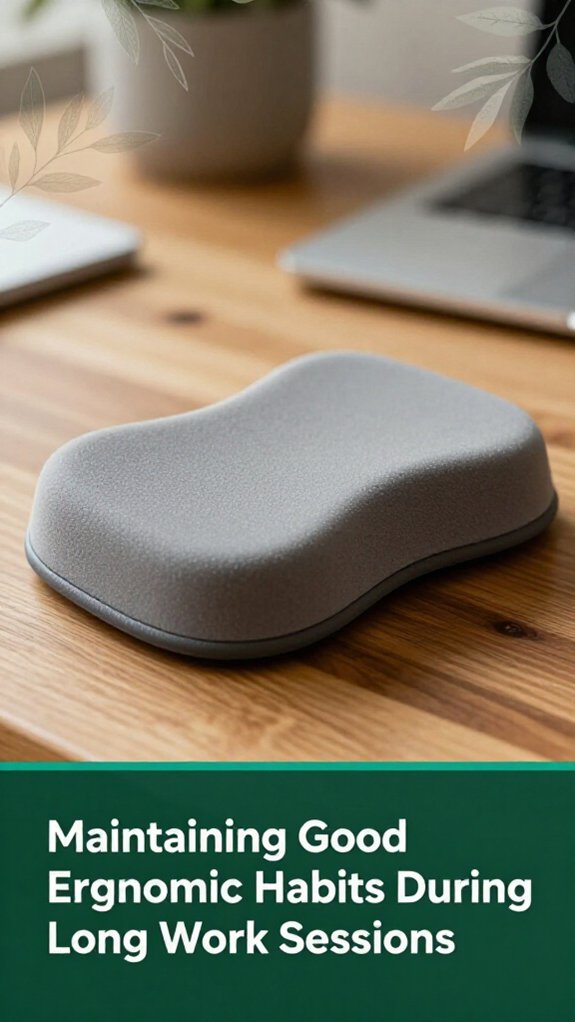
All right, so you’ve set up everything just right for when you’re sitting, but long work sessions can turn your perfect posture into a distant memory pretty quickly.
Look, the 20‑8‑2 rule is your friend: sit for 20 minutes, then stand for 8, move for 2. According to OSHA ergonomic guidelines, micro-breaks every 30–45 minutes aren’t just nice they boost circulation and keep your back from screaming later.
Standing for 5–10 minutes per hour relieves pressure on your lumbar discs, which is important because prolonged sitting can increase the risk of lumbar disc herniation and lower back pain.
Light stretches or walks during breaks keep your joints such as the cervical, thoracic, and lumbar regions mobile and healthy. Research on spinal biomechanics suggests that these short movements help reduce stiffness and prevent postural abnormalities like thoracic kyphosis.
Remember, consistent breaks aren’t just about feeling better they actually lower neck discomfort by 15%. This is particularly relevant for people who sit more than 6 hours a day, as extended sedentary periods contribute to musculoskeletal issues.
So, set a timer, stand, stretch, and keep those muscles moving your body will thank you after those marathon work sessions.
The key takeaway: Regularly scheduled activity breaks are essential for maintaining ergonomic health during prolonged sitting.
You can customize your workspace by adding adjustable parts think a keyboard tray that lifts to elbow height, a monitor arm that tilts and swivels, and a footrest if your chair can’t go low enough.
All right, if movement’s tricky, look for voice-activated controls or easy-to-reach shelves. Basically, you’re tailoring your space to suit what your body needs, not some cookie-cutter setup that makes you feel cramped or strained.
All right, you want ergonomic chairs for petite frames? I get it those long hours can turn into a backache or shoulder tension.
Look for models like the Steelcase Leap V2 or Herman Miller Aeron Size A both have adjustable seat heights close to 15 inches, plus customizable lumbar and armrests.
Trust me, these tiny tweaks make a big difference, helping you sit comfortably, and hopefully, avoiding that post-work slump of sore muscles.
To prevent eye strain on small screens, you need to get close enough think 30–40 inches so your eyes aren’t working overtime.
Position the top of the screen slightly below eye level, reducing neck tension and making focusing easier.
Use anti-glare filters, keep the brightness matched to your surroundings, and tweak contrast and text size.
And, seriously, take those 20-second breaks every 20 minutes your eyes will thank you.
Yes, ergonomic tweaks can totally boost your focus. When you match your desk height to your elbows, you prevent shoulder and neck strain that steal your attention.
Using a footrest keeps blood flowing, so your legs don’t turn into numb blocks.
And adjustable monitor arms? They help you stare at the screen without craning your neck, making it easier to stay locked in.
Basically, small changes keep your body happy, and your mind sharper.
You should try stretches like shoulder external rotations and chest-opening moves. These help loosen tight muscles, reducing shoulder and upper back pain, which we all know sneak in after hours at the desk.
Micro-exercises like seated scapular retractions and neck flexion holds strengthen key muscles, so your posture stays better.
Break up sitting with quick twists or ankle pumps trust me, your lower back and legs will thank you.
All right, so here’s the scoop you might think your desk setup doesn’t matter until suddenly your back whispers “enough,” or your neck feels like a bent banana. Trust me, small changes can make a big difference, and you’re not alone in feeling this way. Pay attention to those tiny signals from your body, tweak your setup, and you’ll be surprised how much more comfortable your day can become. Because, honestly, isn’t it about time your workspace worked with you, not against you?





