Physical Address
304 North Cardinal St.
Dorchester Center, MA 02124
Physical Address
304 North Cardinal St.
Dorchester Center, MA 02124

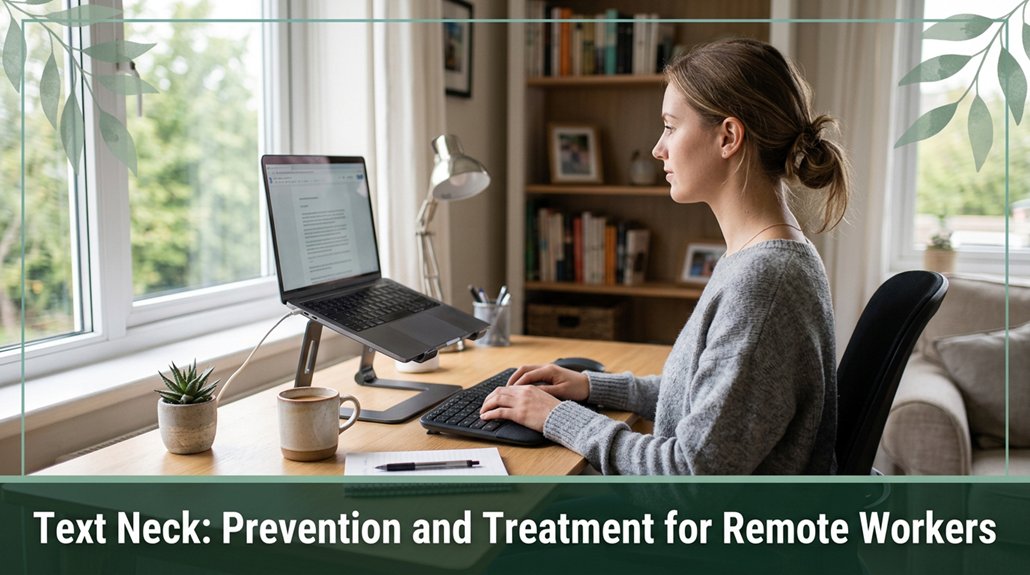
If you spend hours hunched over your screen, your neck’s probably crying out for help. The worst part is that forward tilt of your head can load your neck muscles and spine sometimes up to 60 pounds! To prevent this, you need to set up your workspace right monitor at eye level, feet flat on the ground and take quick breaks every 20-30 minutes. Simple moves, stretches, and posture resets can make a big difference, but if neck pain persists or worsens, it’s time to see a pro. Keep going, and you’ll pick up even more tips to keep your neck happy.
This article contains affiliate links. If you purchase through them, I may earn a small commission at no extra cost to you. I only recommend products I genuinely believe in.
Have you ever noticed how, after scrolling through your phone or working on your laptop for a while, your neck suddenly feels stiff or achy like you’ve been doing something wrong, but you’re not quite sure what? That’s what we call text neck, and it’s a growing concern, especially for remote workers.
Basically, it’s caused by keeping your head and neck in a forward, downward position for extended periods. Recent studies indicate that the use of digital devices has surged dramatically, contributing to this phenomenon.
Your head normally weighs about 10 to 12 pounds, according to OSHA ergonomic guidelines, but with a bend such as looking downward at a phone or laptop screen that load ramps up considerably on your cervical vertebrae, ligaments, and intervertebral discs.
Research on spinal biomechanics suggests that at a 60-degree neck flexion, the load on your cervical spine can increase to approximately 60 pounds, which puts excessive strain on your neck muscles, ligaments, and discs. This strain can lead to discomfort, muscle fatigue, or even postural issues like thoracic kyphosis.
If you spend more than 6 hours a day in such positions, the risk of developing chronic neck pain or nerve compression increases. To prevent this, you should position your screen at eye level to keep your cervical spine in a neutral position about 0 to 15 degrees of flexion and take regular breaks every 20 to 30 minutes.
During breaks, stretch your neck and perform mobility exercises to reduce muscle tension. Additionally, understanding the optimal monitor height can help you maintain proper spinal alignment, reducing the risk of developing text neck over time. Implementing these ergonomic strategies can significantly reduce the risk of text neck, helping you maintain neck health and avoid long-term musculoskeletal problems.
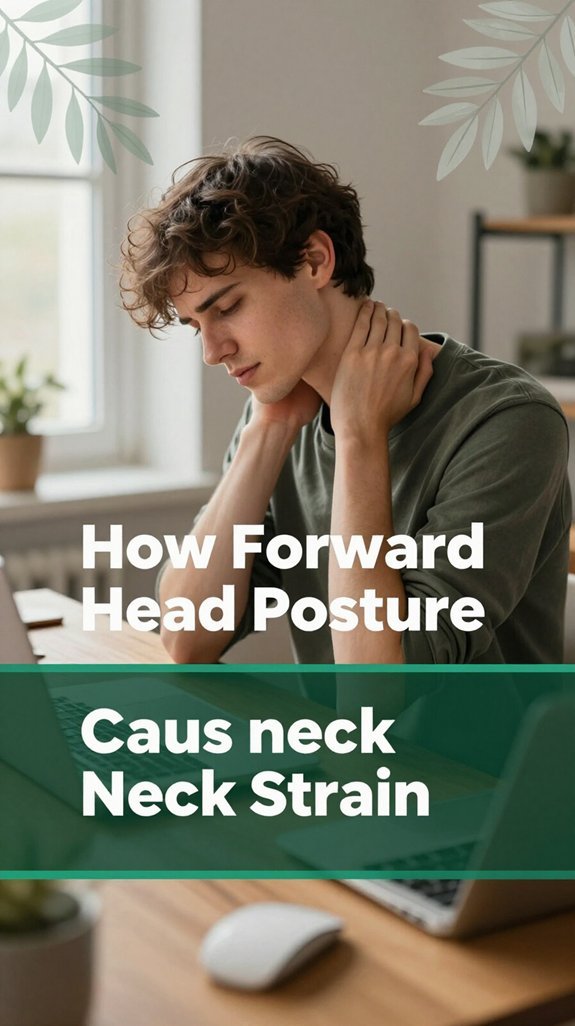
All right, let’s get real about why that nagging neck strain happens when you’re stuck in forward head posture because, honestly, it’s not just about poor posture looking awkward; it’s about what your body has to do to keep you upright and functioning.
When your head shifts forward, it’s like adding extra weight on your neck about 10–12 pounds for each inch you slide, according to research on spinal biomechanics. That means your cervical spine muscles, especially the posterior cervical muscles such as the trapezius and levator scapulae, have to work overtime, constantly pulling and holding everything in place.
Over time, these muscles become tired, tight, and can develop trigger points that send pain signals all over. Meanwhile, the ligaments supporting the cervical and thoracic spine stretch out, which can lead to ligament laxity. The joints, particularly the cervical facet joints, get compressed and lose their normal alignment. Nerve roots passing through the cervical foramina may become irritated potentially contributing to radiculopathy or sciatica-like symptoms.
This compensation places additional strain on the cervical discs and the surrounding tissues, increasing the risk of muscle fatigue, joint degeneration, and nerve irritation. Creep, the gradual elongation of ligaments under constant stress, occurs quietly over time and plays a significant role in cervical ligament laxity, which can lead to instability.
Recognizing these biomechanical impacts emphasizes the importance of posture correction techniques to help maintain proper neck alignment and prevent these issues. Without correction, these issues can contribute to chronic neck pain, headaches, and reduced mobility. Therefore, maintaining an optimal head and neck alignment is essential to prevent these biomechanical stresses and protect your cervical spine health.

You’ve probably felt that moment when your neck supports your device for hours, and suddenly, it’s like a switch flips your neck stiffens up, and that nagging ache kicks in.
Usually, the pain remains in your cervical spine, either sharp or dull, and might radiate to your shoulders or upper thoracic region. According to OSHA ergonomic guidelines, poor posture while using electronic devices can lead to musculoskeletal strains and discomfort.
Neck pain from poor posture can radiate to shoulders and upper back, signaling early musculoskeletal strain.
You may notice tension or tightness that makes turning your head feel stiff or as if you’re moving through glue. Sometimes, a headache develops at the occipital area or temples, especially after prolonged screen time. This is often associated with upper cervical or cranio-cervical tension.
If you experience tingling or numbness in your arms, it’s a sign of nerve irritation from sustained poor posture, involving the brachial plexus or cervical nerve roots. Maintaining proper ergonomic workstation setup can significantly reduce these risks and support better spinal health.
The bottom line? Pay attention; your body whispers before it screams. Recognize these signs early to prevent worsening conditions such as cervical radiculopathy or thoracic outlet syndrome. Moreover, understanding that forward head posture can exert greater forces on your cervical spine is crucial in preventing long-term damage.
Otherwise, you may find yourself relying solely on ice packs and hope for the best, which can delay effective treatment. Remember, early identification and correction of poor posture can help prevent chronic neck and upper limb issues.
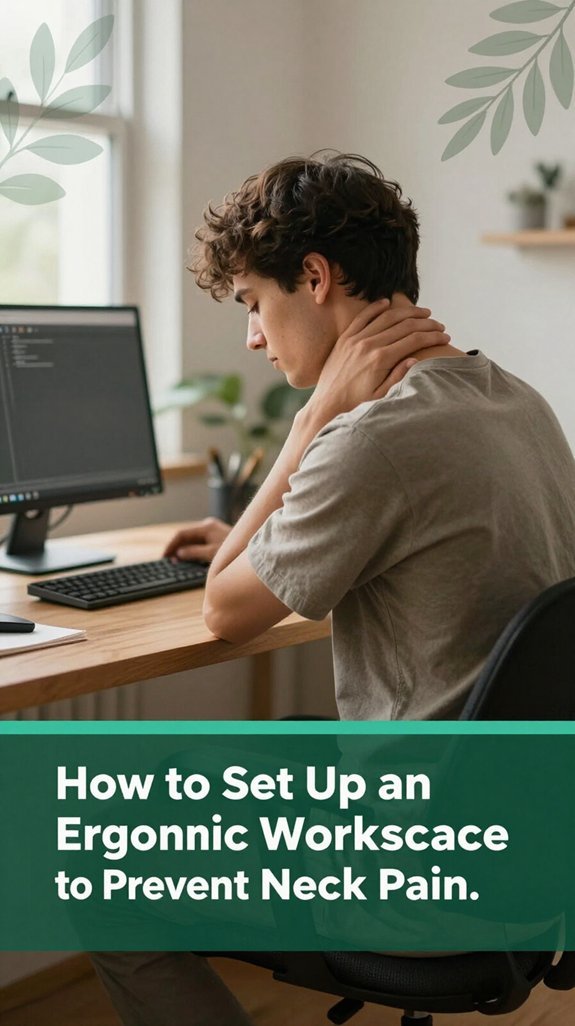
It’s surprising how a few simple adjustments to your workspace can significantly help prevent that persistent neck pain. According to OSHA ergonomic guidelines, keeping your monitor’s top at or just below eye level enables your gaze to naturally slope downward at about 10 to 20 degrees, reducing neck strain.
This position helps avoid the extended neck flexion that often contributes to discomfort and musculoskeletal issues. Ensure your chair is adjusted so that your feet are flat on the floor and your hips are at approximately a 90-degree angle.
This alignment supports your lumbar and sacral regions, promoting proper spinal posture and reducing overall fatigue. Proper seating is essential for maintaining spinal integrity during prolonged periods of sitting. Position your keyboard directly in front of you, close enough so that your elbows are at approximately 90 degrees (meaning your forearms are parallel to the ground).
According to research on spinal biomechanics, keeping the keyboard within an ergonomic reach prevents the shoulders and cervical spine from overextending or flexing, which can lead to muscle tension and pain.
Using an external keyboard and elevating your laptop or tablet to eye level perhaps with an adjustable stand can significantly minimize the tendency to adopt a flexed-neck posture.
Many ergonomists recommend this adjustment to avoid thoracic kyphosis and heightened risk of cervical strain. Incorporating proper lighting into your workspace can further reduce eye strain and improve overall comfort, indirectly supporting better neck posture with less tension.
Additionally, an organized and clutter-free workspace can help prevent awkward movements and promote better postural habits. Simple modifications like these are effective in fostering an ergonomic workspace that supports spinal health, minimizes neck and shoulder tension, and prevents related musculoskeletal conditions such as thoracic kyphosis and cervical radiculopathy.
| Exercise | Focus Area |
|---|---|
| Chin Tucks | Deep cervical flexors of the neck |
| Prone Scaption | Lower trapezius and mid-scapular muscles |
| Rows or Band Pull-Aparts | Rhomboids and mid-trapezius muscles |
| Cat-Cow | Thoracic and lumbar spinal mobility |
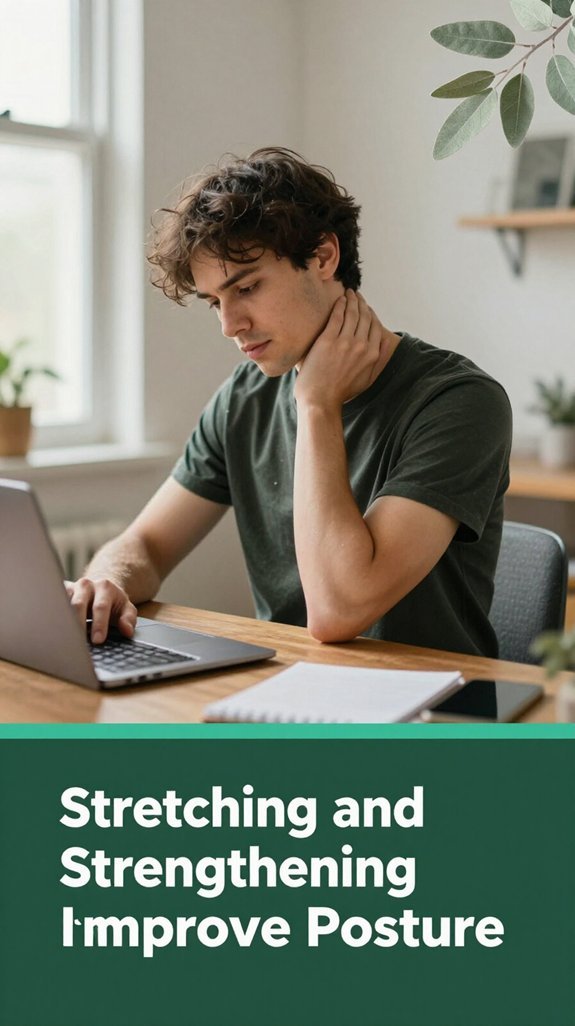
According to research on spinal biomechanics, combining stretching and strengthening exercises keeps your cervical and thoracic muscles balanced, reducing the risk of postural issues such as thoracic kyphosis or neck strain.
Incorporating these exercises regularly supports a healthy spine and can help prevent discomfort, making your day-to-day movements more comfortable. Engaging in these targeted posture-improving exercises can also prevent the development of long-term musculoskeletal problems.
Imagine spending hours glued to your desk, and at some point, you start to feel that familiar ache creeping into your neck or shoulders it’s like your body reminding you, “Hey, I need a break.” According to OSHA ergonomic guidelines, prolonged static sitting can lead to muscle tension and stiffness because your muscles and joints aren’t moving enough.
These long sessions can contribute to issues such as thoracic kyphosis, neck strain, or shoulder discomfort. To help prevent these problems, understanding the science of office ergonomics and maintaining proper workstation setup is essential.
All right, here’s the thing: spacing out quick movement breaks can really help. Every 20 minutes understanding that this interval helps prevent muscle fatigue do a few gentle neck and shoulder movements. For example, rotate your cervical spine side to side, tilt your head forward and backward, or perform shoulder shrugs.
Additionally, stand up and stretch for 3 to 5 minutes every hour to improve circulation and reduce tension in your lumbar and sacral regions. Even just walking around for a minute or two during a phone call can boost blood flow and reduce stiffness, especially if you have sedentary habits.
Think of it like giving your body a mini spa treatment simple, quick, and far more beneficial than ignoring the signals of discomfort. Incorporating these movement breaks into your workday is a practical way to promote musculoskeletal health and prevent long-term issues related to sustained poor posture.
All right, let’s talk about how you use your devices because where your screen is and how you hold your head while staring at it can seriously mess with your neck. If your monitor’s too low or you’re leaning forward, your neck has to work overtime to keep your head up, leading to that forward head posture (FHP), according to OSHA ergonomic guidelines.
Understanding the biomechanics of the neck research on spinal biomechanics suggests that the more you flex your cervical spine downward, the more weight your cervical vertebrae and associated musculature must support. Think of it like hauling laundry with your arm stretched out versus close to your chest; the farther your head is from your spine, the greater the load.
To prevent this, keep your screens at or just below eye level approximately 15 to 20 degrees (which means a slight downward gaze) to align your head and neck in a neutral posture. Sit back in your chair with your monitor directly in front of you to avoid twisting or leaning.
Using external keyboards or raising your laptop on a stand can make a significant difference in maintaining proper cervical alignment. Additionally, monitor height should be adjusted to promote optimal *ergonomic posture* and reduce strain.
You’ve probably caught yourself scrolling through your phone in bed, slouched on the couch, or leaning over the kitchen counter while binge-watching without giving it much thought.
But here’s the thing: these habits add up. When you bend your neck to look down, you’re increasing the load on your cervical spine from about 4–5 kg to 20–25 kg, according to ergonomic research on spinal biomechanics. That’s like carrying a small watermelon with your neck alone, which can strain your cervical muscles and compress your intervertebral discs.
Looking down increases neck load from 4–5 kg to 20–25 kg, straining muscles and compressing discs small habits with big effects.
All those repeated episodes of checking, texting, or bending to grab snacks reinforce poor posture. This repeated strain can contribute to neck pain, muscle fatigue, and conditions like cervical spondylosis. Prolonged use of electronic devices can also lead to muscle imbalances and chronic discomfort. Practicing ergonomic habits such as maintaining proper device positioning can further reduce these risks.
If you want to reduce that nagging neck ache, try consolidating your device use into intentional blocks. Keep your phone at eye level when possible, which helps maintain a neutral cervical spine position, reducing undue stress.
Additionally, switching to hands-free calls can minimize your head tilt and neck load. Small changes such as taking regular breaks to stretch and adjusting your work station can make a significant difference.
When your neck has been bothering you for more than a week despite all the resting, stretching, and OTC medications it’s probably time to call in the professionals. Trust me, I learned the hard way that ignoring persistent pain only worsens the condition. According to Mayo Clinic recommendations, if your neck pain lasts several weeks, worsens, or repeatedly returns, a spine or neck specialist should examine you.
Especially if you wake up with morning stiffness lasting longer than 30 minutes or experience a significant loss of neck motion, these are red flags that require prompt evaluation. If self-care measures only partially alleviate your symptoms after two to three weeks, don’t delay seeking medical assessment.
Persistent neck pain may lead to chronic issues that don’t resolve on their own, so early intervention is important. Additionally, early diagnosis can help address underlying causes before they become more complex or difficult to treat. Maintaining an ergonomic setup can significantly reduce cervical strain and help prevent these problems from worsening.
Watch out for the following signs indicating the need for immediate medical attention:
If you’ve been staring at your phone or laptop every day, chances are you’ve been unknowingly setting yourself up for long-term health issues. According to research on spinal biomechanics, sustained forward head posture can cause gradual strain on your cervical spine.
That forward head posture may seem minor, but it’s comparable to stacking a significant amount of weight on your neck over time. Supporting 60 pounds (the equivalent weight of a bowling ball) mightn’t feel like much initially, but it can lead to disc compression, degeneration, and even early arthritis in your cervical vertebrae. This downward pressure can cause long-term structural damage, resulting in limited neck and shoulder movement, as well as chronic pain.
According to Mayo Clinic recommendations, ignoring these issues can lead to irreversible changes in your spine’s curvature, such as thoracic kyphosis, which affects posture and breathing. Additionally, nerve irritation from compressed cervical nerve roots may cause numbness, tingling, or weakness in your arms, making daily tasks increasingly difficult.
Sustained forward head posture can also weaken the supportive muscles of your neck over time, leading to further instability. Poor seated postures can increase disc pressure and tighten hip flexors, which contribute to lumbar flattening and discomfort.
People who sit more than 6 hours a day or frequently look down at their devices should be especially mindful, as these habits accelerate degeneration. To mitigate these risks, it’s important to maintain proper ergonomics, such as keeping your device at eye level and taking regular breaks to stretch and change positions.
Many of us have a sneaking suspicion that our shoulders are slowly creeping up to our ears or that our neck muscles are just not quite right, but figuring out how to fix it can feel overwhelming.
Here’s the thing: you don’t have to guess, though. Tech tools and accessories are here to help you stay honest about your posture without nagging you every five minutes.
Sensor-based trainers, such as Upright GO 2, send vibrations when you slouch, acting like a tiny, helpful alarm in your ear that encourages proper alignment. Good posture relies on maintaining the natural curves of the spine, which can be supported with these devices.
Posture apps available for Mac or smartphones monitor head angles and remind you to sit up straighter, promoting healthy cervical and thoracic alignment.
Webcam programs can dim your screen or alert you when you start to slouch, providing budget-friendly feedback to combat thoracic kyphosis and lumbar slouching.
Adjustable desks allow you to switch between sitting and standing positions easily, reducing the risks associated with prolonged static postures, such as lower back pain and sciatica.
Ergonomic pillows and supports designed for lumbar or cervical regions give your muscles a break during long work hours, helping to prevent strain and muscle fatigue.
You’ve probably experienced that moment when you glance at the clock and realize it’s been half an hour since your last break, your neck starting to feel like it’s been stuck in a twisty roller coaster.
All right, here’s the thing: sitting all day makes your muscles stiff and your cervical joints stressed, so changing things up is key. According to OSHA ergonomic guidelines, it’s recommended to take breaks every 30 to 60 minutes.
Sitting all day stresses your neck take regular breaks every 30–60 minutes to stretch and reset.
Set a timer for every 30–60 minutes I swear by a simple alarm and stand or walk for a few minutes.
During those microbreaks, do a quick “posture reset”: ears over shoulders, shoulders relaxed, engage your core. You can also sneak in neck tilts (tilting your head gently side to side or forward and back) or shoulder rolls.
Research on spinal biomechanics suggests these movements improve circulation, reduce muscle stiffness, and prevent your neck from developing conditions like cervical strain or thoracic kyphosis. Regular movement also helps maintain joint flexibility and prevents long-term stiffness. This routine not only helps circulation but also reduces stiffness and keeps your neck from turning into a personal protest. Trust me, your future self will thank you.
Yes, kids and teens can definitely develop text neck from device use.
Their growing bodies and bigger heads make them even more vulnerable to the forward head posture that puts stress on the neck muscles and spine.
The longer they slouch with screens in hand say, over 5 hours a day the faster they’ll feel those awkward neck tensions, headaches, and even early signs of spinal strain.
It’s just how their little spines handle all that flexed time.
All right, you might think ergonomic chairs are just fancy thrones, but honestly, they’re pretty effective.
The right support keeps your lumbar curve, shifting the load and keeping your head over your shoulders exactly where it should be. Adjustable headrests and recline features let you lean back comfortably.
You’ll know it’s serious when you suddenly lose feeling, get severe neck pain, or notice weakness or coordination issues.
If you can’t move your arms or legs, have trouble walking, or your bladder behaves mysteriously those are red flags.
Even if it’s just worsening numbness, tingling, or pain that doesn’t ease, don’t brush it off.
Get to a doctor ASAP because these signs could mean significant spinal injury needing urgent care.
You should aim to limit your device use to about 6-8 hours a day, including work and leisure.
Every 20-30 minutes, take a quick 30-60 second microbreak stretch, move, shift position.
Sometimes, it’s just about changing your posture and giving your neck a break before it grumbles louder.
Trust me, your neck will thank you, and you’ll feel way less stiff after a long screen session.
No, strengthening exercises alone won’t fully reverse chronic text neck, especially if you’ve had it for a long time.
Sure, they can reduce pain, improve posture, and sometimes straighten things out a bit, but structural changes like disc degeneration or bone spurs usually stick around.
Think of exercises as part of a toolkit not a magic wand. You’ll also need to address ergonomics, habits, and sometimes medical help for the best shot at real correction.
Look, if you ignore your neck, it’s only a matter of time before your day turns into a full-blown drama. Remember, “an ounce of prevention is worth a pound of cure,” so take small steps now adjust your setup, stretch, and stay aware. Your neck’s not drama queen just a little sensitive. Treat it well, and you’ll thank yourself later. Trust me, your future self will be grateful you didn’t let this slide.





