Physical Address
304 North Cardinal St.
Dorchester Center, MA 02124
Physical Address
304 North Cardinal St.
Dorchester Center, MA 02124

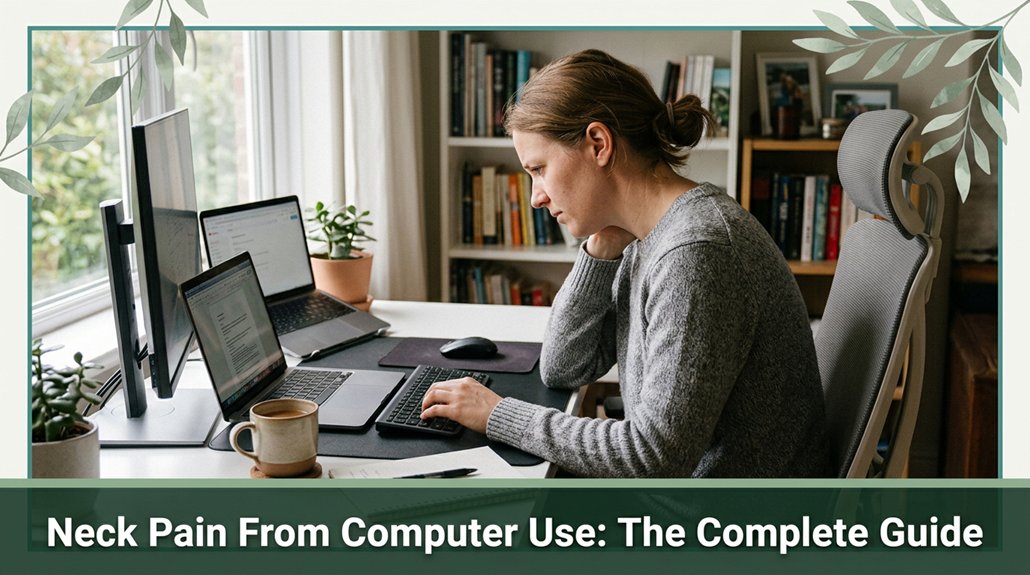
Neck pain from computer use is no joke I’ve been there after a few hours hunched over a screen, feeling that nagging ache creep in. When you lean forward or look down for too long, your neck’s basically doing push-ups with 27 or even 40 pounds of weight, thanks to how gravity and poor posture add strain. If you want to keep your neck happy and pain-free, you’ll want to smarten up your setup and try some simple exercises. Stick around there’s plenty more to help you stay pain-free.
This article contains affiliate links. If you purchase through them, I may earn a small commission at no extra cost to you. I only recommend products I genuinely believe in.
You’ve probably heard the term “tech neck” used frequently, and honestly, it accurately describes the neck pain many of us experience these days. When you’re staring at a screen whether it’s your laptop, phone, or tablet you tend to tilt your head forward, which is a common way neck pain from computer use begins.
According to research on spinal biomechanics, the head weighs approximately 10 pounds in a neutral position. However, when you bend your neck forward, the perceived weight increases dramatically; at a 15-degree tilt, it feels like 27 pounds, at 30 degrees about 40 pounds, and at 60 degrees roughly 60 pounds. This added strain places significant stress on the cervical discs, facet joints, and surrounding muscles.
Bending your neck forward increases its perceived weight, causing strain on cervical discs, joints, and muscles.
Many ergonomists recommend maintaining a neutral neck posture, with the top of your screen at eye level and your head aligned over your shoulders, to reduce these risks. When you tilt your head forward repeatedly or hold it in that position for extended periods, your cervical vertebrae and associated soft tissues endure increased load.
This sustained forward head posture leads to muscle fatigue, tension in the cervical, thoracic, and upper trapezius muscles, and can even cause changes in the natural curvature of the cervical spine, such as thoracic kyphosis. The muscles working harder to support your head can lead to persistent neck pain, tension headaches, and long-term musculoskeletal issues.
Proper ergonomic setup, including spinal alignment, is essential to help distribute the weight evenly and minimize strain on your neck. The takeaway is that maintaining proper ergonomic habits like regular breaks, adjusting your screen height, and practicing good posture can help prevent tech neck and reduce neck-related discomfort.

Ever notice that nagging ache creeping into your neck, shoulders, or upper back after a few hours of staring at your screen? That’s a sign you might be dealing with tech neck. According to OSHA ergonomic guidelines, prolonged static postures and poor ergonomic setups can contribute to this condition.
You’ll likely feel:
All right, you’ve been in that “I just need a minute” flex, but your muscles tighten, and those nerves get irritated. Research on spinal biomechanics suggests that maintaining a forward head posture of more than 15 degrees (which is common when looking at screens) increases strain on cervical structures.
Prolonged poor posture not only strains muscles but can also accelerate degenerative changes in cervical discs and joints. Introducing ergonomic adjustments to your workspace can significantly reduce this strain and prevent long-term damage. Recognize these symptoms to prevent worsening and take appropriate ergonomic or therapeutic action.

All right, here’s the thing: poor posture and bad ergonomics aren’t just annoying they’re essentially turning your neck into a stress-testing experiment. When you slouch or crane your neck forward, you’re adding about 10 pounds (4.5 kg) of extra load for each inch your head shifts, according to OSHA ergonomic guidelines. This forward head posture causes increased load and disc pressure on the cervical vertebrae, which can accelerate degenerative changes over time.
Research on spinal biomechanics suggests that the sharp bend of the neck doubles or triples the pressure on those lower cervical discs, similar to revving a car engine with no oil eventually, something’s gotta give. Additionally, your neck muscles work overtime to maintain balance, leading to fatigue, tension, and muscular imbalance. The more you slump, the more your cervical facet joints and intervertebral discs become overloaded, risking long-term damage such as cervical disc herniation or degenerative spondylosis.
It’s as if your posture is telling your neck, “Let’s party,” but nobody’s having fun. Maintaining proper alignment such as keeping the ears over the shoulders and avoiding forward head tilt can help reduce this excessive strain. Poor workstation ergonomics can compound these issues, emphasizing the importance of proper setup.
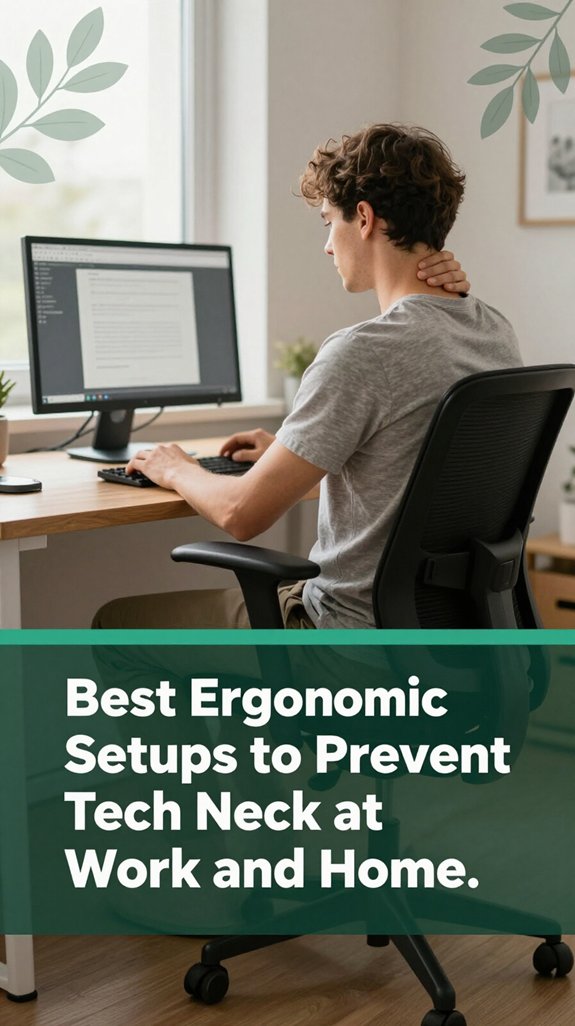
The first thing to prioritize when preventing tech neck is getting your setup right because, according to OSHA ergonomic guidelines, many discomforts originate from poor ergonomic practices. Most of us spend hours hunched over screens, and your neck isn’t a fan of sustained poor positioning.
Tech neck is caused by prolonged forward head posture, which can lead to degenerative changes in the cervical spine if not addressed early. You want your monitor at or just below eye level, with the top third visible without tilting your head up or down.
This helps keep your cervical spine in a neutral position, which research on spinal biomechanics suggests reduces strain on neck muscles and vertebrae. Keep your screen approximately an arm’s length away, which is typically about 20–30 inches (to avoid leaning forward or eyestrain).
Maintaining this distance helps keep your cervical and thoracic spine aligned and reduces the tendency to lean in, preventing neck and upper back pain. Position your monitor directly in front of you, avoiding multi-monitor setups that require turning or twisting your head, which can cause cervical disc compression over time.
Adjust the angle of the screen to reduce glare and limit your downward gaze to about 10–20 degrees (which helps keep your head balanced and reduces strain on neck muscles). If you’re using a laptop, plug in an external keyboard and elevate the screen with a stand or books.
Raising your laptop screen to eye level and typing comfortably on an external keyboard supports proper cervical and upper thoracic alignment, reducing the risk of thoracic kyphosis or sciatic discomfort from poor posture.

All right, so now that you know how to set yourself up correctly at your desk, it’s time to get proactive about relieving that sneaky neck tension.
These exercises specifically target the muscles pulling your head forward and tightening up after a long, screen-heavy day, according to research on spinal biomechanics. Proper posture and ergonomic workspace setup are key to preventing the need for these stretches in the first place.
| Exercise | Why It Helps |
|---|---|
| Neck retraction (chin tuck) | Activates deep cervical flexor muscles and counteracts forward head posture, which is common among people who sit more than 6 hours a day. |
| Side tilt stretch | Loosens tight upper trapezius muscles and improves cervical spine flexibility, reducing discomfort from prolonged static positioning. |
| Shoulder rolls | Releases tension from the shoulder girdle, which helps decrease compensatory neck strain as per Mayo Clinic recommendations. |
Perform these exercises regularly trust me, your neck will thank you. You’ll notice less stiffness and feel more in control of that persistent discomfort.
Consistency is far more effective than quick fixes, especially when dealing with musculoskeletal tension. Regular stretching enhances blood flow and relieves muscle tightness, which is crucial for maintaining overall spinal health and preventing chronic pain.
Ever feel that nagging neck pain just sticking around longer than it should? You might want to see a doctor if it’s been going on for more than a few days and isn’t improving with rest or over-the-counter medications.
All right, listen to your body persistent pain or new symptoms aren’t things to brush off. Seeking medical attention promptly could make a significant difference in diagnosing and treating the underlying cause.
Look, figuring out what’s causing your tech neck pain isn’t about guessing or hope; it’s about smart detective work. Healthcare professionals use a mix of detailed history, physical exams, and sometimes imaging to get to the bottom of it. They’ll ask about your device habits, pain patterns, and any other health issues, then check your posture, neck mobility, and muscle tightness.
Considering the prevalence of tech neck, they recognize that prolonged device use is a common cause of these issues and tailor their approach accordingly. Sometimes, they’ll order X-rays or MRIs if they suspect structural problems, nerve issues, or just want a clearer picture.
According to Mayo Clinic recommendations, imaging can help identify issues such as cervical disc herniation, nerve compression, or abnormal bone alignment. Ensuring proper ergonomic workstation setup can also play a crucial role in prevention.
| Diagnostic step | What it reveals |
|---|---|
| Postural analysis | Forward head posture, rounded shoulders, and other postural deviations indicate issues like thoracic kyphosis or cervical hyperlordosis that contribute to tech neck. |
| Imaging (X-ray, MRI) | Bone alignment, disc herniation, or nerve compression, which can cause radiculopathy or cervical spondylosis. |
| Nerve tests (EMG/NCS) | Nerve involvement or radiculopathy, especially if symptoms include tingling or weakness. |
Here’s the thing: targeted exercises can seriously help. Chin tucks strengthen those deep cervical flexor muscles, which according to Mayo Clinic recommendations, help prevent forward head posture, often called “tech neck.” Stretching your upper trapezius and levator scapulae muscles releases tension that builds from prolonged screen viewing and poor posture. Poor workstation setup significantly contributes to muscle strain, emphasizing the importance of ergonomic awareness.
Research on spinal biomechanics suggests that scapular squeezes and wall angels combat the rounded-shoulder look caused by thoracic kyphosis. These exercises improve scapular stability and thoracic mobility, which helps take pressure off the cervical spine. Incorporating ergonomic adjustments to your workspace ensures these exercises are more effective and sustainable over time. Thoracic mobility drills specifically target your mid-back, increasing flexibility and reducing strain on your neck. Consistent practice of prone scaption, an exercise that strengthens the shoulder girdle, keeps your shoulders and neck supported and resilient.
Rest assured, a pinch of effort now can prevent chronic neck pain later. Regularly incorporating these flexible, strength, and mobility exercises into your routine can make a significant difference in managing and preventing tech neck discomfort.
All right, let’s get real sitting at a desk all day isn’t just about feeling a little stiff; it can actually set the stage for ongoing neck issues, according to OSHA ergonomic guidelines.
If you want to play the long game, you’ve got to move. Even just 30 minutes of walking, swimming, or cycling each day helps boost circulation to your cervical and upper thoracic tissues and can lower neck pain over time. Poor posture and prolonged static positions can lead to muscle imbalances and increased strain, making movement essential for prevention.
Regular movement like walking, swimming, or cycling enhances neck circulation and reduces pain over time.
Strengthening your upper back muscles, including the trapezius, rhomboids, and the deep neck flexors like the longus colli and longus capitis, supports your cervical spine, so you’re not just fighting gravity all day. Additionally, understanding office ergonomics and properly adjusting your workspace conditions can significantly reduce strain on your neck.
This can help prevent conditions like forward head posture and cervical disc degeneration. And don’t forget to shake things up with stretches or yoga these practices improve flexibility in the cervical and thoracic regions and help reduce stress, which research on spinal biomechanics suggests we all tend to hold in our necks.
The key is regularly breaking static postures with simple movement. For example, every 30 minutes, stand up, stretch your neck gently, or perform shoulder rolls.
These small actions can make a significant difference in maintaining long-term neck health, and your neck will thank you.
Ever find yourself scrolling through your phone, and suddenly your neck feels louder than your stomach at lunchtime? I get it been there.
Here’s the thing: your neck and back aren’t fans of extreme angles. To stay comfortable, adjust your workspace so your monitor is at eye level, about arm’s length away (which helps reduce neck strain per Mayo Clinic recommendations). Keep your chair so your feet are flat on the floor, with knees bent at approximately 90 degrees (to promote proper lower limb circulation), and elbows close to your sides, bent around 90 to 110 degrees (to prevent shoulder fatigue).
Proper lighting when using screens is essential to reduce eye strain and overall discomfort. Use external keyboards or stands for tablets to promote better wrist and arm alignment. Hold your phone closer to your face instead of dangling it from your chin, which can strain the cervical spine and contribute to thoracic kyphosis.
Support your forearms with armrests or padding to avoid shoulder and upper back fatigue. Incorporating ergonomic keyboard and mouse recommendations can further reduce strain and prevent symptoms of carpal tunnel syndrome during prolonged use.
Take quick breaks every 30 to 60 minutes research on spinal biomechanics suggests this prevents muscle overload and improves circulation.
Do a posture check: relax your shoulders, keep your spine long, and avoid slouching to maintain proper cervical and thoracic alignment.
Vary your tasks throughout the day to prevent localized muscle fatigue and imbalance.
Use reminder apps or alarms to stay mindful of your posture and break schedule.
Yes, using voice commands can definitely help reduce neck strain.
When you speak instead of typing or scrolling, you avoid that constant leaning forward, which adds stress to your neck. It’s like giving your muscles a break and encouraging better posture without thinking about it.
Plus, it lets you shift your position like standing or stretching while still getting your work done.
Small tweak, big impact on neck comfort.
Stress and mental health? They’re basically your neck’s worst enemies. When you’re stressed or anxious, your muscles tighten, especially those around your shoulders and neck, making “tech neck” worse.
Plus, stress raises cortisol, which messes with your sleep and recovery, keeping pain locked in. If you’re feeling burned out, your pain might become chronic, like that stubborn stain harder to get rid of the longer you ignore the emotional and physical toll.
You want materials and products that support your neck without turning your desk into a cluttered science lab. Think memory foam pillows, adjustable headrests, and cervical cushions they mold to your shape, promoting proper alignment.
All right, the trick is choosing the right stuff for your body size and posture, so don’t be shy about trying a few. Basically, comfortable, supportive materials help keep your neck happy, even during those marathon workdays.
All right, here’s the thing what you eat can actually help manage and prevent neck pain.
You should ramp up omega-3s, fruits, and veggies to reduce inflammation, and make sure you’re getting enough calcium, vitamin D, and magnesium to keep your bones strong.
Stay hydrated, too, because discs in your neck need water to stay cushioned and resilient.
It’s not a magic fix, but your diet’s definitely part of the puzzle.
You can really cut down that relentless tech neck by setting some clear policies. Think adjustable desks, monitor height at eye level, and encouraging quick breaks like the 20-20-20 rule or simple neck rolls every half hour.
Make it normal have your team take movement seriously, not as a distraction. When everyone’s on board, even those long days don’t turn into neck-breaking marathons.
Just remember, it’s about small shifts that protect you in the long run.
Alright, so if you want to keep that neck feeling more “I got your back” and less “Who pushed the pause button?”, you’ve gotta treat your posture like a tiny plant you water it with good habits, give it the right light, and don’t ignore those warning signs. Remember, your neck’s the gatekeeper to your head, and if it’s shouting “Ow!” too often, it’s time to listen and make some friendly changes. Trust me, your future self will thank you at the next barbecue.





