Physical Address
304 North Cardinal St.
Dorchester Center, MA 02124
Physical Address
304 North Cardinal St.
Dorchester Center, MA 02124


Your armrest height really can make or break your comfort at the desk. When it’s too high or low, your shoulders either shrug up or droop down, throwing off your posture and leading to neck, shoulder, or back pain trust me, I’ve been there. Keeping your elbows at a relaxed 90 to 100 degrees, with forearms supported, is a simple way to help your body stay aligned and reduce strain. Keep reading, and you’ll find more quick tips to stay comfortable all day long.
This article contains affiliate links. If you purchase through them, I may earn a small commission at no extra cost to you. I only recommend products I genuinely believe in.
If you’ve ever sat at your desk and suddenly felt your back tense up or your neck ache out of nowhere, I’m willing to bet your armrest height might be to blame it’s a sneaky little factor most people overlook.
Concerning armrest ergonomics, the right height helps keep your torso upright, preventing slouching or leaning forward, according to OSHA ergonomic guidelines. When your arms are supported at elbow height (approximately 90 degrees, which is a natural resting position for most people), you avoid collapsing your chest and disrupting your lumbar and thoracic spinal curves.
Proper armrest height can also contribute to better circulation in your arms and reduce fatigue during long periods of sitting. Adjusting your armrests properly allows you to better maintain neutral wrist, shoulder, and neck positions** over extended periods.
All these adjustments help maintain neutral wrist, shoulder, and neck positions, reducing strain on the cervical spine and associated muscles. Poorly set armrests can lead to increased tension in the trapezius muscles, which may cause neck pain or contribute to thoracic kyphosis over time.
Properly positioned armrests support the shoulders and help keep your forearms and wrists in a relaxed, neutral alignment, potentially reducing the risk of conditions like carpal tunnel syndrome.
This small adjustment not only alleviates immediate discomfort but also promotes long-term spinal health by encouraging balanced posture.

Look, we’ve all been there your shoulders creep up towards your ears, and suddenly your neck feels tight, stiff, maybe even a little achy, all by mid-afternoon. That’s not a coincidence. If your armrests are too high, they keep your shoulders in a constant shrug, which means those muscles are stuck in a low-level contraction for hours think of it like a restless dog gnawing at a bone.
Research on spinal biomechanics suggests that sustained muscle tension in the upper trapezius and levator scapulae muscles can lead to muscle knots, stiffness, and headaches.
Sustained tension in upper neck muscles can cause knots, stiffness, and headaches.
Conversely, unsupported arms put extra downward pull on your shoulders, forcing your deltoid muscles and shoulder girdle muscles to brace and splay. This increased workload can quickly lead to muscle fatigue and discomfort, especially in the rotator cuff and scapular stabilizers.
According to Mayo Clinic recommendations, maintaining proper armrest support helps prevent these issues by reducing unnecessary muscular effort.
Additionally, proper armrest height can influence ergonomic posture by helping maintain neutral alignment in the neck and shoulders, reducing strain over prolonged periods.
Ergonomic adjustments can significantly influence muscle strain, as proper support minimizes the need for muscles to stabilize unnecessarily.
All right, your armrest position isn’t just about comfort it’s about keeping those muscles happy and pain-free. Proper ergonomic adjustment of armrests improves shoulder and neck health, especially for people who sit more than 6 hours a day.
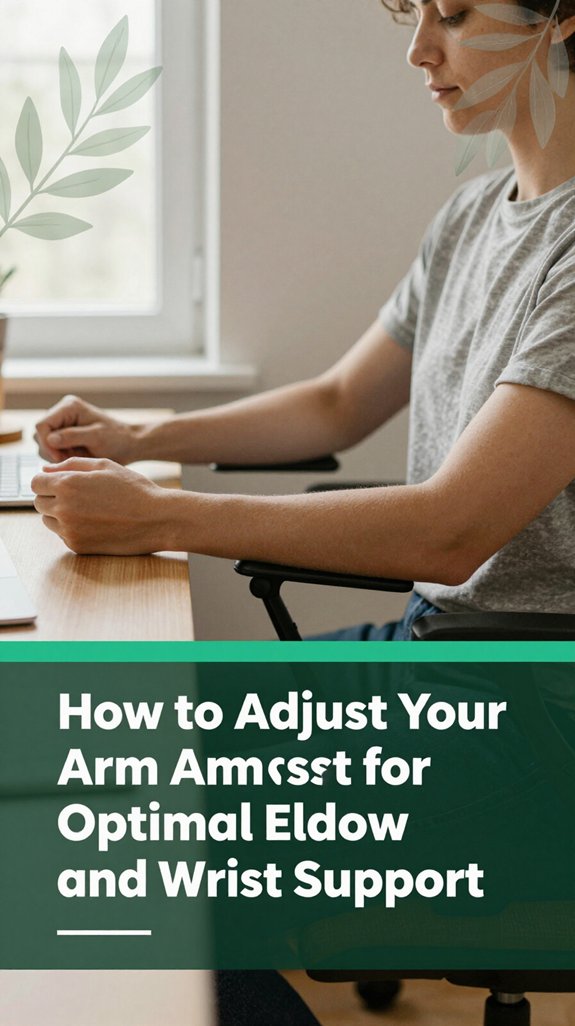
Now that you’ve set your seat, desk, and monitor just right, it’s time to fine-tune those armrests so they truly support your elbows and wrists without turning into a source of tension. Trust me, getting this right makes all the difference.
Adjust the armrest height so your elbows rest comfortably at about 90 to 100 degrees, which per OSHA ergonomic guidelines aligns with relaxed shoulder positioning this helps prevent hunching or shoulder shrugging. Your forearms should be roughly parallel to the floor or just slightly angled downward, promoting proper wrist alignment.
Proper armrest height can prevent unnecessary muscle fatigue in the upper trapezius and deltoid muscles, reducing discomfort over long periods of work. If your armrests are fixed and too low, no worries adding a cushion or footrest can elevate your overall seating support. Next, tweak the width so your elbows sit directly under or just inside your shoulders, ensuring optimal shoulder joint alignment.
Set the depth to support the forearms without pressing on the elbow’s bony point, minimizing pressure points that can cause discomfort or nerve compression. Maintaining correct armrest positioning can also help improve circulation and reduce the risk of repetitive strain injuries.
Pay attention to proper armrest adjustments because they can significantly impact your elbow and wrist health during prolonged sitting periods. Remember, precise alignment reduces strain and helps prevent conditions like repetitive strain injuries or carpal tunnel syndrome.

Ever set your armrests too high or too low and wondered why your shoulders feel like they’ve just finished a marathon? You’re not alone. Setting armrests above your elbow level forces you to shrug your shoulders trust me, those trapezius muscles don’t get tired of tightening, according to OSHA ergonomic guidelines.
Proper armrest height not only minimizes muscle strain but also helps maintain a neutral posture, which is essential for long-term comfort. Meanwhile, if they’re too low, your arms hang unsupported, causing your neck and upper back muscles to do all the heavy lifting, which research on spinal biomechanics suggests they’re not built for.
Then there’s setting them too wide or too narrow your elbows will flare out or crunch inward, adding strain and positioning your shoulders into awkward angles. These misalignments can contribute to conditions like shoulder impingement or thoracic kyphosis over time.
It’s essential to ensure your armrests support your forearms comfortably at a height that keeps your elbows close to a 90-degree angle (which means a neutral, relaxed position, not strained). Proper ergonomic workstation setup techniques also improve overall comfort and reduce the risk of injury during prolonged computer use.
And let’s not forget the classic mistake: adjusting armrests before setting your seat height or desk level. According to Mayo Clinic recommendations, proper ergonomic setup involves first achieving correct seat height, then adjusting armrests accordingly, to prevent unnecessary shoulder and neck tension.

You’ve probably felt that weird tightness or numbness creeping into your upper back after a few hours at your desk, and honestly, armrest height might be the sneaky culprit. Here’s the deal:
When your armrests support your elbows at about 90–100 degrees (which means your forearms are roughly parallel to the ground), your shoulders stay relaxed, keeping your neck and upper trapezius muscles from tensing up. According to OSHA ergonomic guidelines, maintaining this angle helps promote optimal upper limb positioning.
Each arm constitutes roughly 5-6% of total body weight, and unsupported forearms increase shoulder muscle activity, leading to fatigue. If your armrests are too high, your shoulders lift similar to doing continuous shoulder shrugs and this can lead to increased tension in your neck muscles, potentially causing tension headaches.
Conversely, if they’re too low, your shoulders tend to droop, messing with scapular mobility and increasing strain on your upper back and thoracic spine. Some evidence suggests that improper shoulder positioning can contribute to thoracic kyphosis over time. Proper armrest height also helps prevent long-term musculoskeletal issues by maintaining ergonomic spinal alignment.
Proper armrest height supports your entire spinal alignment by keeping your cervical, thoracic, and lumbar regions in a neutral position, reducing the risk of discomfort and musculoskeletal disorders.
When you support your forearms on proper armrests, you’re giving your muscles a much-needed break from doing all the heavy lifting.
Supporting your forearms on proper armrests reduces muscle strain and prevents fatigue during long periods of sitting.
It’s like putting down a backpack after a long hike; you instantly feel lighter. Arm supports act as a “mechanical ground,” reducing the load from your arms and easing the tension in your shoulders and upper back, according to OSHA ergonomic guidelines.
EMG studies show muscles like the deltoid and trapezius don’t have to work as hard, which research on spinal biomechanics suggests leads to less fatigue over time. Breathable materials used in ergonomic chairs can also help prevent overheating and skin irritation during prolonged use, contributing to overall comfort.
Proper armrest use can also help prevent awkward postures that contribute to discomfort and injury, further supporting your overall musculoskeletal health.
Now, you’re not just slouching through your work; you’re actively reducing muscle strain in essential areas.
All right, think of supported armrests as your secret weapon against the creeping fatigue that makes you want to flop onto the couch, but still at your desk.
Using proper armrest support can help maintain shoulder and upper back health during prolonged periods of sitting.
Adjusting armrests for different body sizes and desk heights might seem like a small detail, but it makes a significant difference in how comfortable and pain-free your day can be, according to ergonomic guidelines from OSHA. Think of it like finding that perfect pair of shoes you don’t just pick the prettiest or cheapest; you match it to your foot and purpose.
First, keep your elbows at approximately 90 to 100 degrees (which promotes healthy elbow joint angles and reduces strain on the wrists and shoulders) with relaxed shoulders that’s your goal. Second, set your armrests at the same height as your bent elbow when sitting upright, ensuring proper support and reducing shoulder tension.
For shorter individuals or those with a smaller torso, this height is typically around 20 to 23 inches from the floor (since this helps maintain correct arm positioning and prevents shoulder elevation). Taller people with longer arms generally need armrest heights of about 27 to 30 inches (to keep elbows supported without excessive shoulder shrugging).
Make sure your desk isn’t too high or too low ideally, it should be just above your elbows when sitting with a neutral lumbar and thoracic spine position, providing adequate legroom and preventing hip or lumbar strain. Proper desk height supports overall posture and reduces the likelihood of developing musculoskeletal issues.
Workstation configuration plays a crucial role in maintaining ergonomic principles and preventing long-term discomfort. An improperly positioned desk can contribute to thoracic kyphosis or lumbar discomfort, potentially leading to long-term musculoskeletal issues. All right, now you can stop fighting your desk setup and start feeling good at work by implementing these adjustments effectively.
Think of your armrests as your secret productivity sidekick those little supports that can make a surprising difference in how smoothly your work flows. When you use them correctly, you offload about 5–6% of your body weight from your shoulders and neck, which can reduce muscle fatigue in the trapezius and levator scapulae muscles and alleviate strain on the cervical spine, according to OSHA ergonomic guidelines.
This means less discomfort and more focus. Arm support reduces strain by redistributing weight from neck and shoulder muscles. Although it might seem like a small benefit, these supports help stabilize your forearms, reducing awkward wrist postures associated with repetitive movements that can lead to conditions like carpal tunnel syndrome.
Proper armrest height ensures optimal support and can help maintain good posture throughout the day. Adjustable armrests also allow you to switch seamlessly between tasks such as typing, drawing, or scrolling without losing arm support. When your arms are properly supported, you’re more accurate in your tasks, and you’re less distracted by discomfort. Supporting your forearms and shoulders gives your muscles a rest, enabling your brain to stay focused on what matters most.
All right, let’s talk about how to keep your armrests from turning into your stationary enemies. You’ll want to reset them pretty often think every 30 to 60 minutes.
First, quickly check your seat height, armrest height, and make sure your wrists are straight and shoulders relaxed. According to OSHA ergonomic guidelines, keeping your wrists in a neutral position and your shoulders relaxed helps prevent musculoskeletal strain.
Ensure your wrists stay neutral and shoulders relaxed to prevent musculoskeletal strain during work.
Second, during task switches like typing or scrolling, raise or lower the armrests just a notch to match your activity demands. Adjusting armrest height can reduce the risk of repetitive strain injuries such as carpal tunnel syndrome.
Third, listen to your body signals. Feel that dull ache or shruggy shoulders? Those are cues to adjust your position. Many ergonomists recommend being attentive to early signs of discomfort to prevent longer-term musculoskeletal issues.
Last, every hour or so, fully lower your armrests. This practice gives your shoulders a break and helps passive support from turning into a long-term cramp. Incorporating ergonomic adjustments frequently can also help sustain proper posture and reduce strain over time.
According to research on spinal biomechanics, small positional adjustments like this can significantly reduce tension in the cervical and thoracic regions.
When you’re choosing the best armrest for your workspace and tasks, it’s like finding the perfect pair of shoes you want them to fit just right and support everything you’re doing.
I’m sure you’ve noticed that your desk height isn’t always ideal, especially if you’re petite or have a sit–stand setup. The right armrest can bridge that gap, supporting your forearms and reducing shoulder strain, according to OSHA ergonomic guidelines.
All right, if you switch between typing, drawing, or phone calls, adjustable armrests think 3D or even 4D are your friends. They let you tweak height, depth, and even pivot for comfort.
For people who sit more than 6 hours a day, these features can help maintain proper upper limb alignment and prevent musculoskeletal discomfort. Adjustability also enhances comfort during repetitive motions, reducing fatigue and the risk of strain injuries. Moreover, incorporating multi-dimensional support systems designed with personalized relief in mind can significantly improve ergonomic health during extended work sessions.
And if you share your space, look for easy-to-adjust, multi-user options that make everyone’s workday feel a little less like a strenuous workout.
Properly selected armrests can promote better posture and reduce the risk of repetitive strain injuries such as carpal tunnel syndrome or shoulder impingement.
Emerging trends in ergonomic armrest design are making a significant impact how could they not, when even small adjustments can greatly influence comfort and posture after a long day?
1. 4D, 5D, 6D adjustability: These armrests move in multiple directions up/down, side-to-side, forward/backward, pivot, and tilt. Some models now include micro-slide or diagonal shifts, allowing you to finely tune support based on your task.
According to ergonomic research, such multidimensional adjustability helps reduce shoulder and upper back strain. Advanced manufacturing techniques enable the production of these complex adjustable features with greater precision and durability, making them more accessible to consumers.
2. Rear-mounted architecture: This design feature enables your arm supports to follow your natural shoulder movements, thereby helping you avoid awkward reaches.
Many ergonomists recommend this approach to support more fluid postures, which can reduce tension in the cervical and thoracic regions.
3. Smart and sensor-enabled: Imagine armrests equipped with sensors that monitor your posture and provide gentle reminders or nudges to shift or stretch.
These features act like a digital buddy, encouraging micro-movements that can help prevent musculoskeletal discomfort, especially for individuals who sit more than 6 hours a day.
4. Wider adjustability range: Enhancing the range of motion and support, especially for supporting various devices and positioning arms closer to the torso, can significantly decrease strain on the lumbar and shoulder areas.
Supporting correct arm and shoulder alignment aligns with Mayo Clinic recommendations for reducing upper limb and back discomfort during extended sitting periods.
If your armrest adjustment isn’t working quite right, perhaps it’s stuck, wobbly, or simply refuses to stay in the position you need, you’re not alone. I’ve experienced similar issues tinkering with tiny screws or pretending I knew exactly what I was doing only to realize I was often chasing my own tail. The root causes are usually shallow bolts or loose mounting brackets.
Regular maintenance, like tightening bolts, can significantly prolong the life of your armrest and ensure continued comfort.
| Issue | Clue | Fix |
| Wobbling or loose armrest | Movement at seat base or arm pad wobble | Tighten bolts, add washers, or replace worn bushings |
| Stuck in position | Armrest won’t move or remains tilted | Clean debris, lubricate sliders, adjust internal stops |
| Height won’t stay in place | Sinking or drifting gradually (can cause uneven lumbar support and lead to lower back strain) | Replace internal cartridges, check for cracks |
| Misaligned brackets | Arms appear uneven or tilted | Loosen, realign, then retighten bolts |
| Adjustment skipping or failing | Flimsy ratchet mechanism or broken spring | Replace broken parts, lubricate mechanisms |
If you find the armrest is wobbly, it may be due to loose bolts or worn bushings that no longer absorb movement effectively. Tightening or replacing these parts can restore stability. For armrests that are stuck, debris or corrosion can block movement; cleaning and lubricating sliders will often resolve the issue. When height adjustments slip over time, internal cartridges may be worn or cracked, requiring replacement to maintain ergonomic support.
Misaligned brackets often cause uneven arm supports simply loosening, re-aligning, then retightening bolts can fix the problem. Additionally, regular inspections help identify potential issues early, ensuring your gaming or work setup remains comfortable and supportive.
If your adjustment mechanism skips or fails entirely, the problem might lie in a broken spring or a faulty ratchet system, both of which should be replaced or repaired for proper functionality.
Remember, maintaining the integrity of your armrest adjustments helps support your upper extremities and lumbar region effectively, reducing discomfort and potential musculoskeletal issues over time. Proper adjustment ensures ergonomic alignment suited to your body, and regular checks can prevent most common armrest issues.
Yes, adjustable armrests work pretty well for different body types because you can customize height, width, and even angle.
You, like many, might find that setting the right height keeps your elbows comfortably at 90–100°, which relaxes your shoulders. The wider or narrower options help support broad or petite frames.
You should readjust your armrests every 20 to 30 minutes. I know, it sounds like a hassle, but it’s really about catching those little moments when your shoulders start creeping up or drooping.
Every shift in task typing, reading, or even a quick chat warrants a quick tweak. Think of it as giving your shoulders a tiny reset, preventing that “ugh” feeling in your neck and upper back from settling in.
Yes, your armrest materials and padding totally matter for good posture. You want something firm but comfy moderately soft foam over a rigid core works best so your arms stay supported without sinking or slipping.
Contoured padding and moderate friction surfaces help you keep your elbows steady and shoulders relaxed, preventing strain and fatigue. Skimp on that, and you might find yourself slouching or reaching awkwardly just to find a comfy spot, which we both know isn’t the plan.
You want your armrests slightly lower than your elbows.
Think of it kind of like a cozy arm hug just enough support without forcing your shoulders up or making your arms hang awkwardly. If they’re too high, you’ll shrug and strain your neck; too low, your shoulders hunch or you lean.
The sweet spot keeps your shoulders relaxed, your muscles happy, and your posture in check. Trust me, your neck won’t thank you otherwise.
They say, “An ounce of prevention is worth a pound of cure,” and you’re spot on. Proper armrest use can totally help prevent long-term neck and shoulder injuries.
When your armrests are just right supporting elbows at a comfortable, relaxed angle you reduce constant muscle strain, especially in your traps and neck.
All right, it’s like giving your muscles a break, so they don’t turn into chronic pains over time. Sometimes, small adjustments save big headaches down the line.
So, next time you’re adjusting your armrests, envision this: a little tweak here, a tiny shift there, and suddenly your whole day feels a bit more manageable like you’ve given your body a secret weapon. Because honestly, if you ignore it, it’s only a matter of time before your neck, shoulders, or back start acting out. Trust me, a few minutes now can save you hours of discomfort later. Don’t wait for that awkward moment when you stand up and feel like you’ve become a plank fix it before it gets to that point.





