Physical Address
304 North Cardinal St.
Dorchester Center, MA 02124
Physical Address
304 North Cardinal St.
Dorchester Center, MA 02124


After back-to-back Zoom calls, your eyes feel gritty, your neck’s protesting, and your brain’s fuzzy. You’re not alone this is a common experience when digital meetings take over your day. To break free from this fatigue, try shortening meetings, sticking to clear agendas, and cutting unnecessary attendees to help you stay focused. Adjust your video settings match brightness to the room, warm up the colors in the evening and keep backgrounds simple to minimize distractions. And remember, taking regular breaks or switching to quick asynchronous updates can make a huge difference. Keep experimenting with these steps, and you’ll find it easier to stay sane and productive in the long run.
This article contains affiliate links. If you purchase through them, I may earn a small commission at no extra cost to you. I only recommend products I genuinely believe in.
You’ve probably felt it without really realizing what’s happening; it’s that creeping sense of mental and physical exhaustion after back-to-back Zoom calls.
That slow, draining fatigue from endless video calls sneaks up on you before you know it.
Turns out, your brain works in overdrive trying to decode tiny, degraded cues like micro-gestures or facial tics on that small screen. Research on visual perception suggests it’s like doing a puzzle with missing pieces and you’re exhausted before you even started.
Add in the constant multitasking chat, reactions, slides and your attention fragments, which fuels mental fatigue. Your eyes are also crying out for help; long screen gazes cut your blink rate in half, causing dryness, eye strain, and headaches. According to OSHA ergonomic guidelines, reduced blink rate can lead to digital eye strain, damaging the cornea and causing discomfort.
Extended screen time also increases the risk of developing long-term eye issues, which makes taking regular breaks even more crucial. To combat these issues, it’s also beneficial to incorporate ergonomic adjustments into your workspace setup.
Now, your body’s trying to hold still in awkward positions, leading to neck, back, and shoulder pain.
Many ergonomists recommend maintaining a neutral spinal position, with your lumbar, thoracic, and cervical regions properly supported. Prolonged sitting in poor postures can also increase the risk of developing conditions such as sciatica or thoracic kyphosis.
That’s why it’s essential to find ways to reduce Zoom fatigue before it impacts your health and productivity. Practicing regular breaks, adjusting your workstation setup, and minimizing multitasking can help mitigate these symptoms and support overall well-being.
When your calendar fills up with back-to-back Zoom meetings, it’s easy to forget that most meetings aren’t fixed; they’re more like sandcastles waiting for the tide. According to research on meeting efficiency, many sessions are low-impact or outdated. If a meeting vanished tomorrow, it’s likely nothing would break; this highlights the importance of regular audits to identify and eliminate unnecessary meetings.
You can cut or combine these sessions to free up hours and mental space. Shortening default meeting lengths to 15 or 30 minutes and capping your daily Zoom hours encourages focus and decisiveness. This also helps prevent cognitive fatigue, which can impair decision-making and productivity.
Tightening attendee lists by including only those who need to be there reduces meeting clutter and minimizes fatigue. Less clutter translates to less mental load and physical discomfort, especially for your cervical, lumbar, and thoracic spine, which can be strained by prolonged sitting in meetings.

All right, let’s be honest when you’re in a meeting and multitasking like mad, your focus pretty much evaporates, and your brain is just bouncing from one thing to another. You’ve probably noticed how, when you’re supposed to listen, your devices are begging for attention, making it harder to stay engaged.
According to OSHA ergonomic guidelines, creating norms that support focus can help mitigate distractions: agree to put away devices, stick to an agenda to keep meetings on track, and join from a quiet space whenever possible. Physical posture plays a crucial role in reducing fatigue, as poor posture during prolonged sitting can increase muscle strain and discomfort.
Research on spinal biomechanics suggests that maintaining proper posture and taking regular breaks reduces stress on the cervical, thoracic, and lumbar regions, helping prevent musculoskeletal discomfort. Incorporating ergonomic principles, like correct chair height, can significantly improve seated comfort during meetings and reduce strain.
You know how your neck gets tight after staring at a screen for too long? Maintaining ergonomic awareness during meetings supports both health and engagement. Norms like these limiting multitasking, emphasizing audio-only options when appropriate, and encouraging movement significantly reduce stress, help everyone stay present, and make meetings less exhausting.

Adjusting your video settings might seem minor, but it can have a significant impact on eye comfort and your ability to stay engaged. Here’s what you should focus on:
First, match your screen brightness to your room’s ambient light. If the room is bright, increase the brightness; if it’s dim, decrease it. This consistency reduces glare and minimizes pupil constriction cycles, which research on spinal biomechanics suggests can cause eye strain. Proper brightness matching also helps prevent fluctuations in visual focus that may contribute to fatigue over time. Monitor brightness and color settings play a crucial role in maintaining a comfortable viewing experience.
Adjust your screen brightness to match ambient light, reducing glare and eye strain.
Second, set the contrast to around 60–70 percent. This balance ensures that text is neither harshly outlined nor too washed out, making reading easier and reducing visual fatigue.
Third, tweak your color temperature to warmer tones in the evening around 3,000 to 4,000 Kelvin to soften whites and cut blue light exposure. According to OSHA ergonomic guidelines, reducing blue light exposure after sunset can help improve sleep quality and reduce eye strain. This adjustment aligns with the fact that blue light exposure can interfere with melatonin production, impacting sleep.
By adjusting these settings, you create a more comfortable visual environment, which supports eye health and sustains engagement during extended screen use.
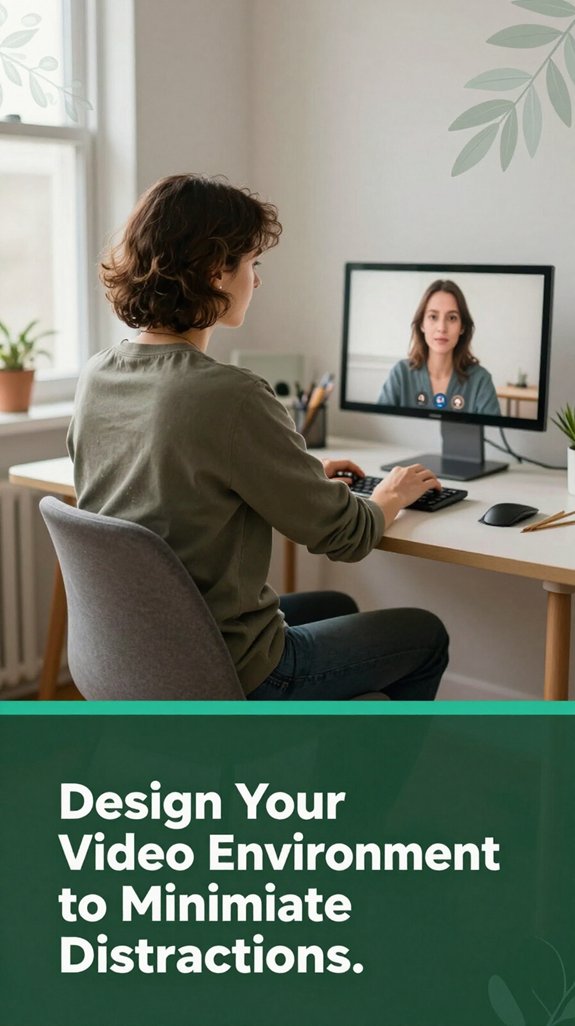
Look, once you’ve tuned your video settings to be easier on your eyes, the next step is making sure your environment doesn’t fight back. You know how a cluttered background pulls your gaze away from the speaker and tires your brain? It’s like trying to focus on a conversation in a room full of flashing neon signs.
Keep your background simple plain walls, a tidy bookshelf, or lightly textured surfaces and cover or remove anything that’s overly saturated or moves around. That way, your eyes stay on the prize the speaker without distraction. Choosing an ideal space with natural light can also enhance video quality and reduce eye strain. Additionally, using a consistent camera angle and stable setup prevents unnecessary movements that can distract viewers or cause eye fatigue.
All right, lighting matters too: even, front-facing light makes it easier to read facial expressions, so you don’t use extra mental energy decoding them. According to research on visual ergonomics, proper lighting reduces eye strain and fatigue during extended screen time. Make sure your light source is positioned to minimize glare directly on the screen and facial shadows.
Additionally, maintaining a stable camera position and consistent environment helps your brain tune out distractions, keeping focus where it belongs the conversation. A camera mounted at eye level (about 15 to 20 inches from your face, roughly at your eye line) prevents awkward angles and promotes natural eye contact, which helps maintain viewer engagement.
When you’re sitting in front of your screen for hours, you’ve probably felt that first twinge of stiffness creeping into your neck or shoulders, and then, pretty soon, it’s like your muscles are trying to tell you something maybe even shouting. I get it; after a while, your muscles tighten up, and you start feeling sluggish.
According to OSHA ergonomic guidelines, short movement breaks can help alleviate this discomfort. Research shows that consistent movement can reduce musculoskeletal issues, so integrating these breaks is not just about comfort but also about long-term health.
1. Take a quick 2 to 3 minutes every 30 minutes for light walking or simple chair exercises. These brief intervals can help prevent muscle fatigue and improve circulation.
2. Perform seated shoulder rolls, gentle torso twists, or neck stretches small moves that restore blood flow and flexibility without breaking concentration.
3. Stand up or stretch periodically to counteract that “slinky” feeling, which stems from blood pooling and muscle stiffening, especially in the lumbar and cervical regions. Incorporating movement patterns recommended by research can help you better customize your routine and avoid a static posture.
Doing this helps you stay alert and comfortable throughout your work session. Incorporating these movement breaks into your routine can significantly reduce sitting-related discomfort and improve overall posture.
Let’s be honest: sitting through endless Zoom calls without a clear plan is the surest way to drain your energy and turn your brain into mush. You’ve probably felt that moment when everything feels like what’s the word? chaos. To avoid this, use clear agendas and a good facilitator.
Imagine this:
| Agenda | Time | Focus |
|---|---|---|
| Updates | 10 min | Stay on topic |
| Discussions | 10 min | In-depth exploration |
| Decisions | 5 min | Wrap up |
Knowing what’s coming keeps you grounded. Setting a clear purpose prevents unnecessary attendees, especially those with existing lower back issues or sensory overload. Active facilitation keeps everyone on track without the mind-consuming tangents, and it helps prevent meeting fatigue.
When the process is transparent, you’ll spend less energy trying to keep up and more time focusing on meaningful contributions.
Effective meeting planning and facilitation are essential for productivity. They ensure that each segment has a focused objective, reducing time wastage and fostering clearer communication.
By establishing structured agendas and assigning roles like a facilitator to steer discussions, you create a more engaging, efficient meeting environment. Ultimately, this approach preserves your cognitive resources, supports ergonomic well-being, and enhances decision-making outcomes. Keeping your ergonomic setup in mind during meetings can also enhance comfort and focus.
Here’s what you can do:
You’ve probably felt that sinking feeling when a long meeting drags on, and you start eyeing your calendar for any reason to escape. Honestly, many of those updates and announcements don’t need your immediate input, right?
That’s where switching to asynchronous tools shines. Instead of jumping on yet another call, you can spread information through email, chat, or recorded videos think of it as a “watch when I want” option.
Tools like Loom or Vloggi let you create short messages that are quick to watch, saving you hours of back-to-back live sessions. Research supports that asynchronous communication methods reduce fatigue and can be more efficient for certain types of updates.
According to research on communication efficiency, these video messaging tools can significantly reduce meeting fatigue by allowing recipients to engage with content at their convenience. Incorporating ergonomic workspace design principles can further enhance your overall comfort during these busy periods, helping to decrease physical strain.
Plus, by combining these with threaded discussions and written updates, you minimize the constant interruption and switching costs, which helps reduce cognitive load and mental fatigue.
This simple switch from live meetings to asynchronous communication offers big perks in reducing fatigue, making your workday more manageable and less draining.
Building a healthy meeting culture isn’t just about lowering the number of calls on your calendar; it’s about intentionally creating an environment where wellbeing comes first. You can do this in three ways:
Trust me, these small shifts can turn Zoom fatigue into fewer headaches and less mental clutter. It’s about overhauling the culture, not just your calendar.
Small cultural shifts reduce fatigue and mental clutter transform your meetings for lasting wellbeing and better productivity.
Implementing these strategies promotes sustained wellbeing and enhances overall productivity.
You gotta set clear limits on your meetings, right? I’m sure you’ve felt that exhaustion creeping in after a string of hour-long calls.
Start by defaulting shorter meetings say, 25 or 50 minutes and challenge if a 60-minute one’s really necessary.
Add buffers between calls 15 minutes if you can. And don’t be afraid to cancel or reschedule those pointless meetings.
Your brain and neck will thank you.
You’ve gotta make ergonomic rules stick, and that means involving your coworkers. Encourage them to share feedback make it a team effort so they feel ownership.
Share quick tips, celebrate wins, and recognize good practices publicly. When everyone sees the benefits less neck strain, fewer headaches they’ll want in.
And don’t forget, flexible options like adjustable desks or quick stretching reminders make it easier for them to actually follow through.
They say, “You can’t please everyone,” but you can make it easier for yourself.
When facing resistance, show empathy and share the research people trust data almost as much as they trust your good intentions.
Explain that reducing camera use isn’t about slacking but about lowering cognitive load and fatigue, which makes meetings more productive and less exhausting.
Lead by example, stay patient, and remember, habits take time to change.
You’ll love this tools like Slack, Trello, Loom, and Google Workspace make the switch to async super smooth.
You just drop a quick video, a comment, or an update whenever it works for you, cutting out that “wait for the next meeting” treadmill.
It’s like texting for work less pressure, more space. Your team gets things done, and you finally get some breathing room between those back-to-back calls.
You need to set the rules of the game, so it doesn’t feel like a never-ending marathon.
Promote a culture where meetings are purposeful–only call them when needed, with clear agendas and time boxes.
Use asynchronous tools for updates, and keep meeting times predictable and respectful.
Celebrate small wins, acknowledge diverse voices, and encourage breaks.
This way, your team doesn’t just survive virtual meetings they thrive in them.
All right, you know that feeling when your neck’s fine until hour three, and suddenly it’s not? Or when your eyes feel glued to the screen and your mind starts wandering? I get it I’ve been there too. The good news? These strategies can help you reclaim your day and maybe even enjoy those meetings again. So, give them a try. Because if you don’t, well, you might find yourself wondering when your back goes on strike.





