Physical Address
304 North Cardinal St.
Dorchester Center, MA 02124
Physical Address
304 North Cardinal St.
Dorchester Center, MA 02124

If your eyes feel gritty, dry, or burn after screen time, you’re not alone trust me, I’ve been there. Here’s the thing: your blink rate drops by up to 50%, and all that glare and low contrast make your ciliary muscles work overtime. The fix? The trusty 20-20-20 rule look 20 feet away for 20 seconds every 20 minutes. Adjust your screen to eye level, reduce glare, blink more, and spend time outside. Keep this up, and you’ll see fewer symptoms and plenty more tips coming your way.
This article contains affiliate links. If you purchase through them, I may earn a small commission at no extra cost to you. I only recommend products I genuinely believe in.
Alright, let’s get real about what’s happening when your eyes start protesting after staring at a screen for too long. The eye strain from computer screens isn’t just in your head it’s caused by a combination of tiny but frustrating factors.
For one, you blink up to 50% less during screen time, according to Mayo Clinic recommendations. This reduced blinking means tears don’t spread evenly across your cornea, leading to dryness, irritation, and a burning sensation.
Additionally, the horizontal gaze you adopt when focused on monitors (which often involves looking roughly 15 to 20 degrees downward or at eye level) exposes more of your eyes to evaporation, worsening dryness. Prolonged exposure to screens can further increase the risk of eyestrain.
Moreover, glare, reflections, and low contrast on screens force your eyes to work harder to focus clearly. According to OSHA ergonomic guidelines, bright reflections and low contrast increase the strain on your eye’s ciliary muscles responsible for accommodation.
Furthermore, visual ergonomics which includes adjusting your workspace to minimize strain can significantly impact your comfort and reduce fatigue over time. All these factors combined cause your eyes to feel tired, gritty, and strained, often more quickly than you might expect.
When you’re glued to your screen for what feels like forever, your eyes start to protest in a way that’s hard to ignore. Your ciliary muscles, which focus your eyes for close-up work like reading or screen use, get tired and tense.
The 20-20-20 rule is like hitting the pause button: after 20 minutes of near work, you look about 20 feet away for 20 seconds. This shift relaxes those tired muscles, reducing strain and helping your eyes find a more neutral, restful focus.
The 20-20-20 rule relaxes tired eye muscles and reduces strain after 20 minutes of close-up work.
Practicing this rule also encourages blinking, which isn’t just about avoiding dry eyes but also about rejuvenating your tear film. According to Mayo Clinic recommendations, blinking more frequently helps maintain eye moisture and comfort.
Research on ocular fatigue suggests that regular breaks can greatly cut down on eye strain. Implementing the 20-20-20 rule consistently has been shown to make screens feel a lot more friendly and gives your eyes the well-deserved break they didn’t know they needed.
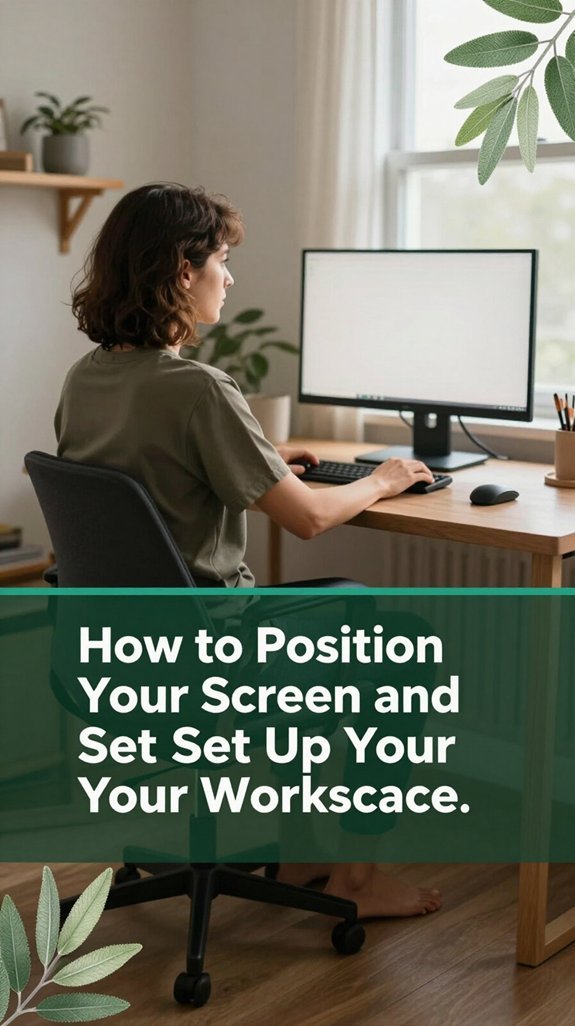
The way you position your screen can make a world of difference, according to OSHA ergonomic guidelines. It’s almost like giving your eyes a little vacation. You want the top of your monitor at or just below eye level, so your eyes look slightly downward at about 10–30° (which helps prevent eye dryness and strain).
Keep your screen about 50–70 cm away no, that’s not a typo so your eyes don’t overwork trying to focus. For people who sit more than 6 hours a day, this distance is especially important to reduce eye fatigue. If you wear bifocals or progressive lenses, lowering the monitor by 2–5 cm helps prevent chin-up posture and reduces cervical and lumbar strain, according to research on spinal biomechanics.
Proper screen positioning also reduces neck and shoulder tension, which can further contribute to comfort and reduce the likelihood of musculoskeletal issues. Maintaining the correct monitor height is essential for long-term comfort and ergonomic health, especially during extended computer use. Tilt the screen slightly upward, so your gaze hits it perpendicularly meaning your eyes are looking straight ahead or slightly downward this minimizes glare and visual discomfort.
Avoid glaring at the bottom of your monitor as if you’re checking the weather; instead, aim for a slight upward tilt to optimize viewing comfort.
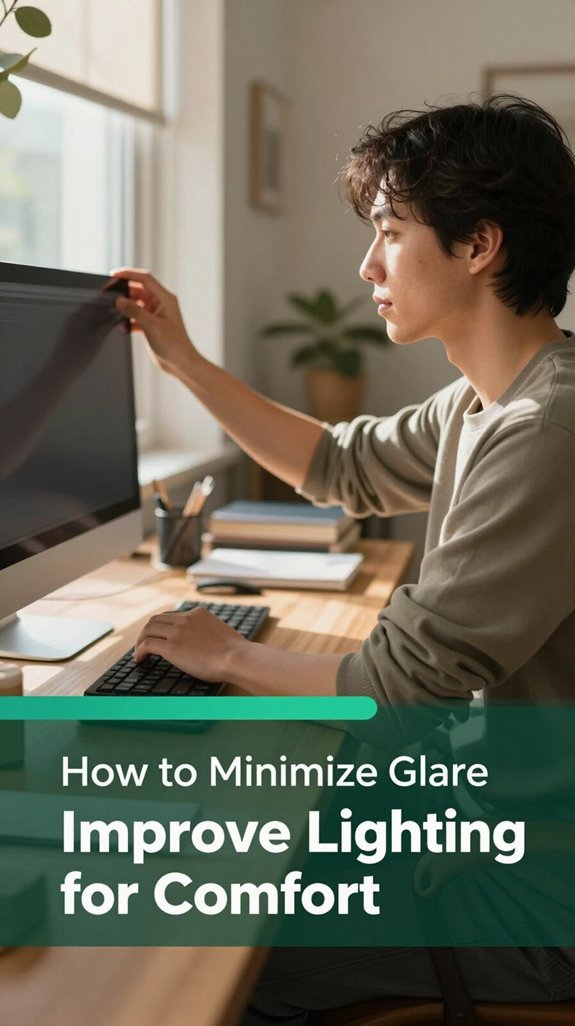
You’ve probably already felt that eye-heavy, squinting feeling after staring at your screen for a while, especially when the lighting isn’t quite right. Here’s the thing: glare from windows or harsh artificial lights is a major culprit.
Position your workspace at right angles to windows and keep about 3 feet (roughly 1 meter) away from glass to reduce reflections and glare.
Position your desk at right angles to windows and maintain about 3 feet distance from glass to minimize glare.
Use curtains, shades, or blinds vertical for east-west windows and horizontal for north-south windows to diffuse sunlight. During peak sun hours, which are typically late morning to early afternoon, partially close blinds to lower ambient light levels and reduce high contrast between your screen and the surroundings.
Soft, indirect lighting such as lamps aimed at walls or ceiling-mounted fixtures also helps minimize glare.
Matte monitors or anti-glare filters scatter incoming light and reduce reflections, making it easier on your eyes and decreasing eye strain. According to OSHA ergonomic guidelines, controlling how much light hits your screen is essential for visual comfort during prolonged computer use. Controlling ambient light sources can significantly improve visual clarity, especially when considering glare management techniques that reduce eye fatigue.
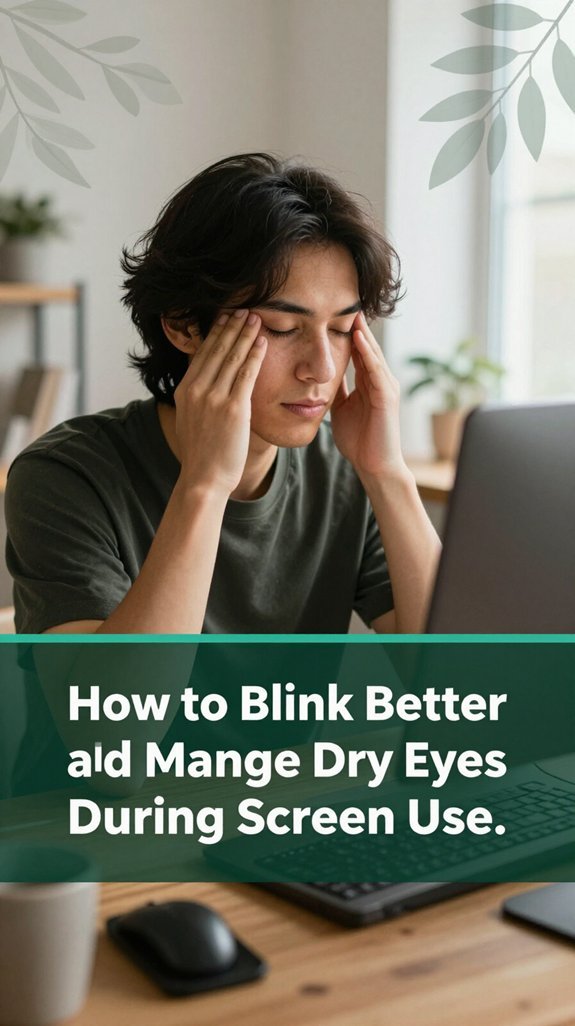
All right, let’s talk about something you’ll probably never think about until it’s too late your blinking. I know, blinking sounds like a trivial task, but it’s quite essential when you’re glued to screens. According to research, you normally blink about 15–20 times per minute, but on screens, that rate drops by half or more.
This reduction is problematic because each blink spreads a fresh tear film over your eye, keeping the ocular surface smooth and preventing dryness. If you don’t blink fully or often enough, parts of your cornea and conjunctiva stay exposed, leading to that gritty, burning feeling associated with dry eyes.
Furthermore, reduced blinking not only causes dryness but also impairs the distribution of lipids from meibomian glands, which are crucial for preventing tear evaporation and maintaining tear film stability decreased meibomian gland function.
Did you know that a good eye exam can be your secret weapon against screen fatigue? I’m sure you’ve felt that your eyes drift into discomfort after hours at your desk, or experienced a blurry moment right before your eyes tire out. During an exam, an eye doctor checks for refractive errors like nearsightedness or astigmatism that might be causing eyestrain without you realizing it. According to Mayo Clinic recommendations, these errors can contribute to visual fatigue, especially during prolonged screen use.
Additionally, eye exams help identify binocular vision issues such as convergence problems that can make your eyes work too hard, leading to discomfort and headaches. Regular eye exams are essential because they can detect early signs of eye health issues that, if left untreated, could worsen over time. Research on spinal biomechanics suggests that eyestrain can be alleviated by correcting such issues, which are often overlooked.
Once identified, layer in the right optical aids, like computer lenses set specifically for your monitor distance typically about 20-26 inches (which helps reduce the effort your eyes need to focus). Office progressives with wider zones may also be beneficial for switching focus between computer screens and printed documents.
These aids help your eyes stay relaxed, decreasing stress, preventing headaches, and reducing eye fatigue especially if you switch between screens and paper all day.
A proper eye exam combined with tailored optical aids can help you maintain visual comfort and reduce strain during extended periods of screen time.
Alright, so here’s the deal: even if you’re glued to your screen all day, you don’t have to suffer in silence. Cutting down your daily screen time to about four hours can seriously lower those annoying eye symptoms burning, dryness, blurry vision, headaches. It’s like giving your eyes a break from the constant focus and tiny blinks that happen when you’re staring at a screen.
The human eye is not designed for prolonged exposure to screens, so giving it less strain is essential for maintaining good eyesight. According to OSHA ergonomic guidelines, reducing screen time lessens visual strain and minimizes the risk of developing computer vision syndrome. Limiting screen time also helps reduce exposure to blue light, which has been studied for its potential effects on eye health. Taking regular breaks is equally important. Follow the 20-20-20 rule: every 20 minutes, look at something 20 feet away for 20 seconds.
This practice helps relax your focusing muscles, which can become strained quickly after prolonged focus. Many ergonomists recommend this technique to prevent eye fatigue and dry eyes, which are common with sustained screen use.
Setting a timer or break reminder can help you stay consistent with these breaks.
Reducing your screen time and taking frequent breaks are practical strategies to keep your eyes comfortable and prevent eye fatigue, especially for people who spend more than six hours a day at their screens.
When it comes to reducing eye stress, one of the simplest yet most effective tricks is to fine-tune your display settings so they match your environment, rather than fighting against it. You want your screen’s brightness to be about the same as the lighting around you. For most office lighting, that often means dialing down your monitor to around 100–150 cd/m². Overly bright screens in dark rooms increase glare, which can lead to eye fatigue and headaches.
Proper brightness adjustment can significantly lessen the visual discomfort caused by mismatched lighting conditions. Dim screens in bright rooms can cause you to squint, leading to unnecessary strain on your ocular muscles. Auto-brightness features can help avoid the constant fiddling, stabilizing brightness as lighting conditions change per Mayo Clinic recommendations. If you’re running multiple monitors, keep their brightness levels consistent to reduce visual discomfort; your eyes will thank you.
For comfort, your monitor’s contrast should be set between 60–70%, which improves text clarity and reduces eye strain. Adjusting text size to about 125–150% scaling prevents squinting by making reading easier without forcing your eyes to work harder. Using a refresh rate of 60Hz or higher reduces flicker that can cause eye fatigue; research on visual ergonomics suggests higher refresh rates contribute to calmer, less tired eyes.
Now, let’s talk about blue light filters and those specialized glasses people swear by. I know, it sounds like a tech trick, but hear me out. Blue-light-filtering lenses typically block about 20–30% of the blue light most people worry about, according to OSHA ergonomic guidelines, without turning everything into a banana-like hue.
Amber or tinted lenses block even more up to 70% or, if you go super dark, nearly all blue light but good luck reading menus at night. Built-in device filters, like “Night Mode,” also shift colors warmer, reducing blue emissions.
Still, here’s the thing: clinical studies show these glasses don’t really ease eye strain or improve visual comfort, as per Mayo Clinic recommendations. They’re not magic, but if you feel better wearing them, it’s probably more about your placebo effect than actual eye science.
Many ergonomists suggest that reducing digital eye strain involves proper workstation ergonomics, such as maintaining about 20–30 inches (roughly arm’s length) distance from screens and taking regular breaks. Understanding the ideal monitor viewing distance can help minimize eye strain and prevent poor neck posture.
Outdoor time isn’t just about catching some sun or letting kids run wild; it actually plays a crucial role in protecting their eyes from myopia, a condition that’s become almost as common as the latest TikTok trend. According to research on myopia development, giving kids more outdoor hours can cut their chances of developing myopia by over half.
July is Children’s Eye Health & Safety Month. Spending at least 2 hours outside daily can make a significant difference in preventing eye health issues. Short outdoor breaks during school can slow down how quickly kids’ vision worsens.
Natural light helps regulate eye growth, reducing the risk of elongation that leads to blurry distance vision. Here’s the thing: bright outdoor light way brighter than your living room stimulates certain signals in the eye to keep it from growing too long. This process prevents the eye’s axial length from increasing excessively, which can cause nearsightedness. It’s simple, but it works.
It’s pretty common to scroll through your phone or binge on that latest Netflix series right up until your eyes start to feel heavy, and then wonder why falling asleep takes longer than it should. All right, here’s the thing: blue light from screens suppresses your melatonin, the hormone that tells your body it’s time to wind down, according to Mayo Clinic recommendations.
That dry, harsh glow is basically telling your brain, “Hey, it’s daytime!” even when it’s dark outside. Impact of screen time on sleep quality When you use screens in the hour or two before bed, your sleep gets delayed, and your sleep quality drops. Research on sleep science suggests that delaying screen exposure before sleep can help your melatonin levels rise naturally. If you cut your screen time or switch to night mode before bed, your melatonin can increase, helping you fall asleep faster and enjoy deeper, more restful sleep.
This change can also reduce eye strain caused by staring at bright screens all evening, which often leads to discomfort and dryness in the ocular surface. Limiting screen use in the evening not only benefits your sleep but also lessens the chance of experiencing digital eye strain symptoms such as blurry vision, headaches, and eye fatigue. To improve sleep quality and eye comfort, it’s beneficial to limit evening screen use, especially in the hour before bedtime. Remember, small adjustments in your evening habits can make a significant difference in how well you sleep and how comfortable your eyes feel in the morning.
Building daily habits for long-term eye health might sound like a chore, but honestly, it’s just about making small tweaks that add up over time.
Trust me, I’ve been there feeling that eye burn after a couple of hours, wondering if that headache is permanent.
Here’s what helped me:
Do these consistently, and you’ll notice less pain, dryness, and improved focus.
Small habits, big impact.
Poor ergonomics messes with your body, and that’s no joke. When your monitor’s too high, too low, or askew, your muscles have to overcompensate like your neck crane or shoulders hiked up.
Leaning in because of bad setup? That adds extra strain on your eyes and muscles, causing fatigue.
Basically, when your workstation isn’t aligned, your body’s doing some awkward balancing act all day, leading to that lovely combo of eye and musculoskeletal discomfort.
Sure, you can tweak your screen colors and contrast to cut down fatigue.
For example, using a warmer color temperature, around 5000K, reduces harsh blue light, which can help your eyes relax.
Dark mode or inverted contrast schemes, like light text on a dark background, may ease glare especially in dim settings.
Just, avoid overly saturated reds or high contrast combos that strain your eyes your eyeballs aren’t fans of sensory assault!
Hydration plays a big role in managing dry eye symptoms from screens. You might’ve felt that dry, gritty sensation after staring too long turns out, if you’re dehydrated, your tears become saltier and less effective at protecting your eyes.
Drinking about 2-3 liters a day keeps your tear film stable, slows evaporation, and reduces inflammation. Regular water breaks not only remind you to hydrate but also give your eyes a much-needed recharge.
Look, blue light filtering lenses? Honestly, the science says they’re not a game-changer for eye strain.
Some small studies show you might feel a little more comfy like maybe your eyeballs get a tiny break especially if you’re super sensitive to light.
But as a rule, they don’t do much for actual fatigue or performance.
Imagine a kid glued to a screen, focusing so close all day that their eyes struggle to grow normally. Excessive screen time can lead to myopia, flattening the eyeball and causing poor distance vision.
Over time, it may even impact the healthy development of their visual system, making them more dependent on glasses or contact lenses. You wanna protect your child’s future eyesight, so setting limits and encouraging outdoor play is really key.
All right, here’s the thing: your eyes are kind of like a high-maintenance friend they need care, attention, and occasional breaks to stay happy. You can’t just ignore the signs of strain, because if you do, you’ll end up with headaches, dry eyes, and a weird feeling you just can’t shake. So, take these fixes seriously, make them part of your routine, and give your eyes the break they deserve you’ll thank them later, I promise.