Physical Address
304 North Cardinal St.
Dorchester Center, MA 02124
Physical Address
304 North Cardinal St.
Dorchester Center, MA 02124

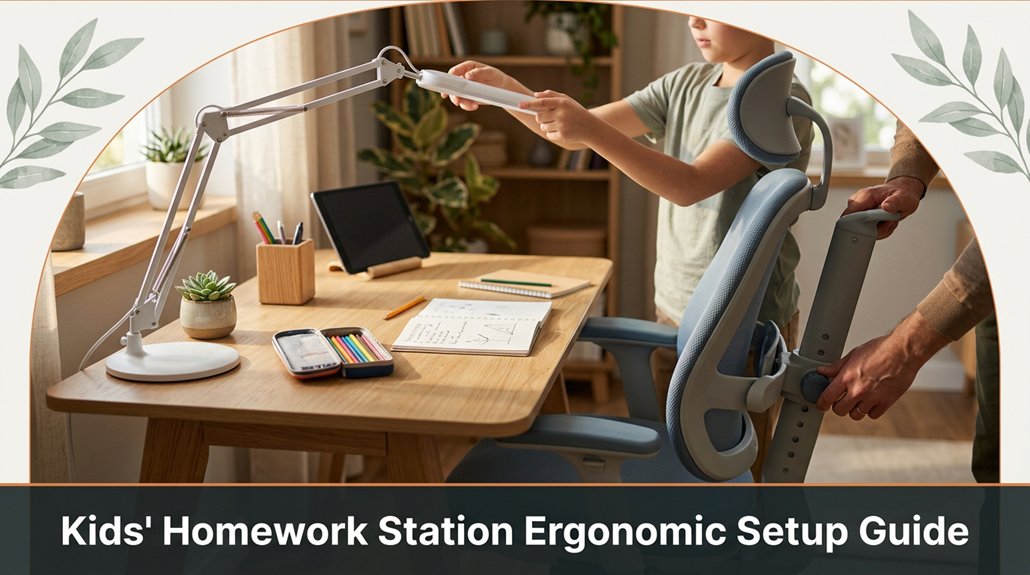
If your child’s homework station isn’t set up ergonomically, they might be facing unnecessary discomfort and distraction. You need to consider their height measure from floor to elbow and match the desk height for comfortable working. The chair? Adjust the seat so their feet rest flat on the ground and their knees are at a 90-degree angle. Make sure the monitor is positioned at eye level to prevent neck strain, and check that the lighting isn’t creating glare. Keep accessories simple but provide proper support for their back and feet. Stick with these tips, and you’ll help your kid stay focused and comfortable there’s more to it than just furniture.
This article contains affiliate links. If you purchase through them, I may earn a small commission at no extra cost to you. I only recommend products I genuinely believe in.
All right, let’s get real here. Kids spend a lot of time sitting at their homework stations. If it’s uncomfortable or poorly set up, it can lead to headaches, backaches, and a lot of procrastination. That’s why a good kids desk ergonomic setup isn’t just about aesthetics; it’s essential for their health and productivity.
Comfortable, well-arranged homework stations boost kids’ health, focus, and prevent discomfort and procrastination.
You want their monitor at eye level to reduce neck strain. Lower the monitor until the top of the screen is at or just below eye level because looking slightly down is less fatiguing on the cervical spine than looking straight ahead or upward.
Ensure their chair supports their back properly. The chair should have adjustable lumbar support to maintain the natural curve of the lumbar spine, reducing back discomfort. Using an ergonomic chair with proper lumbar support helps sustain good posture for extended periods.
Their feet should rest flat on the floor. The height of the chair and desk should allow their elbows to be positioned at a 90-degree angle when their hands are on the work surface.
To achieve this, adjust the desk height to match your child’s elbow height, which is typically measured from the floor to the bend of their elbow when they’re sitting upright with their arms relaxed.
Important Fact:
– Desk height should be approximately equal to the child’s elbow height when seated, typically around 20-22 inches for most children aged 6-12, but measure to be sure.
Ensure the monitor and keyboard are positioned correctly:
Avoid common mistakes:
In summary, setting up an ergonomic homework station involves precise measurements and adjustments: the monitor at eye level, the chair supporting the back with customizable lumbar support, and feet flat on the floor with elbows at a 90-degree angle. Incorporating OSHA ergonomic principles can help ensure that their workspace meets safety standards and promotes good posture.
Doing it right the first time prevents discomfort and encourages better focus and healthy habits.
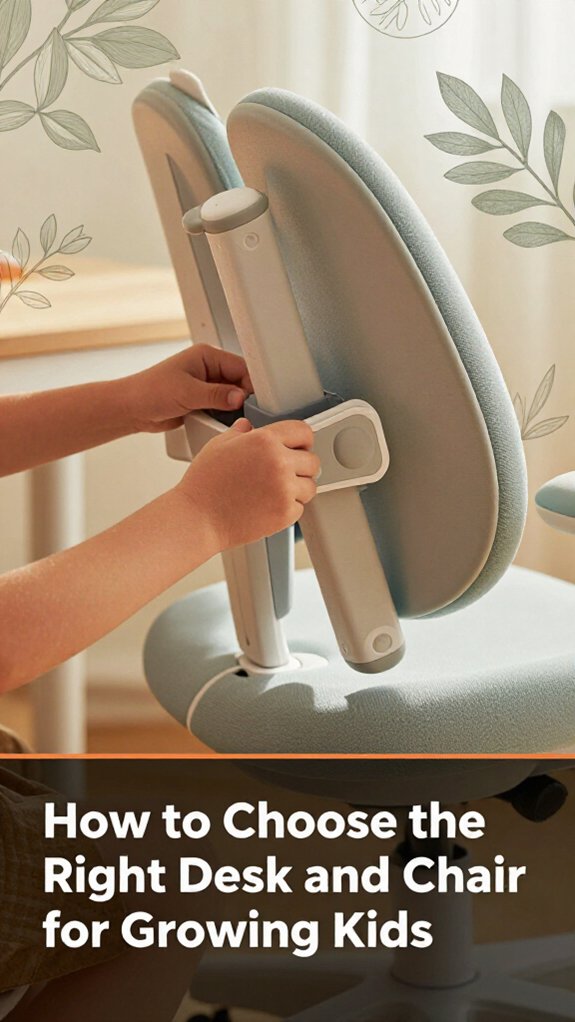
When you’re trying to pick the perfect desk and chair for your growing kid, it’s easy to get overwhelmed with all the options, specs, and the occasional “this looks good, but will it fit?” moment.
Start with the desk height. Measure your kid’s elbow height when they’re seated they should rest their elbows at a 90-degree angle when typing or writing.
Fact: The ideal desk height is approximately equal to the child’s seated elbow height.
Choose a desk with adjustable height because children grow quickly, and fixed-height desks may become unsuitable within months.
Next, select a chair with adjustable seat height, lumbar support, and a backrest that supports their lower back because proper support encourages good posture and prevents slouching.
Step 1: Adjust the chair’s seat height so that your child’s feet rest flat on the floor, with knees bent at a 90-degree angle, because this position reduces pressure on the lower back and improves circulation.
Step 2: Ensure the lumbar support is positioned at the natural curve of their lower back because this prevents slouching and promotes spinal health.
Look for sturdy frames and breathable fabrics in the chair because durability and comfort are essential for everyday use, especially during long study sessions.
Measure your space beforehand to avoid purchasing furniture that’s too large or awkwardly shaped because furniture should fit comfortably without cluttering the room or obstructing movement.
Tip: Consider ergonomic principles when selecting furniture to support healthy posture and growth, ensuring your child’s study area promotes comfort and safety.
Remember, what looks good in the store might turn into a puzzle at home due to room dimensions or other furniture.
Always double-check measurements and plan your setup accordingly for a functional, ergonomic, and comfortable study environment for your growing child.
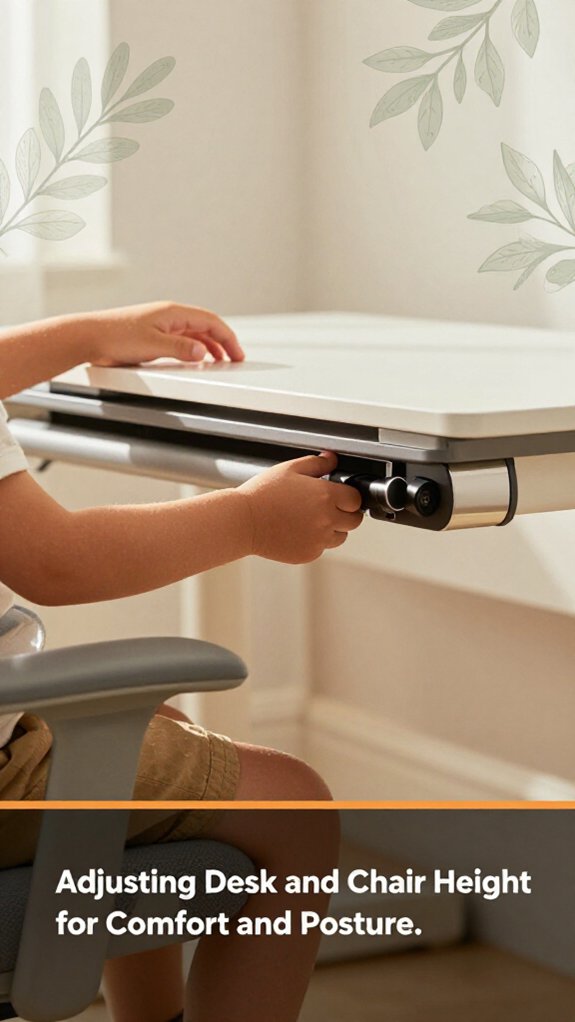
Ever tried adjusting a desk and chair and felt like you need a degree in engineering just to get them to feel right? Here’s the thing: it doesn’t have to be a headache.
Adjusting your desk and chair shouldn’t require an engineering degree simple tips make it easy to stay comfortable.
Highlighted Fact:
A key ergonomic concept to consider for comfort is adjusting your workspace to match your body’s natural posture, which can help prevent strain and injury.
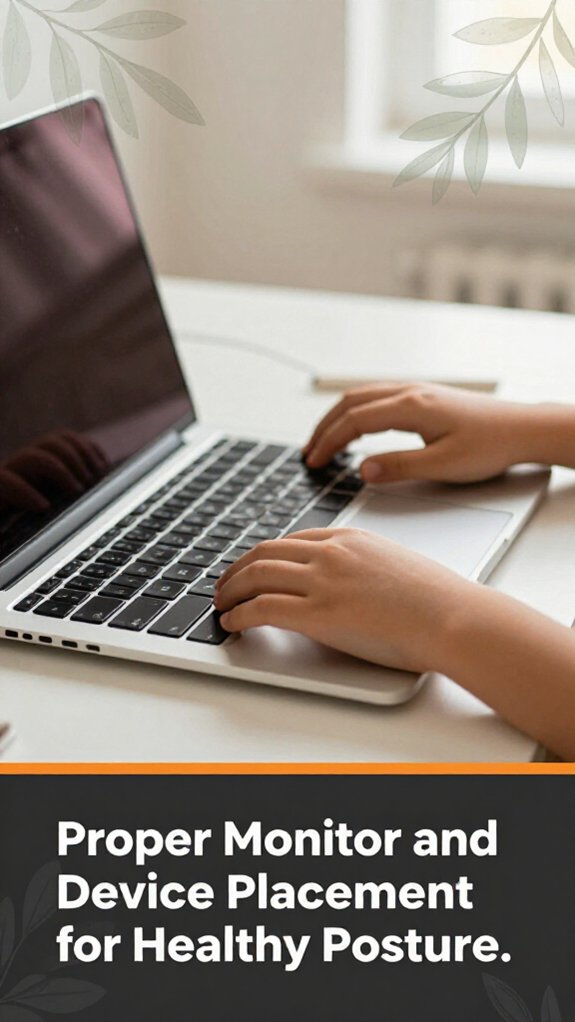
Proper monitor and device placement might seem straightforward, but trust me, it’s where many stumble mostly because “eye level” and “comfortable distance” are vague. You don’t want your screen too high or low, or you’ll strain your neck.
Here are specific guidelines for optimal ergonomic setup:
Key measurement fact:
– The optimal monitor distance is 20 to 30 inches from your face, approximately an arm’s length.
Common mistake explanations:
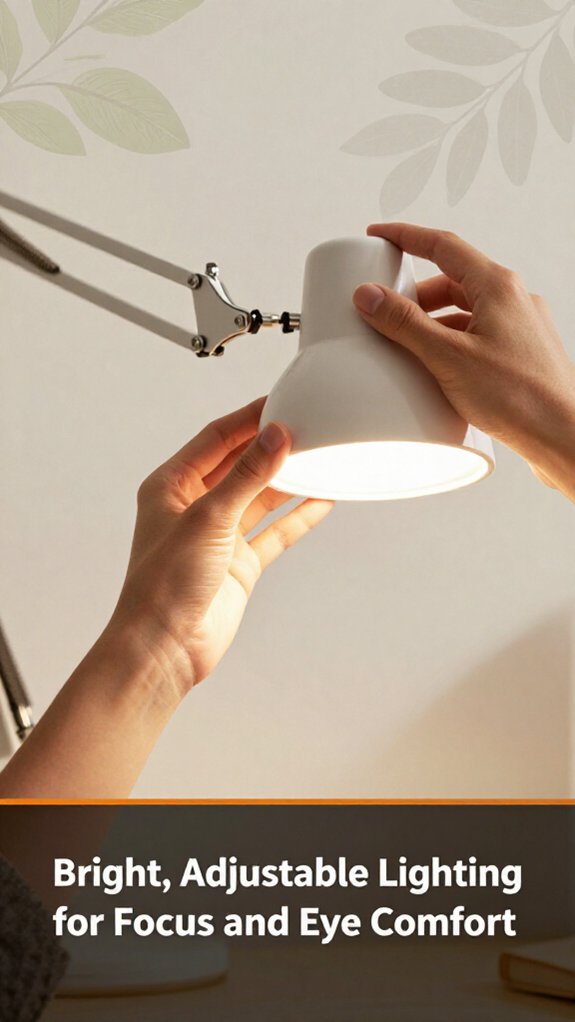
Good lighting can make or break your focus and eye comfort. Trust me, I’ve been there squinting into a dim corner or battling glare that makes your eyes scream for mercy. Here’s how to get it right.
Tip: Maintain the light source at a 45-degree angle to your workspace to minimize glare and shadows.
Important Measurement:
Position the light at least 24 inches (about 60 centimeters) from the workspace to provide even illumination without overwhelming brightness.
Now you’re set for bright, comfortable lighting that’s as adjustable as your homework mood.
You might think your kid’s chair is comfy enough, but the right supportive seating accessories can turn a decent setup into a serious comfort zone.
Start with a seat cushion trust me, a memory foam pad like the FoamTouch Memory Foam Seat Cushion makes a world of difference. It elevates your kid just enough to prevent slouching and back pain because proper height encourages good posture.
Next, lumbar supports are golden because they keep the lower back in proper alignment when kids are glued to their screens for hours. Look for adjustable lumbar supports such as the ComfyLife Lumbar Cushion, which allows you to customize height and density because a fixed piece that doesn’t fit can cause discomfort or poor support.
Always choose accessories tailored to your kid’s size. Measure your child’s seated height from the seat to the top of their head to ensure appropriate support.
A popular guideline for footrest height: position the footrest so that your child’s knees are bent at approximately a 90-degree angle, with feet flat on the surface, to promote even weight distribution and reduce fatigue.
Now, consider adding a footrest. Yes, a footrest because it helps distribute weight evenly and reduces fatigue during long sitting periods. Footrests like the ErgoFoam Kids Foot Rest are adjustable to fit different leg lengths and ensure proper ergonomic posture.
To sum up, a simple setup that includes an ergonomic seat cushion, an adjustable lumbar support, and a footrest can make homework way more comfortable.
Additionally, keyboard and mouse placement following ergonomic principles can help prevent strain during extended study sessions. No more constant shifting or squirming.
Remember to measure your kid’s size carefully measure from the seat to the top of their head, and from their feet to their knees and select accessories accordingly for a tailored and comfortable seating experience.
Let’s face it: a cluttered desk is a distraction magnet, especially when your kid is trying to focus on homework. You need smart organizers, not just a box of loose pens.
Important measurement:
– Position the desk tray or drawer dividers so that they’re at a height of 2 inches (5 cm) above the desk surface to ensure easy access without cluttering the workspace.
When you’re outfitting your kid’s study space, choosing safe, eco-friendly materials isn’t just about ticking a box; it’s about creating a healthier environment that won’t make you second-guess every breath they take.
All right, pick furniture made from sustainably harvested wood because this material reduces deforestation.
Avoid MDF or particleboard unless they’re labeled formaldehyde-free because these engineered woods can emit volatile organic compounds (VOCs) that may affect indoor air quality.
Look for paints and finishes that are low or zero VOC because these coatings release fewer harmful chemicals into the air, creating a safer environment for your child.
For fabrics, choose cotton or bamboo because these natural fibers are less likely to shed microplastics than synthetic materials like polyester or nylon, reducing potential inhalation or ingestion risks.
Clearly, avoid plastics for surfaces when wood or bamboo do just fine because plastics can off-gas harmful chemicals and are less durable over time.
Important Fact: The ideal distance to position a computer monitor is 20 to 30 inches from your face, with the top of the screen at or just below eye level, to promote proper neck and eye ergonomics.
Here are specific steps to create an eco-friendly, safe study environment:
Even if you’ve been there before, aligning your kid’s study habits with good posture and regular breaks can feel like trying to solve a Rubik’s Cube: twist and turn until everything clicks into place.
Keep this habit simple to sustain. Good posture isn’t a one-time fix; it’s a pattern woven into their routine.
Making a kid’s homework station inviting isn’t just about tossing in a few fun decorations and calling it a day. You want your kid to actually want to sit there, because a welcoming environment encourages focus and motivation.
First, add bright colors to the space, such as vibrant wall paint or colorful artwork, because this creates an energetic atmosphere that feels lively rather than dull.
Bright colors and vibrant artwork make the homework space lively and inviting.
Next, incorporate a themed corkboard for little achievements. This visual display acts as eye candy that also encourages pride in their accomplishments.
Include cozy elements like a small cushion or character plush on the chair because comfort makes long study sessions more manageable.
Ensure the chair is ergonomically appropriate: it should support proper posture, with the seat height adjusted so that feet rest flat on the floor and knees form a 90-degree angle. This reduces discomfort and physical fatigue during homework time.
For storage, use cute bins or drawers, such as IKEA KUGLI containers or Sooyoung labeled plastic drawers, because they make clean-up playful and encourage organization.
Highlight:
A general guideline for the workspace is to keep surfaces clear of clutter, maintaining less than 10% of the area occupied by storage items, because a tidy space promotes better focus and reduces distractions.
Avoid turning the space into a cluttered mess. Kids thrive with order, and a little visual fun makes the whole setting inviting, not intimidating.
Here’s the thing: a common mistake is throwing together a study area without thinking about flow or purpose, because rushing to set up can result in your kid’s workspace becoming a jumble.
Lighting fact: Position your child’s desk near a window with natural light, and if artificial lighting is necessary, use a lamp with adjustable brightness that can be directed away from glare.
All right, these mistakes seem small, but they’ll make or break your setup.
Therefore, plan thoughtfully to create an effective and comfortable study environment.
Maintaining and adjusting your kid’s workspace as they grow is essential to support their development and comfort. Kids grow quickly, so keeping their workspace flexible is key because ignoring this can result in a desk setup that becomes more of a hindrance than a helpful environment.
Start by regularly reassessing their chair height and monitor position. Lower the monitor until the top of the screen is at or just below your child’s eye level, because looking slightly down reduces strain on the cervical spine compared to looking straight ahead or upward. Raise or adjust the chair height so that their feet rest flat on the floor with knees at about a 90-degree angle, and thighs are parallel to the ground, because this promotes proper circulation and reduces fatigue.
Make sure the desk surface still fits their current work volume because children outgrow tiny spaces fast.
Ensure the desk space is large enough to accommodate your child’s changing needs as they grow.
Key Measurement: For an ergonomic workspace, the height of the desk should ideally be such that the child’s elbows are at a 90-degree angle when typing or writing, with forearms parallel to the ground.
Use an adjustable desk, such as the Humanscale Float Desk or Fully Jarvis, because these allow rapid modifications as your kid grows, ensuring long-term comfort and ergonomic alignment.
Next, check their seating. Ensure the chair provides proper lumbar support and can be adjusted in height. The backrest should support the lower back, and the seat height should allow their feet to rest flat on the floor while knees are bent at about a 90-degree angle.
Common Mistake: Setting the chair height too high or low, which can cause slouching or pressure on thighs, leading to discomfort and potential back issues. Correct this by adjusting the chair height so that the child’s hips are slightly above their knees, and feet are flat on the floor.
Finally, don’t forget to adjust the desk and seating regularly because kids grow faster than you can say “growth spurt.” Keep the workspace flexible, safe, and supportive of their ergonomic needs to prevent discomfort, back issues, and to promote good posture over time.
You should reassess your kid’s ergonomic setup every few months, or sooner if they’re growing quickly because, trust me, that’s when the surprises happen.
Kids stretch and grow like weeds. All right, you might think their furniture fits for now, but suddenly their knees are crying or their eyes are straining.
You’ll notice your kid squirming, leaning too close, or rubbing their eyes that’s your first clue.
Look for slouched posture, uneven lighting causing eye strain, or if they’re constantly changing position. If their chair’s too low or high, or the monitor’s awkwardly placed, it’s time for adjustments.
Basically, if your kid looks uncomfortable or distracted, their workspace’s crying out for a tweak you’ll want to fix that before homework turns into complain time.
You should prioritize adjustable features like a chair with proper support and a desk at the right height.
For children with special needs, opt for equipment that offers sensory considerations like cushioned seats or textured surfaces.
Always involve your kid in the setup, so they find it comfortable and accessible.
And don’t forget, what works for one kid might need tweaks, so be ready to adapt it’s a work in progress, just like everything.
You should make the workspace engaging and motivating by adding personalized touches favorite colors, fun desk accessories, or inspiring posters.
All right, don’t just put boring bins, make storage playful. Use adjustable lighting or a standing desk to keep things fresh.
Now, add some small rewards for completed tasks, which helps create excitement. Kids thrive when their space feels uniquely theirs, so let them help choose the decor trust me, they’ll love it.
You want budget-friendly ergonomic tools, right? Obviously, a good pair of adjustable stools or chairs with lumbar support is key.
Look for second-hand or sales; some are surprisingly affordable. Grab a foam cushion for added comfort and a monitor stand or stacked books to position screens at eye level.
All right, skip fancy gadgets these basics help prevent slouching and keep your kid comfortable without emptying your wallet.
Alright, think of the perfect homework station like a well-tuned piano every part needs to be in harmony. Once you’ve got it set up right, your kid’s posture stays happy, and the stress of constant readjustments drops. Keep adjusting as they grow; it’s like tuning that piano again. Trust me, a little effort now saves a lot of “why is my kid always slouching” conversations later. You’ve got this your kid’s workspace will be a masterpiece.





