Physical Address
304 North Cardinal St.
Dorchester Center, MA 02124
Physical Address
304 North Cardinal St.
Dorchester Center, MA 02124

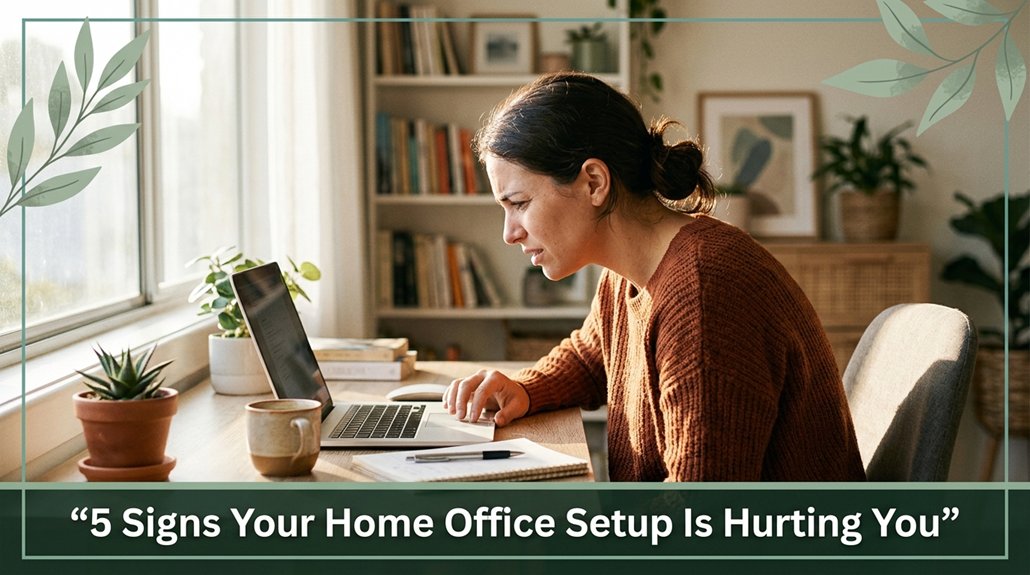
Your neck feels stiff or achy after a few hours? That’s probably because your monitor’s height isn’t quite right you’re craning or drooping your head without even realizing it. Maybe your eyes itch or blur; that’s because staring at screens with reduced blinking and glare can cause dryness and fatigue. You might also feel sluggish or distracted poor lighting and stuffy air zap your focus. Clutter and static sitting make your back and shoulders scream. Keep reading to find out how to fix these sneaky problems before they turn into real health issues.
This article contains affiliate links. If you purchase through them, I may earn a small commission at no extra cost to you. I only recommend products I genuinely believe in.
You’ve probably felt that little twinge in your neck or a sore spot between your shoulder blades and thought, “Hmm, maybe I should straighten up,” only to forget about it a few minutes later. That’s a sign your desk setup is hurting you.
When your monitor’s position is too low or high per OSHA ergonomic guidelines, the top of the screen should be at eye level the resulting head tilt can cause chronic neck strain and reduce cervical spine mobility. Inadequate monitor placement often leads to poor head and neck posture, exacerbating discomfort.
Soreness between your shoulder blades or an aching upper back? That’s likely because your shoulders are creeping up or your arms lack support during long hours of typing, which can contribute to thoracic kyphosis and shoulder muscle tension. Proper keyboard positioning can help alleviate this strain.
Research on spinal biomechanics suggests that unsupported arms increase stress in the thoracic and lumbar regions, leading to discomfort over time.
Feeling a headache that worsens later in the day? That’s common of tension headaches caused by poor posture, not migraines.
Many ergonomists recommend maintaining a neutral head and neck position to prevent sustained muscle strain.
If you find yourself constantly stretching or adjusting your sitting position, your body is signaling that your desk ergonomics need immediate review. Ensuring your chair and desk height are adjustable can make a significant difference in overall comfort. These adjustments can prevent the development of chronic musculoskeletal conditions, such as carpal tunnel syndrome or lumbar disc issues.

If your eyes start feeling like they’ve run a marathon after just a few hours glued to your screen, chances are you’re dealing with some form of digital eye strain. According to Mayo Clinic recommendations, this condition often includes symptoms like an annoying buzz in your eyes or weird blurriness that comes and goes, similar to a bad cell signal.
You might notice your vision flickering between clear and blurry, or see shadows and ghosted images that make you think your screen’s haunted.
Maybe your eyes feel dry, gritty, or inflamed especially if you’re secretly holding your blink rate in check to focus. Many ergonomists suggest that reduced blinking during screen use can contribute to dryness and discomfort, so consciously reminding yourself to blink more can help.
Now, if bright lights bother you more than they used to, or images seem to jump around, your visual system’s telling you it’s overworked and needs a break. Trust me, your eyes aren’t wimping out; they’re just crying out for rest and proper ergonomic adjustment. Extended screen time can worsen CVS symptoms, so incorporating regular breaks and proper positioning can significantly improve your comfort.

Here’s the thing: your workspace design might be quietly sabotaging your focus and draining your energy without you even realizing it.
Poor lighting such as harsh fluorescent overheads or glare from windows forces your eyes and brain to work overtime, which can lead to increased fatigue and reduced attention span, according to OSHA ergonomic guidelines. Proper lighting reduces eye strain and helps maintain alertness throughout the day.
Poor lighting strains your eyes and mind, lowering energy and focus throughout the day.
When the air quality isn’t great, with stuffy rooms and elevated CO₂ levels, your decision-making ability drops, and brain fog tends to set in around mid-morning. Additionally, sedentary behavior associated with prolonged sitting can negatively impact cardiovascular health and metabolic function, further contributing to fatigue and decreased focus.
Temperatures that swing from hot to cold keep your body guessing, which according to ergonomics research, can sap your energy and hinder concentration.
All of this adds up, leading to fatigue, distraction, and a genuine struggle to stay on task.
If you’re feeling unusually drained during the day, it’s worth considering that your workspace might be quietly undermining your productivity.
Creating a more balanced environment can significantly improve your focus and energy levels throughout the day.

All right, let’s talk about clutter and how it can secretly turn your home office into a physical torture chamber. When your work surface is swamped, you’re forced into awkward reaching, twisting, and side-hunching, which research on spinal biomechanics suggests can cause neck, shoulder, and low-back tension.
Here’s the thing:
Clutter isn’t just visually annoying it’s your body’s silent tormentor. Keeping your workspace organized supports healthier posture and helps prevent musculoskeletal disorders. Proper workspace configuration is essential for maintaining ergonomic alignment and reducing strain during work activities.

All right, you’ve probably felt that sluggish, stiff feeling creeping into your back and shoulders after hours of sitting in the same position. Here’s the deal: static postures put serious strain on your body over time.
Sitting forward-leaning increases lumbar disc pressure by about 190 percent, according to research on spinal biomechanics, which raises your risk of disc injury and low back pain.
When you stay seated for hours, your lumbar, thoracic, and cervical muscles stiffen and weaken, and they may even start degenerating, which could lead to osteoporosis in your spinal structures.
Prolonged sitting also causes low-grade inflammation think of it as a silent protest from your body that can contribute to chronic pain conditions like sciatica or thoracic kyphosis.
Prolonged sitting triggers low-grade inflammation, quietly fueling chronic pain like sciatica and thoracic kyphosis.
To prevent these issues, take regular breaks every 30–60 minutes, switch between sitting and standing positions, and keep moving throughout the day.
Incorporating ergonomic tools such as adjustable chairs, sit-stand desks, and lumbar supports can help maintain healthy spinal alignment.
Additionally, incorporating proper posture awareness can significantly reduce the risk of developing repetitive strain injuries and other musculoskeletal issues.
Your back will thank you; staying mobile and mindful of posture is key to long-term spinal health.
Yes, minor discomfort can be a red flag for serious ergonomic issues.
All right, you might think, “It’s just a little ache,” but that little ache could mean your neck’s flexed too far or your wrists are strained. Over time, these small signs add up, increasing your risk of chronic pain or injury.
Look, catching these early and fixing your setup can save you months, or even years, of misery.
You know your setup’s causing headaches if those pains start after hours of work and get worse, especially with neck tightness or eye strain.
All right, if your monitor is too low, forcing you to look down, or your chair makes you slouch, that’s a red flag.
Your muscles are working overtime to keep your head upright, and that strain adds up, leading to those nagging headaches.
Yes, short breaks are enough when you do them right. Every 30-60 minutes, you should stretch, stand, or walk for a couple of minutes. That tiny shift resets your posture, relieves muscle tension, and keeps your spine happy.
Believe me, the difference between ignoring those breaks and actually taking them is like night and day your body will thank you. Think of it as a mini reset button for your muscles.
You mightn’t realize it, but hidden signs of poor organization could be sneaking into your health.
Maybe you’re feeling more exhausted or groggy, even after a full night’s sleep.
All right, your airflow could be blocked by clutter, trapping dust and making the air quality worse.
Or perhaps you’re experiencing more frequent headaches that’s your brain working overtime filtering through visual chaos.
Basically, disorganized workspaces wear on you more than you think.
You’ll notice poor ergonomics can impact your overall well-being surprisingly fast sometimes in just days. Your neck and shoulders might tighten, your energy dips, and your sleep gets wonky from muscle strain and posture stress.
If your chair lacks support or your monitor’s way too low, your body pays the price quickly. Over weeks, those nagging aches can turn into real injuries, messing with your mood, focus, and even how often you take sick days.
Listen, I get it your home office probably isn’t perfect, and changing everything can feel overwhelming. But small tweaks like adjusting your monitor height or decluttering your desk can make a big difference. One day, you’ll stand up after hours and realize your back isn’t protesting like it used to. Honestly, it’s worth it. You spend so much time at that desk; treat yourself to a setup that doesn’t hurt. You’ll thank yourself later.





