Physical Address
304 North Cardinal St.
Dorchester Center, MA 02124
Physical Address
304 North Cardinal St.
Dorchester Center, MA 02124

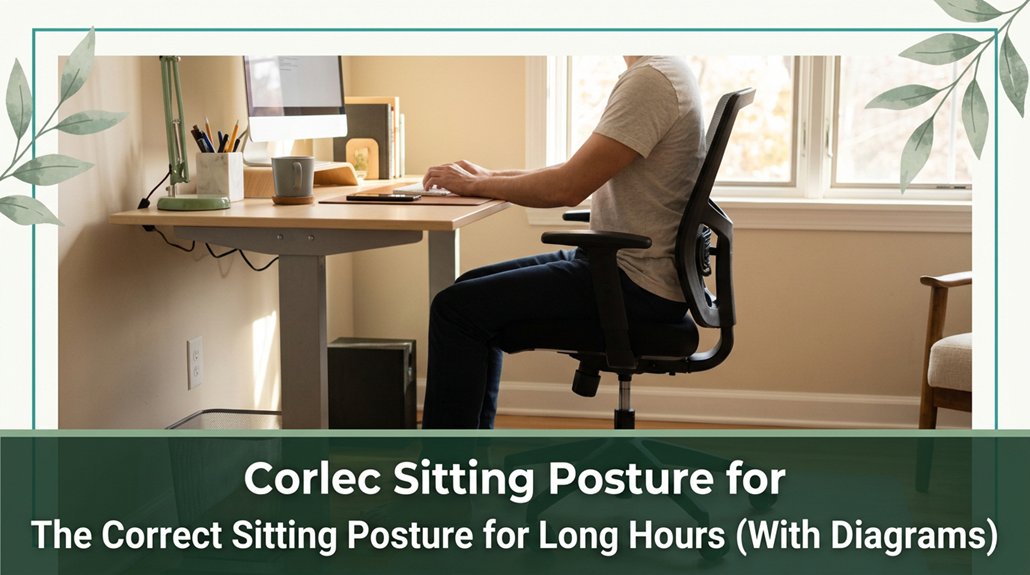
All right, you know that tight feeling in your neck or lower back after long hours at your desk? That’s usually because your posture is slipping slouching or craning your neck forward. Here’s the thing: you want to sit with a neutral spine, meaning your head, shoulders, and hips are aligned naturally. Keep your feet flat on the floor, knees bent at 90 degrees, and make sure your monitor is at eye level. Small adjustments make a big difference, and with a few simple tweaks, you can stay comfortable and avoid those aches all day long.
This article contains affiliate links. If you purchase through them, I may earn a small commission at no extra cost to you. I only recommend products I genuinely believe in.
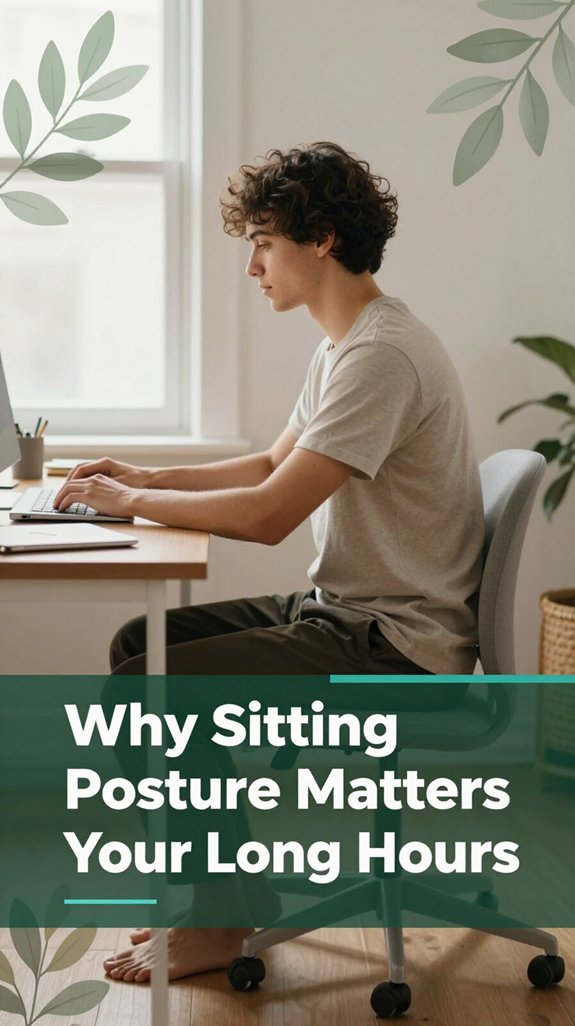
All right, let’s be honest: if you’ve ever spent hours hunched over your laptop, you’ve probably felt that nagging tightness in your lower back or a stiff neck that just won’t quit. That’s where correct sitting posture becomes your best friend.
When you slouch or lean forward, you put extra pressure on your lumbar structures and tighten your hip flexors, pulling your pelvis out of alignment. According to OSHA ergonomic guidelines, these “shorten-and-weaken” patterns worsen muscular imbalances, increasing the risk of chronic lower back pain over time.
Maintaining proper posture can significantly reduce these issues and improve comfort throughout your workday. Poor posture also shifts your shoulders and head forward, which overloads neck muscles and can contribute to thoracic kyphosis and cervical strain.
Implementing these adjustments can help prevent long-term musculoskeletal problems and promote better overall posture. Ensuring your computer workstation setup aligns with ergonomic standards is essential for creating a safer and more comfortable environment during extended work periods.

A neutral spine is essentially the optimal position for good posture your spine’s ideal alignment where everything is properly balanced. It reflects the “Goldilocks zone” of spinal positioning neither too arched nor too flat.
According to OSHA ergonomic guidelines, it involves maintaining the natural curves of the cervical, thoracic, and lumbar regions: slight inward curves in the neck and lower back, and a gentle outward curve in the mid-back, forming an “S” shape. The natural curves help maintain proper biomechanical function and distribute mechanical stress evenly across the spine. Think of stacking blocks perfectly no tilting or misalignment.
When your spine is neutral, your intervertebral discs and joints share the load evenly. This reduces wear and tear and prevents conditions like disc herniation or early joint degeneration similar to spreading weight across a balanced structure. Research on spinal biomechanics suggests that a neutral spine minimizes stress on the spinal muscles and ligaments, which can reduce the risk of pain, especially after prolonged sitting or standing. Understanding the importance of proper posture emphasizes how maintaining these alignment principles can significantly impact long-term spinal health.
Remember, your neutral position is personalized; slight variations are normal. Understanding these differences helps you avoid slouching and hyperextending, promoting comfort and preventing discomfort or chronic pain.
Maintaining a neutral spine during daily activities is key for long-term spinal health and overall well-being.
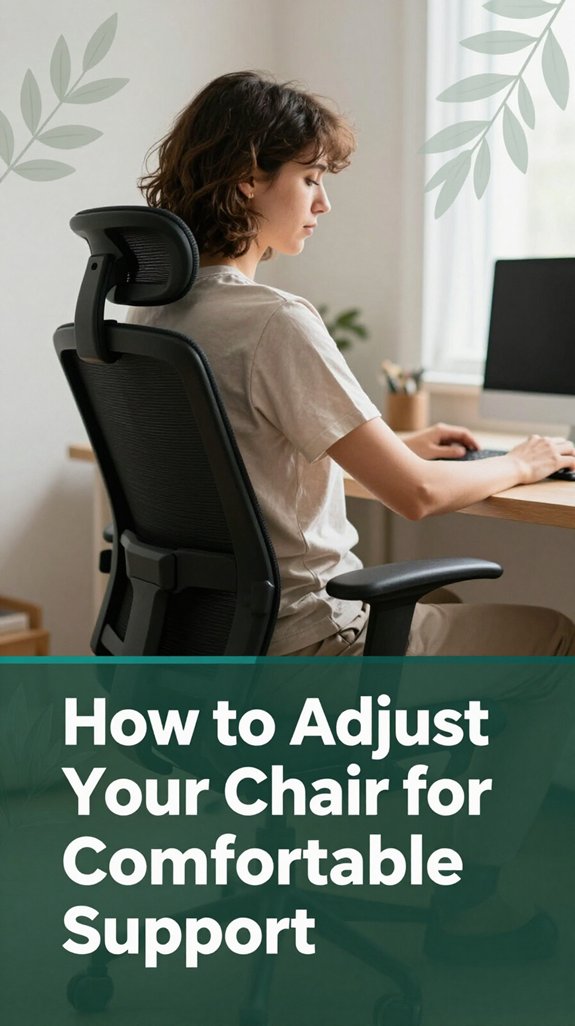
Tinkering with your chair mightn’t sound like the most exciting way to spend your afternoon, but trust me, it makes all the difference. You want to make sure your seat height is just right thighs roughly parallel to the floor, knees at 90–100 degrees (which helps maintain proper circulation and reduces strain on the knee joints).
The top of the seat should sit just below your kneecap when standing, so your legs aren’t hanging or squished this positioning minimizes pressure on your lower extremities. Keep your feet firmly on the ground and avoid dangling or stretching too far, which can lead to fatigue or circulation issues. Adjusting your office chair ergonomics properly can significantly improve comfort during long hours of sitting.
Now, adjust the backrest and lumbar support so it fits the natural curve of your lower back firm but comfy according to OSHA ergonomic guidelines. Proper lumbar support helps maintain the natural inward curvature of your lumbar spine, reducing the risk of lower back pain and sciatica.
Finally, set your armrests so your elbows stay close to your sides at about 90–100 degrees (which helps prevent shoulder and neck strain), keeping your shoulders relaxed.
Small tweaks can produce significant improvements in comfort and postural health. Remember, an ergonomically adjusted chair supports your musculoskeletal health during prolonged periods of sitting.
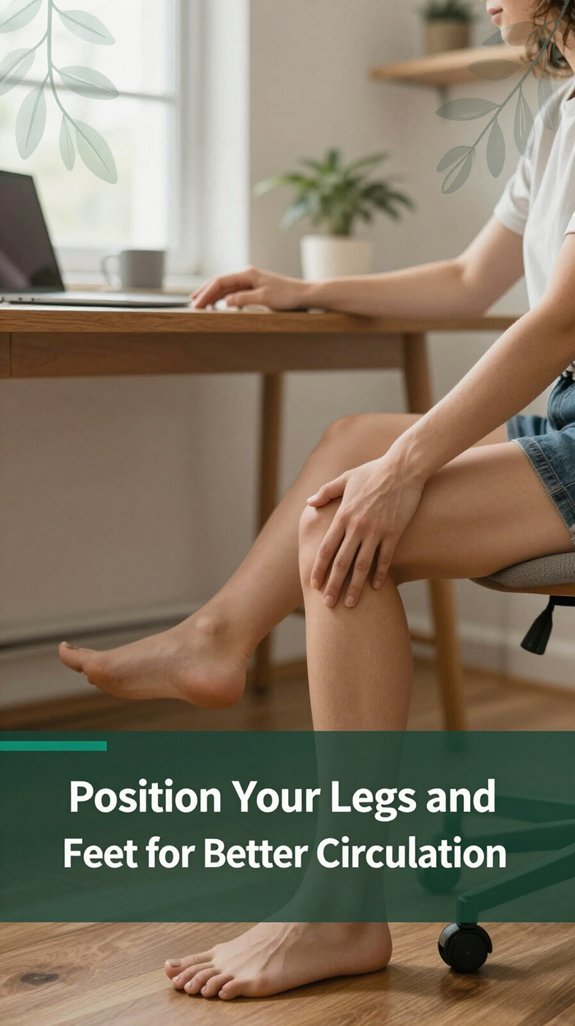
Now that you’ve got your chair adjusted just right, it’s time to focus on your legs and feet because if those aren’t in the correct position, you might feel like you’re sitting on a cocktail napkin instead of a sturdy seat.
You want your feet flat on the floor or on a stable footrest, with soles fully supporting your weight, according to OSHA ergonomic guidelines. No toe-only or heel-only loads that creates pressure points and muscle strain, which can lead to discomfort and circulation issues. Keep your feet hip-width apart, with toes pointing forward, to distribute your weight evenly.
Adjust your seat or footrest so your heels rest comfortably this position helps reduce thigh tension and lower back strain, according to research on spinal biomechanics.
Additionally, ensuring proper lumbar support enhances overall posture and helps maintain the natural curve of your lower back throughout long sitting periods.
Also, avoid crossing your legs or tucking your feet under your body, as these positions cut off circulation faster than a bad joke. Circulatory efficiency decreases when the legs are in a constricted position, increasing the risk of numbness and deep vein thrombosis for those who sit more than 6 hours a day.
Incorporating small movements and shifting your legs throughout the day really helps maintain healthy circulation and reduces musculoskeletal discomfort.
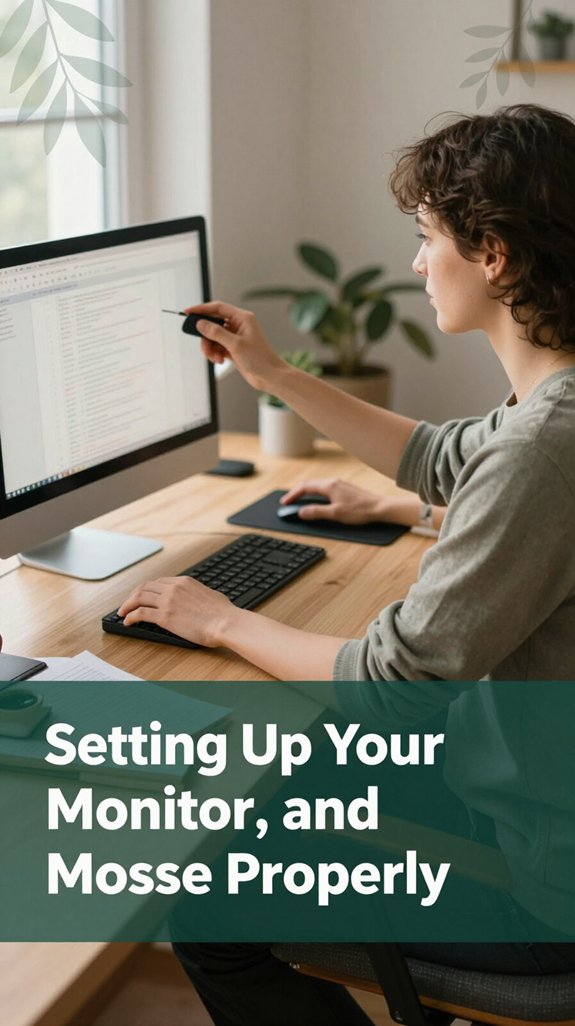
You’ve probably spent enough time squinting or craning your neck to know that setting up your monitor and keyboard correctly makes a huge difference; yet, somehow, many of us still slide into bad habits.
Here’s the deal: keep your monitor’s top at or just below eye level, which helps prevent neck strain and maintains a neutral cervical spine position. Position it about arm’s length away, roughly 20 to 40 inches (the distance your arm can comfortably reach to avoid eye strain and maintain focus). Tilt the monitor slightly backward around 10 to 20 degrees to reduce glare and support a neutral neck posture, according to OSHA ergonomic guidelines.
For multi-monitor setups, ensure the top edges are aligned to minimize neck twisting. Keep your primary display directly in front of you, with secondary monitors angled inward to avoid repetitive head rotation or thoracic kyphosis.
Your keyboard should be positioned in line with your monitor’s centerline, at elbow height (roughly 90 degrees at the elbow to prevent strain), with enough space beyond the front edge for your wrists to rest comfortably.
Keep your mouse close enough to avoid overreaching, level with the keyboard, and adjust sensitivity settings using less effort reduces repetitive strain and carpal tunnel risk.
Keep your mouse and keyboard within easy reach to maintain a relaxed shoulder position, decreasing strain on your trapezius and rotator cuff muscles. Adjust your input device sensitivity to require less hand and wrist effort, which can reduce the risk of repetitive strain injuries such as tendinitis.
Proper monitor height ensures your neck remains in a neutral position, preventing strain and discomfort during long hours of work.
Simple adjustments like these can significantly reduce the risk of musculoskeletal discomfort and improve overall ergonomics.
Remember: proper setup promotes neutral joint positions and encourages healthy, pain-free sitting habits.
Let’s discuss how to keep your shoulders, arms, and wrists feeling relaxed instead of tense after a long day of activity. First, keep your shoulders relaxed, avoiding a rounded forward posture or being pulled back excessively. According to OSHA ergonomic guidelines, every 20 to 30 minutes, think “drop the shoulders” to release accumulated tension.
Proper ergonomics can significantly reduce muscle strain and prevent long-term issues related to poor posture. Your ears should be roughly aligned over your shoulders to prevent that pesky forward-head posture, which can strain your cervical spine. Your scapulae, or shoulder blades, should sit in a “down and back” position, helping to support proper thoracic and cervical alignment.
Avoid perpetual shrugging, as it can lead to neck and upper trapezius strain. Keep your elbows close to your sides at approximately 90 to 120 degrees the elbow bend should be comfortable and support your forearms (which should be roughly parallel to the floor to reduce shoulder and wrist stress). If possible, support your forearms with armrests or pads to promote an optimal ergonomic position.
Ensuring the armrest height is correct can prevent unnecessary shoulder and wrist strain during prolonged sitting. Your wrists should stay in a neutral position, avoiding excessive bending or deviation to prevent strain that can contribute to conditions like carpal tunnel syndrome.
Maintain a light grip on tools or devices to reduce unnecessary muscle tension in your hands and wrists. During breaks, incorporate small shoulder rolls or cross-body stretches to loosen tight muscles and prevent creeping tension, which can contribute to thoracic kyphosis and shoulder discomfort. Implementing these small adjustments can improve your comfort and prevent musculoskeletal issues over time.
Sometimes, the biggest change you can make to your day isn’t adding more hours to your workout but sneaking in little movement breaks here and there. Think of it as nudging your body to remind it it’s still alive and not just a sitting sculpture. You can set timers or alarms those little external cues work wonders to remind you to stand, stretch, or walk every 30 to 60 minutes.
Incorporating movement breaks regularly can help prevent the health issues associated with prolonged sitting and improve overall well-being. Pair walking during calls or meetings yes, that means opting for a walking meeting or taking stairs instead of the elevator. Even tiny stretches or bodyweight moves like squats or shoulder rolls done in 1 to 5 minutes boost circulation and shake off stiffness.
According to OSHA ergonomic guidelines, small movement breaks help reduce the risk of musculoskeletal disorders among those who sit for extended periods. Incorporating scheduled movement into your routine makes the habit more consistent and easier to maintain.
Involve yourself in these habits naturally so they become part of your routine, and soon, your body will thank you. Regularly taking brief movement pauses can significantly improve circulation, reduce muscle stiffness, and promote better posture, especially in areas like the lumbar, thoracic, and cervical regions.
If you’ve been sitting at your desk for hours straight, you’ve probably noticed that by the time you switch to standing, your legs might feel a little numb, or your lower back might protest louder than an alarm clock.
Here’s the thing: using a sit-stand desk helps you change your posture on the fly, which is a huge plus. When you stand, your pelvis tilts forward, your lumbar spine gains some much-needed lordosis (the natural inward curve of the lower back), and your muscles activate more evenly, according to OSHA ergonomic guidelines.
Standing reduces forward head posture that condition where your head juts forward, putting strain on your cervical spine and neck muscles and takes pressure off your intervertebral discs. Additionally, standing can contribute to cardiovascular benefits, which may improve overall health when incorporated into a routine of regular movement.
According to research on spinal biomechanics, switching back and forth between sitting and standing keeps your muscles guessing and prevents fatigue that can lead to discomfort in your shoulders and back. For people who sit more than 6 hours a day, alternating postures can significantly decrease the risk of developing musculoskeletal disorders, including lower back pain and thoracic kyphosis.
Incorporating regular movement and posture variation using sit-stand desks encourages your muscles and joints to stay engaged, helping to mitigate the strains associated with prolonged static positions. Prolonged sitting can weaken core and gluteal muscles, reducing overall flexibility and increasing discomfort, so alternating postures helps counteract these effects.
Feeling stiff after sitting for what seems like forever? Trust me, I’ve been there hours at my desk and my muscles start to feel like they’re screaming “Enough!” Here’s the deal: tiny micro-movements can seriously help reduce musculoskeletal strain, according to OSHA ergonomic guidelines.
If you’re like me, you’ve probably caught yourself leaning a little too much to one side or slouching into your chair without even realizing it. Suddenly, your back feels stiff, and your neck is louder in complaint than your inbox.
According to OSHA ergonomic guidelines, slouching is the biggest culprit because it shifts spinal load from your muscles to discs and ligaments, which isn’t exactly a recipe for comfort. Sitting with poor posture increases pressure on your spinal discs, contributing to discomfort over time. Plus, when you collapse forward, you flatten your natural lumbar curve per Mayo Clinic recommendations, this causes strain, stiffness, and fatigue.
Rounded shoulders and a forward head position often accompany this habit, tightening pectoral muscles and weakening the upper back muscles like the rhomboids and deep cervical muscles. Awareness of these posture habits can help you make better ergonomic adjustments to prevent long-term issues.
Many ergonomists recommend paying attention to these postures because they can lead to long-term issues, such as thoracic kyphosis or upper crossed syndrome.
Additionally, leaning or twisting excessively to see an off-to-the-side monitor can place strain on your cervical spine, shoulders, and hips. Your neck, shoulders, and hips will thank you if you catch and correct these habits early before long-term problems, such as nerve compression or repetitive strain injuries, develop.
All right, here’s how to spot and fix poor ergonomic habits:
1. If your neck feels stiff or neck pain occurs after long hours of sitting, check your monitor height. It should be at eye level, approximately 20 to 30 inches away, to prevent strain on the cervical spine. Maintaining proper monitor height also helps reduce eye strain and fatigue.
According to OSHA ergonomic guidelines, keeping your monitor at eye level reduces cervical flexion and promotes proper head alignment.
2. If your shoulders ache or burn, pay attention to reaching or hunching. Keep your input devices such as your keyboard and mouse close to your body, ideally within an arm’s reach.
Maintaining a neutral shoulder position helps prevent thoracic kyphosis and reduces muscular fatigue.
3. If tingling or numbness develops in your fingers, your wrists might need better support or a more neutral position. Many ergonomists recommend keeping wrists in a neutral (straight) position, with a slight incline of 0 to 15 degrees, to minimize pressure on the carpal tunnel and reduce the risk of neuropathies like carpal tunnel syndrome.
4. If you’re tired and unfocused, it’s probably time to move or stretch. Static tension from prolonged sitting impairs circulation and increases musculoskeletal discomfort.
Taking short breaks or performing stretching exercises can alleviate tension and improve concentration, promoting better productivity.
In summary, recognizing and correcting poor ergonomic habits is essential to prevent musculoskeletal disorders and enhance work comfort.
Creating an office setup that supports long-term comfort isn’t just about grabbing whatever chair or desk is available; it’s about making deliberate choices that keep your body healthy during extended work sessions.
You want an adjustable ergonomic chair with lumbar support, height, and tilt options because, according to OSHA ergonomic guidelines, proper lumbar support helps reduce the risk of lower back pain and sciatica.
Your feet should be flat on the floor, with knees close to hip level no dangling legs or awkward angles since maintaining a 90- to 135-degree (which means leaning back slightly, not sitting bolt upright) knee angle helps support healthy circulation and reduces joint strain. Position your monitor so it’s at or just below eye level, about an arm’s length away, to prevent neck strain.
This reduces the tendency to tilt or crane your neck, which research on spinal biomechanics suggests can lead to thoracic kyphosis or cervical discomfort. Use good lighting, preferably natural light if available, or balanced ambient and task lighting, because proper illumination reduces eye strain and helps maintain focus throughout long work periods.
Natural light has been shown to improve mood and productivity, further supporting your overall well-being during long hours. All these small adjustments, supported by ergonomic principles, make a significant difference in comfort and productivity. Making these deliberate, informed choices helps you avoid musculoskeletal issues and enhances your overall well-being during extended work hours.
You should aim to change your sitting position every 20 to 30 minutes. All right, I know that sounds like a lot, but it’s really just a quick shift maybe tilt your pelvis, wiggle your chair, or switch from sitting to standing.
The key is to prevent blood from pooling, muscles from tightening, and your back from getting angry. Trust me, your body will thank you for it and you’ll feel less like a stiff board.
You know you’re sitting incorrectly when you start feeling pain, stiffness, or numbness that just won’t quit.
If your shoulders are creeping up, your head’s jutting forward, or your lower back feels like it’s protesting those are big signs you’re out of alignment.
Sometimes your body shifts, and your fidgeting or fatigue spells it out.
Basically, if your posture makes you want to stand up and stretch or groan pay attention!
All right, to boost circulation when you’re stuck at your desk, you gotta move more.
Stand or walk for 2-5 minutes every half-hour, and don’t cross your legs that cuts off blood flow.
Do ankle pumps, calf raises, or seated marches whenever you can.
Adjust your chair so your feet rest flat, knees slightly below hips, and keep a little gap behind the knees.
Basically, keep moving, sit properly, and listen to your body’s signals.
You definitely can strengthen the muscles that keep good posture in check.
Do seated core exercises like belly button pulls or front planks they help stabilize your spine.
Also, rows and scapular pull-aparts target those upper back muscles, fighting that slouchy feeling.
Chin tucks and neck retractions are super effective for your neck posture.
All right, just make these part of your routine, and you’ll feel the difference less fatigue, more support.
You’ll find that your posture needs to dance with your body type short, tall, or somewhere in between.
If you’re tall, you’ll want a higher chair and monitor, so your neck stays relaxed. Shorter? Lower seat height and footrest help prevent dangling feet.
Widen hips need broader seats, while soft tissue and BMI mean extra cushioning.
Basically, fit your space to your body’s quirks, not the other way around.
Look, I get it you’re busy, and sitting might feel like just part of the job, but your body’s not fooling around with your long hours. If you tweak your setup, move around a bit, and listen to those little signals, you’ll save yourself from turning into a human question mark eventually. Think of it like the time I tried to outsmart my old rotary phone sometimes you just have to do it right. Your back and future self will thank you.





