Physical Address
304 North Cardinal St.
Dorchester Center, MA 02124
Physical Address
304 North Cardinal St.
Dorchester Center, MA 02124

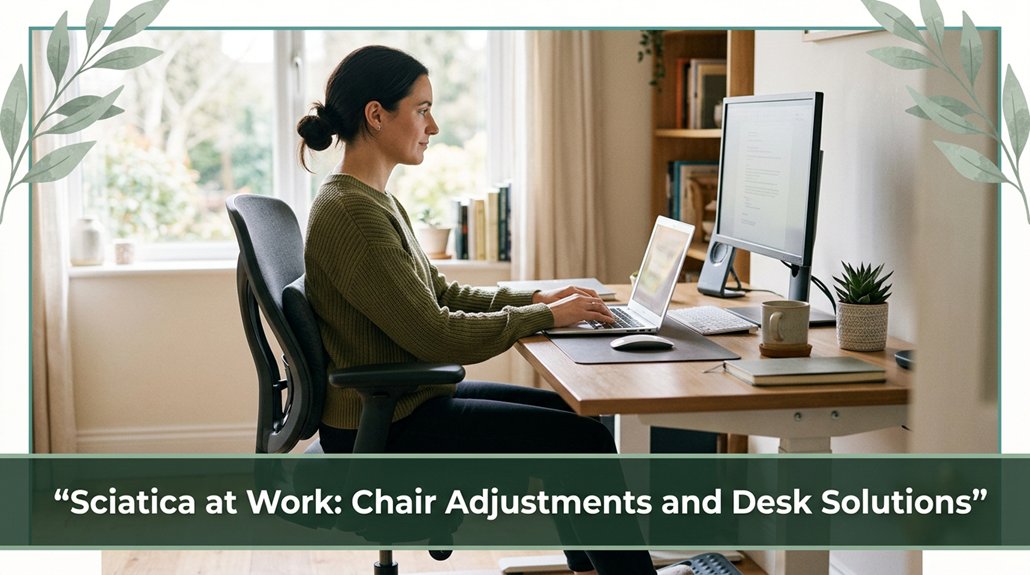
If you’re sitting all day and feeling that familiar sciatic ache creeping in, it’s all about how you set up your workspace. You want your feet flat, knees at about 90 to 100 degrees, and your chair supporting your lower back right at your natural lumbar curve no high arching or slouching. Keep your monitor at eye level, and don’t forget to take short breaks to stretch or walk around. If you tweak a few things, you’ll not only save your back but stay pain-free longer trust me, it’s worth it.
This article contains affiliate links. If you purchase through them, I may earn a small commission at no extra cost to you. I only recommend products I genuinely believe in.
Alright, let’s talk about sitting. You’ve probably noticed that after a few hours at your desk, your lower back begins to protest, and your sciatic nerve might even remind you it’s there.
That’s because your typical office chair setup often encourages a slouched posture, which increases lumbar disc pressure according to research on spinal biomechanics. This pressure can increase by up to 40%, especially when you sit for extended periods.
Sitting with a slouched posture can raise lumbar disc pressure by up to 40%, risking sciatic nerve irritation.
When you sit forward or slump, you’re pushing the lumbar discs backward, which can squeeze the nerve roots that form the sciatic nerve.
Sitting in a poor position also shortens your hip flexors and weakens your glutes, shifting load onto your lower lumbar spine and sacrum. As a result, this poor posture creates a cycle that aggravates sciatic pain over time.
The practical implication is that maintaining proper spine alignment is crucial. Proper office workstation ergonomics can make a significant difference in reducing strain.
Adjust your chair to support your lumbar lordosis, keep your hips open at around 90 to 135 degrees (which means leaning back slightly, not sitting bolt upright), and avoid slouching.
Many ergonomists recommend using ergonomic chairs with adjustable lumbar support, ensuring your back remains in a neutral position during long work hours.
Proper posture helps distribute the load evenly across the spine, preventing excessive pressure on nerve roots. Your back and sciatic nerve will thank you for these adjustments, reducing the risk of discomfort and injury.
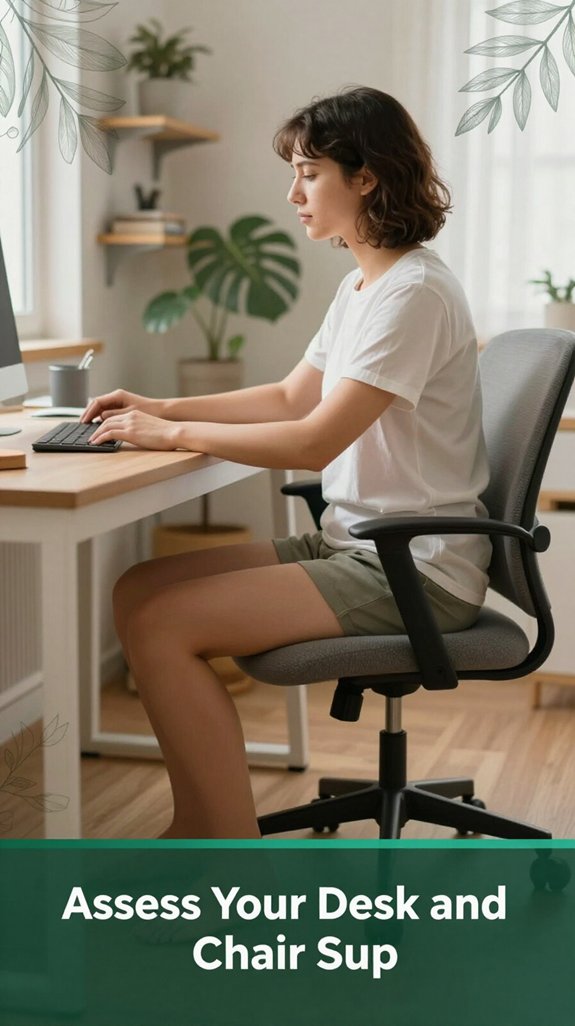
When you’re sitting at your desk, the last thing you want is to feel like your legs are falling asleep or your back feels like it’s been twisted into a pretzel.
So, take a moment to assess your ergonomic setup.
Here’s what you should do:
Performing these adjustments can significantly reduce muscle tension and sciatic nerve flare-ups, especially in individuals with existing lower back issues.
Additionally, paying attention to your lumbar support can help maintain proper spinal alignment and reduce discomfort during long sitting sessions.
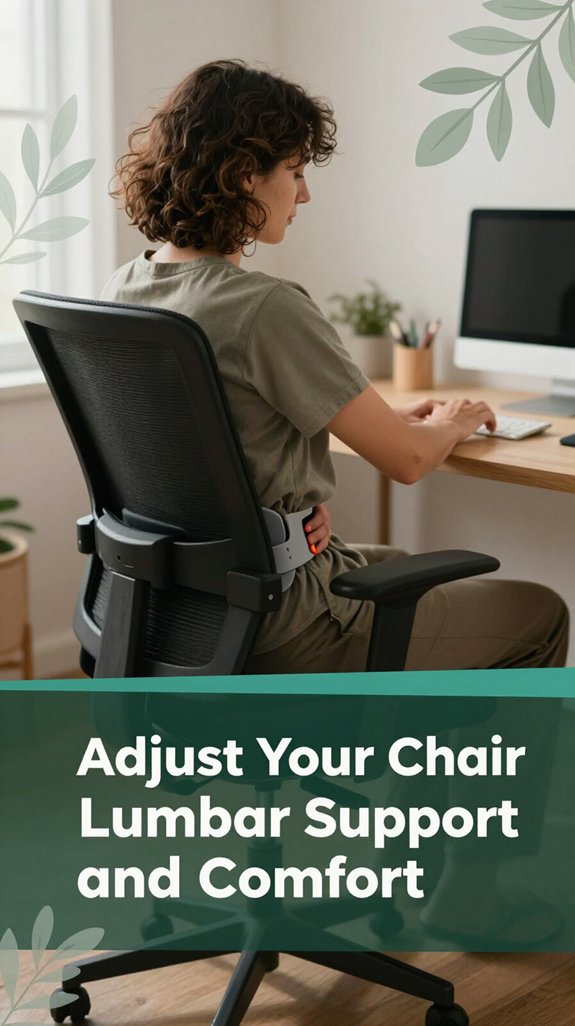
If you’ve ever taken a seat and immediately felt like your lower back is throwing a tantrum, you’re not alone trust me, I’ve been there too.
All right, here’s the deal: your lumbar support should align with your natural lumbar lordosis, which is usually around your belt line or near your navel, according to OSHA ergonomic guidelines.
If it’s too high, you’ll end up excessively arching your lower back and pushing your ribs and pelvis forward, which can worsen sciatica symptoms and increase lumbar lordosis. Too low, and you’ll slouch, increasing pressure on your intervertebral discs and potentially aggravating lower back pain.
The support shouldn’t push aggressively against your lumbar region or leave it feeling unsupported. Adjust it so the thickest part of the lumbar cushion matches your most prominent lumbar curve, ensuring continuous contact between your lower back and the support. This helps maintain proper spinal alignment and reduces strain. Proper ergonomic design is essential for long-term comfort and health.
Remember, you may need to tweak the lumbar support if you change your seat height, recline angle, or sitting posture, since these factors influence the position of your pelvis and lumbar spine, and proper adjustment of lumbar support is crucial for reducing lumbar strain, supporting healthy spinal curvature, and preventing discomfort during extended periods of sitting.
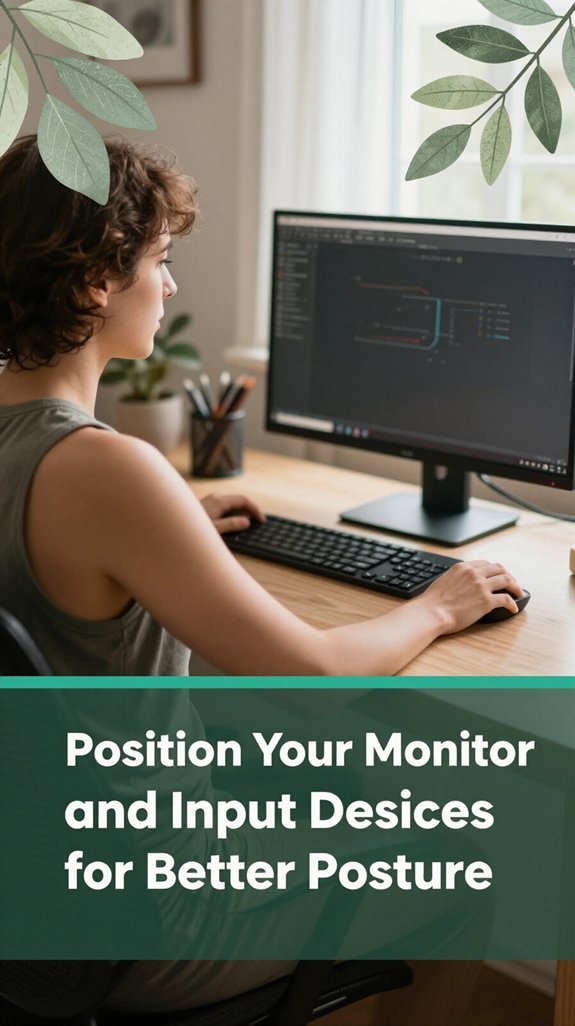
Look, you’ve probably spent enough time hunched over your keyboard and staring up at your monitor to know that poor setup doesn’t just cause sore necks it also affects your entire spinal alignment, including the lumbar, thoracic, and cervical regions.
According to OSHA ergonomic guidelines, maintaining proper ergonomic positioning helps prevent musculoskeletal disorders and reduces the risk of conditions like sciatic nerve irritation and muscle strain. Proper monitor positioning includes aligning your screen so that your eyes are level with the top of the monitor, which helps maintain a neutral head position and reduces strain. Here’s how to optimize your workspace:
Proper ergonomic setup prevents musculoskeletal issues and supports spinal health by reducing strain on the neck, back, and nerves.
By following these simple guidelines, you promote balance in your head, shoulders, and back, helping to prevent sciatica, thoracic kyphosis, and repetitive strain injuries.
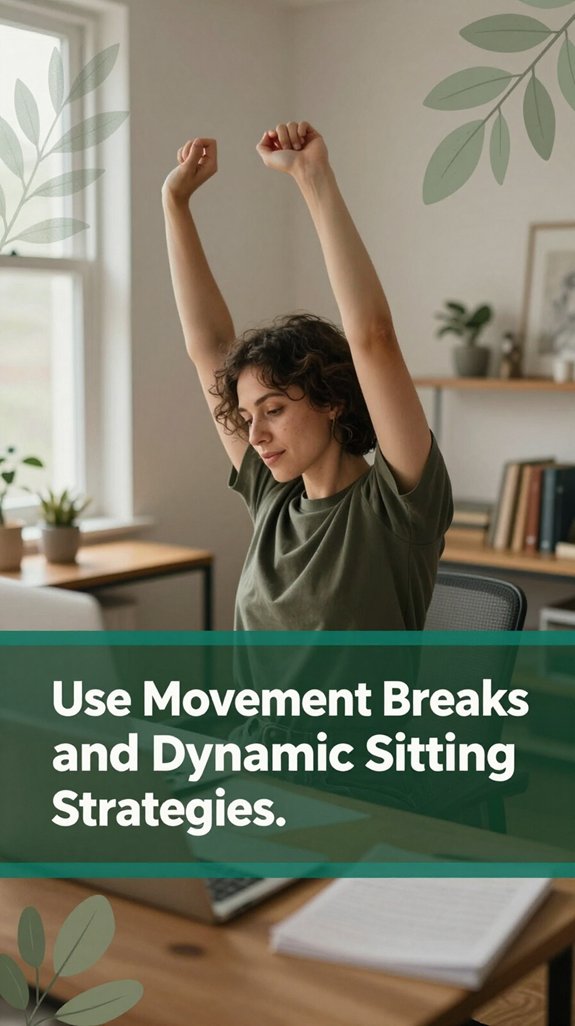
All right, here’s the thing: sitting all day isn’t just boring it’s basically asking your body to clock in for overtime in the worst way. You probably feel that stiffness creeping in after a couple of hours, right? That’s because static sitting traps blood flow and nutrients, making your lumbar discs, spinal nerves, and associated muscles unhappy, according to research on spinal biomechanics. Prolonged sitting can also lead to nerve compression, which further exacerbates sciatic nerve irritation and discomfort over time.
To counteract this, you’ve got to shake things up. Use movement breaks and dynamic sitting strategies such as standing up, walking around for a minute, performing gentle hip circles, or stretching your hamstrings whatever gets blood moving. Incorporating regular movement into your routine is essential for maintaining spinal health during long work hours.
Even small micro-adjustments in your chair, like leaning back (around 135 degrees, which means leaning back slightly and not sitting bolt upright), or slightly shifting your hips, can help reduce the constant load on your lumbar, thoracic, and cervical spine segments.
The key is regular, pain-free movement, which acts like giving your sciatic nerve, lower back muscles, and spinal discs a much-needed break, per Mayo Clinic recommendations. This practice not only relieves stiffness but also helps prevent musculoskeletal issues such as lumbar strain, thoracic kyphosis, or sciatic nerve irritation.
Think of choosing your chair like picking the perfect shoes it’s all about support that keeps you comfortable. You need three things:
Additionally, selecting a chair with comprehensive adjustability allows for more personalized support, further reducing strain and promoting better posture during extended periods of sitting.
All right, that’s a lot to remember, but it’s worth it. When you set your chair correctly, you’re essentially giving your sciatic nerve a little break from unnecessary pressure and strain using smart, supportive features.
Add this to your workspace to enhance support: a quality footrest, which adjusts ergonomic support, can make a significant difference in maintaining proper leg positioning and reducing nerve compression. Did you know that tiny tweaks to your workspace support can make a huge difference when it comes to sciatic relief? I’m sure you’ve felt that sluggish ache creeping in after hours of sitting and didn’t even realize it’s often because you’re not giving your body what it needs.
Adding a seat cushion with a coccyx cutout reduces pressure on your tailbone and sciatic nerve roots, which helps keep your hips neutral. According to research on spinal biomechanics, a coccyx cutout can alleviate pressure on the sciatic nerve and improve comfort during prolonged sitting. Proper support drastically decreases the risk of nerve irritation.
A coccyx cutout cushion eases sciatic nerve pressure, enhancing comfort during long sits.
Pair this with a lumbar roll or cushion to support your lower back’s natural curve. The lumbar region, which encompasses the lower part of the spinal column, is crucial for maintaining proper posture and preventing lower back pain.
Now, with adjustable footrests or leg supports, you can prevent dangling and awkward knee angles that squeeze nerves. It’s important to keep your knees at a roughly 90-degree angle (which encourages optimal circulation and reduces nerve compression).
All these small adjustments might seem insignificant, but according to OSHA ergonomic guidelines, they help you move smoothly and remain pain-free during your workday.
Imagine this: you’re at your desk, everything looks perfect except maybe your chair feels just a little too high or low, and suddenly, your lower back nags like an overenthusiastic puppy. According to OSHA ergonomic guidelines, here’s what to fix:
First, set your desk height so your elbows stay at about 90° (which means your forearms are parallel to the ground), with your shoulders relaxed. This position helps reduce upper-body strain and keeps your lumbar discs in a balanced load, potentially preventing lower back pain.
Next, adjust your chair so your feet are flat on the floor, with knees around 90°–100° (a comfortable bend that maintains proper joint alignment). Maintaining this position keeps your pelvis in a neutral alignment and avoids excessive pressure on the lumbar spinal discs, which can contribute to sciatica or discomfort.
Additionally, ensure your seat isn’t perched on the edge; sitting too forward increases the compressive forces on your lumbar vertebrae and may irritate your sciatic nerve. Proper seating depth supports lumbar lordosis and reduces nerve compression. Ensuring proper chair adjustments can also help maintain optimal lumbar support and reduce discomfort during long work hours.
Maintaining a neutral spine throughout the day isn’t just about avoiding pain; it’s about giving your lumbar, thoracic, and cervical regions a break from the constant strain that comes with sitting for hours. Researchers on spinal biomechanics suggest that your spine should form a gentle “S” shape balanced and relaxed to minimize stress on intervertebral discs and ligaments.
When you slump into a slouched position or hyper-arch your back, you increase strain on these structures, which can lead to conditions such as sciatica flare-ups. Proper workstation setup involves understanding office ergonomics principles that promote spinal health and prevent injury.
Here’s a quick breakdown of good versus bad posture:
| Good Posture | Bad Posture |
|---|---|
| Slight recline of backrest (100-110°) which means leaning back slightly, not sitting bolt upright | Completely upright or slouched both increase strain on spinal structures |
| Feet flat on the floor, hips near 90° which maintains optimal lumbar support | Legs crossed or pelvis tilted too far forward or backward disrupting spinal alignment |
Be sure to keep your head aligned with your shoulders, so your ears are directly over your cervical spine. Engaging your core muscles helps support the lumbar spine and stabilize your posture. Small, frequent movement corrections throughout the day can significantly reduce muscular fatigue and prevent postural deterioration.
According to OSHA ergonomic guidelines, maintaining spinal neutrality and engaging core stability can help prevent musculoskeletal disorders among office workers. Trust me, your back will thank you for these simple adjustments your spine’s health depends on consistent, mindful alignment.
Using a sit-stand desk the right way isn’t just about flipping a switch and hoping your back feels better; it’s about being smarter with how you alternate between sitting and standing throughout the day. According to OSHA ergonomic guidelines, if you don’t plan your switch-ups, you might just swap one pain for another.
Keep your standing sessions brief at first, around 10–20 minutes, then gradually build up. This helps your muscles and joints adapt without causing fatigue or discomfort. Adjust the desk height so that your forearms are parallel to the floor and your monitor is at eye level no craning or reaching needed, which can strain your cervical and thoracic regions. Proper ergonomic setup is essential for comfort and health.
Incorporate tiny movements like weight shifts or pelvic tilts every 20–30 minutes to keep your lumbar, sacral, and sciatic nerves happy. These micro-movements help prevent stiffness and promote blood flow, reducing the risk of lower back and sciatic nerve issues. Blood circulation is essential for delivering nutrients to spinal discs and surrounding tissues, supporting long-term spinal health.
If you’ve spent time sitting at your desk and noticed your lower back feeling worse, but you’re not quite sure why, chances are you’re falling into some common postural traps that can significantly worsen sciatica.
Slouching with a rounded thoracolumbar spine places extra pressure on your lumbar discs, which can increase nerve irritation, according to Mayo Clinic recommendations. This poor alignment can cause pain to radiate along the sciatic nerve pathway. Avoiding exercises that aggravate sciatica, such as certain stretches or activities that put strain on your lower back, is crucial for managing symptoms.
Forward head posture and rounded shoulders shift weight away from your hips and into your lumbar discs, which isn’t ideal. According to OSHA ergonomic guidelines, maintaining a neutral cervical spine with the head aligned over the shoulders reduces strain. Additionally, poor chair support can contribute to these postural issues, making ergonomic adjustments essential.
Sitting far from the backrest can induce a posterior pelvic tilt, narrowing the foraminal space around your nerve roots and consequently increasing nerve compression. Therefore, sitting with your lower back supported and fostering an upright posture is crucial. Using adjustable chairs with lumbar support can help maintain proper alignment and reduce nerve irritation.
Perching on the edge of your seat or crossing your legs can create uneven loads, pulling on muscles and nerves in your lower back and hips. Changes in pelvic positioning alter the alignment of your lumbar spine and can exacerbate sciatica symptoms. To prevent this, avoid crossing your legs and ensure your feet are flat on the floor.
Additionally, poor monitor and keyboard placement lead to excessive neck flexion and shoulder elevation, contributing to muscle strain and nerve irritability. Conducting ergonomic assessments and adjusting these devices to promote a neutral spine position can help mitigate these issues. Regularly taking breaks to stretch and change positions is also beneficial for overall spinal health.
Yes, certain chair types can prevent sciatic nerve irritation. Ergonomic chairs with adjustable lumbar support, seat depth, and height are your best bets.
Chairs with recline and tilt features let you shift positions and ease pressure on your back. Active or saddle chairs help maintain open hips and improve circulation.
Basically, if your chair fits well and moves with you, you’re less likely to end up ow-ing in pain after hours.
You should take breaks every 20–30 minutes to help prevent sciatic pain from sneaking up on you.
It’s like giving your spine a mini vacation short walks, gentle stretches, or just standing up briefly can keep inflammation down and muscles active.
I know it’s tempting to power through, but trust me, your back will thank you when you let it breathe regularly.
Small breaks make a big difference!
Alright, for sciatica relief, the best sitting angle isn’t just 90° it’s more like leaning back to around 100–110°. This reduces pressure on your lumbar discs and takes strain off that overworked sciatic nerve.
You want your hips slightly higher than your knees, so consider a slightly raised seat or lumbar support. Trust me, small tweaks like these make a pretty big difference in how you feel after sitting all day.
You want a desk setup that keeps your body happy and avoids hurting your sciatic nerve, right?
All right, here’s the deal: keep your desk at elbow height, monitor straight ahead think about your neck and back, not just your eyes.
Your feet should rest flat on a footrest or floor, knees at 90°.
Organize everything within arm’s reach so you’re not twisting or reaching, which only amplifies nerve irritation.
You should take regular micro-breaks, every 20–30 minutes, to stand up, stretch, or walk around trust me, your back will thank you.
Shift your posture often; sit upright, recline slightly, or perch, so your lumbar isn’t stuck in one position.
During long tasks, try standing occasionally and elevate one foot.
Basically, keep moving, change it up, and avoid staying static your sciatic nerve will thank you for it.
All right, so here’s the thing: you can’t guarantee you’ll never twinge after a long day, but these tweaks really help. Think of your desk like a mini biomechanical playground spine neutral, movement breaks, and smart adjustments keep your nerves happy. Just like you wouldn’t let your phone die without charging it, don’t ignore your posture. Small changes, big relief. And hey, if my back can survive working from home, yours can too!





