Physical Address
304 North Cardinal St.
Dorchester Center, MA 02124
Physical Address
304 North Cardinal St.
Dorchester Center, MA 02124

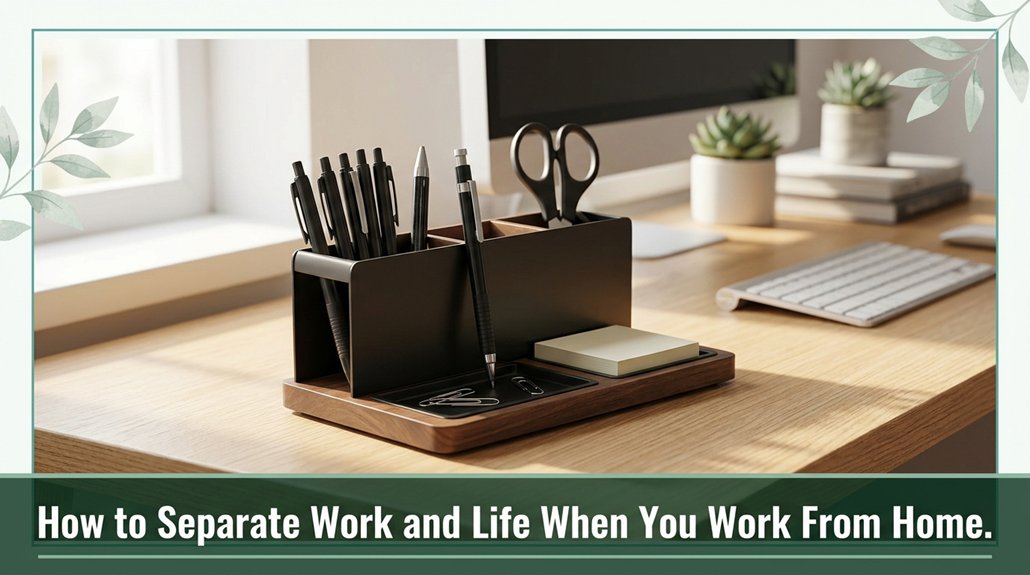
Your desk can quickly turn into your new best friend until it starts causing neck or hip pain. To keep that from happening, set up a dedicated workspace with a comfortable chair and a monitor at eye level so your body stays comfortable.
Then, draw clear boundaries like a clock so work doesn’t spill into your personal time. Manage your notifications, take regular breaks, and stay connected with friends and family. Follow these tips, and you’ll find ways to keep your work and life from turning into a juggling act.
This article contains affiliate links. If you purchase through them, I may earn a small commission at no extra cost to you. I only recommend products I genuinely believe in.
Alright, let’s start with the basics: your home workspace should clearly indicate “this is work” and nothing else. You want a dedicated physical space that signals to your brain it’s time to focus. This helps prevent the mingling of work with dining, gaming, or lounging areas. Use a separate desk and chair, ideally with visual cues like a “Work Zone” sign, to reinforce this boundary.
Trust me, it’s easier to maintain a clear separation between your work life and home environment when your setup encourages focus. Proper workspace setup significantly decreases the likelihood of musculoskeletal discomfort and static postures during long hours of work.
Make sure your chair is adjustable and provides lumbar support your lower back will thank you after hours of sitting, according to OSHA ergonomic guidelines. Keep your monitor at eye level to avoid neck strain, and position your keyboard at elbow height to promote proper wrist and forearm alignment.
A footrest is advisable if your feet don’t rest flat on the floor, as ergonomic research suggests that supporting your feet can reduce lower back strain and improve overall posture. Establishing a dedicated workspace can prevent musculoskeletal discomfort and promote better posture during long hours of work.
Creating a routine might sound boring, but trust me, it’s where the magic happens. You set a schedule, stick to it, and your brain finally knows when it’s work time.
Block your work hours on a shared calendar, turn on “Do Not Disturb,” and enforce a hard stop no checking emails after hours. This helps prevent work from encroaching on personal time and reduces stress.
You also want to schedule structured breaks: micro‑breaks every 90–120 minutes, a proper 30-minute lunch away from your desk, and even a “commute” at the end of the day to switch gears. According to OSHA ergonomic guidelines, regular breaks are essential to reduce fatigue and prevent musculoskeletal issues.
Use timers or apps to track your breaks. This ensures you stay consistent with your scheduled rest periods, which can improve focus and productivity throughout the day.
Here’s a quick visual to help keep it clear:
| Setting Work Hours | Managing Breaks | Morning Routine |
|---|---|---|
| Consistent schedule | Short micro-breaks | Exercise or meditate |
| Calendar blocks | Lunch away from desk | Prioritize main tasks |
| “Do Not Disturb” | Use timer apps | Signal your start |
| Enforce hard stop | Document breaks | Review your plan |
| Track adherence | Assess productivity | Set a “ready-to-work” cue |
Being mindful of prolonged sitting and standing habits, and incorporating regular movement routines into your day, can greatly enhance your overall well-being and productivity.
Have you ever started checking your phone “just for a second” and then suddenly an hour has slipped by, and you’re staring at social media feeling like you forgot something important? I’ve been there.
The problem is, our phones and apps are designed to distract you they’re the digital equivalent of a shiny object that pulls your focus away. According to research on digital distractions, notifications and app alerts create mental noise that can break your concentration and increase stress levels. Controlling screen time with distraction-blocking apps, such as Freedom, Cold Turkey, and FocusMe, can help you limit digital temptations and maintain focus on your tasks.
Here’s what you do: turn off non-essential notifications trust me, those little pop-ups can significantly disrupt your focus.
Schedule specific times, like every 60 minutes, to check emails or social media; setting boundaries helps prevent constant interruption. Use “Do Not Disturb” modes to block everything except critical contacts, ensuring you’re not disturbed by minor alerts.
And, if certain apps are particularly distracting, block them temporarily using distraction-blocking tools or device settings. This helps you regain control over your digital environment.
It’s about regaining mental peace, not deprivation.
Now that you’ve cleaned up your digital space, it’s a good idea to turn your attention inward and prioritize your mental and physical well-being. Honestly, your body and brain are your MVPs treat them like one.
Here are some simple ways to do it:
– Use an ergonomic chair and desk your back will thank you, and musculoskeletal injuries such as lower back pain and neck strain can drop by up to 60%, according to OSHA ergonomic guidelines. Sticking to a consistent schedule can also help reduce stress and improve overall well-being by creating predictable routines.
Make sure your chair supports the lumbar region with a slight inward curve and that your desk height allows your elbows to rest at roughly 90 degrees (which helps reduce shoulder tension). Proper workspace setup, aligning with ergonomic practices, can significantly lower the risk of Repetitive Strain Injury (RSI).
Trust me, tiny changes like these make a huge difference over time your body and brain deserve some love.
All right, let’s face it working remotely means it’s way too easy to drift into this isolated bubble where your only real interaction is with your screen or, if you’re lucky, your pet. The research shows that regular check-ins, like weekly video meetings and quick daily stand-ups, boost team cohesion and make you feel less alone.
Additionally, joining Slack channels for chit-chat or virtual coffee breaks can increase spontaneous conversations by 20%. Using colleagues’ names and giving shout-outs boosts engagement and morale.
And don’t forget those little personal moments sharing anecdotes or quick fun activities because they humanize the whole experience. You might be physically apart, but staying connected with genuine social hooks keeps the workday lively, supportive, and just a little less lonely. Perceived proximity plays a vital role in fostering feelings of closeness among team members, which can be strengthened through these social interactions.
Maintaining these interactions helps prevent feelings of social isolation and supports mental well-being during remote work.
When you make it a habit to review and tweak your work-life boundaries each month, you’re fundamentally giving yourself a regular tune-up like checking the oil in your car, but for your mental well-being.
You might find that your work encroaches into your weekend or your home space feels less like a refuge, which can lead to increased stress and burnout.
Here’s the thing: use a structured checklist to assess physical, digital, social, and time boundaries. Track how many hours you work or how often you get interrupted after hours, and consider your stress levels, satisfaction, and boundary breaches.
For example, frequent after-hours work can lead to workplace stress, which impacts overall health.
Then, tweak your setup perhaps by adding a portable divider to separate your workspace from living areas, or by adjusting your start time and record these changes in your “Boundary Playbook.”
According to OSHA ergonomic guidelines, maintaining clear physical boundaries can reduce musculoskeletal discomfort, especially in the lumbar, cervical, and thoracic regions.
Being mindful of poor ergonomics and physical strain allows you to address small discomforts before they escalate into chronic pain or injuries.
Trust me: fixing these leaks before they cause more significant issues is like repairing a ship before it sinks.
You handle household interruptions by setting clear boundaries, like a dedicated workspace with a visible signal think a door or a lamp so everyone knows you’re in work mode.
Schedule specific focus blocks and tell your household when they’re on interruption lockdown. Use “Do Not Disturb” modes or app blockers.
And honestly, a quick mindful reset or deep breathing can realign your focus faster than you’d think, making interruptions less disruptive.
You need to speak up clearly think of it like setting the rules of a new game.
Use simple language, like “I need no interruptions now,” and repeat it daily if needed.
Hang a sign, or turn on a light, to visually reinforce your boundaries.
All right, ask for feedback and tweak your signals family’s way of learning your new rules, just like you did with their bedtime.
You’ve gotta give yourself permission to take breaks, seriously. When you fight that guilt, it’s like telling your brain to drop its internal boss and trust that your work doesn’t fall apart if you step away for a few minutes.
Ever wonder if there’s a smart way to keep your work time honest? You need tools like RescueTime, which tracks your app use and highlights your productivity peaks.
DigitalZen helps enforce off-hours with automatic shutdowns trust me, those ‘just one more thing’ moments get way easier.
And Focus Booster? It keeps you honest with Pomodoro sprints, so you can stop obsessing and start relaxing.
All these help you control your schedule, guilt-free.
Alright, you want to stay motivated working solo at home? Here’s the thing break your day into tiny, doable chunks.
When you finish a micro-task, give yourself a little reward like a snack or quick walk.
Visualize your win, jot down progress, and remember, keeping movement stretching or a quick dance helps fight mental fatigue.
Don’t forget, celebrating small wins keeps your energy up and spirits high, even when you’re flying solo.
Alright, you’re building a boundary between work and life kind of like drawing a line in the sand before the tide comes in. Keep it clear, keep it firm, and don’t let the waves of emails wash it away. Remember, you’re not just managing tasks, you’re safeguarding your sanity and energy. So, step back, breathe, and let your boundaries be the sturdy walls that keep the chaos at bay. You’ve got this really.





