Physical Address
304 North Cardinal St.
Dorchester Center, MA 02124
Physical Address
304 North Cardinal St.
Dorchester Center, MA 02124

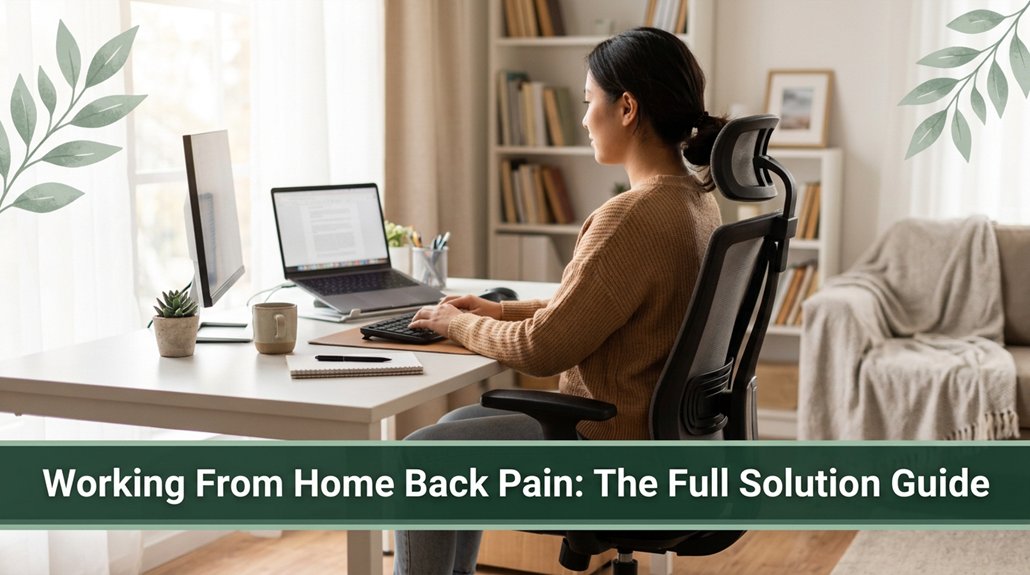
Working from home often means sitting in the same position for hours, and your back probably starts protesting sooner than you’d like you might feel that stiffness or those nagging aches that just won’t go away. If your lower back is talking to you by 3 p.m., you already know this is a problem worth solving. The good news is, with a proper ergonomic setup, regular movement, and strengthening exercises, you can make a real difference. Keep your posture in check, and you’ll start feeling better stick around, and I’ll show you exactly how to make it work.
This article contains affiliate links. If you purchase through them, I may earn a small commission at no extra cost to you. I only recommend products I genuinely believe in.
Alright, let’s talk about setting up your home workspace so it actually works for your back instead of against it. You know that work-from-home back pain that sneaks up after a few hours? It’s usually about your chair and desk.
You wanna set your chair height so your feet are flat on the floor and your thighs are parallel to the ground this is key for even weight support, according to OSHA ergonomic guidelines.
Adjust your chair so your feet are flat and thighs are level for proper support and comfort.
Your hips should be slightly higher than your knees to reduce lumbar pressure, which research on spinal biomechanics suggests helps prevent lower back pain. Support your pelvis at belt level, with your back against the chair’s lumbar support, matching your spine’s natural lumbar lordosis.
The seat depth should leave a fist’s width between your knees and the edge of the seat; this ensures proper circulation and reduces pressure on the popliteal fossa, per Mayo Clinic recommendations.
Adjusting your lumbar support height to match the curve of your lower back can significantly improve comfort and reduce strain over time. These small adjustments can make a huge difference when your back’s begging for relief and can prevent discomfort like lumbar overload or thoracic kyphosis.
This article contains affiliate links. If you purchase through them, I may earn a small commission at no extra cost to you. I only recommend products I genuinely believe in.
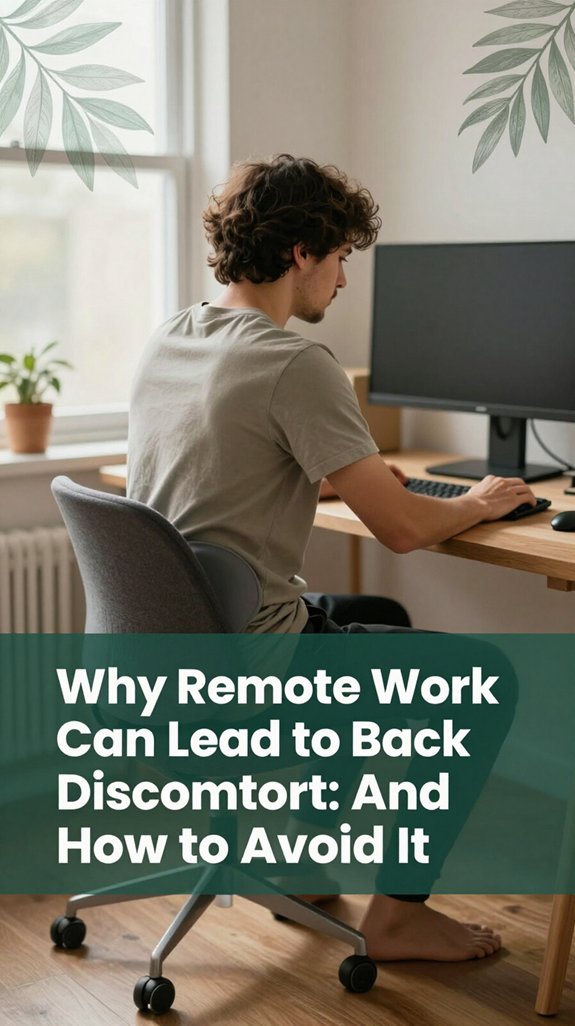
Guess what? Remote work can sneak up on you and cause back discomfort without you realizing. Here’s why:
All right, the key is awareness. If you sit without moving much, your intervertebral discs get compressed, and your muscles overwork. Extended periods of static sitting can also contribute to disc pressure and decrease nutrient exchange in spinal discs, worsening their degeneration over time.]
Recognizing this pattern can help you implement strategies like regular stretches, posture adjustments, and movement breaks, which are essential to avoid the pain trap.
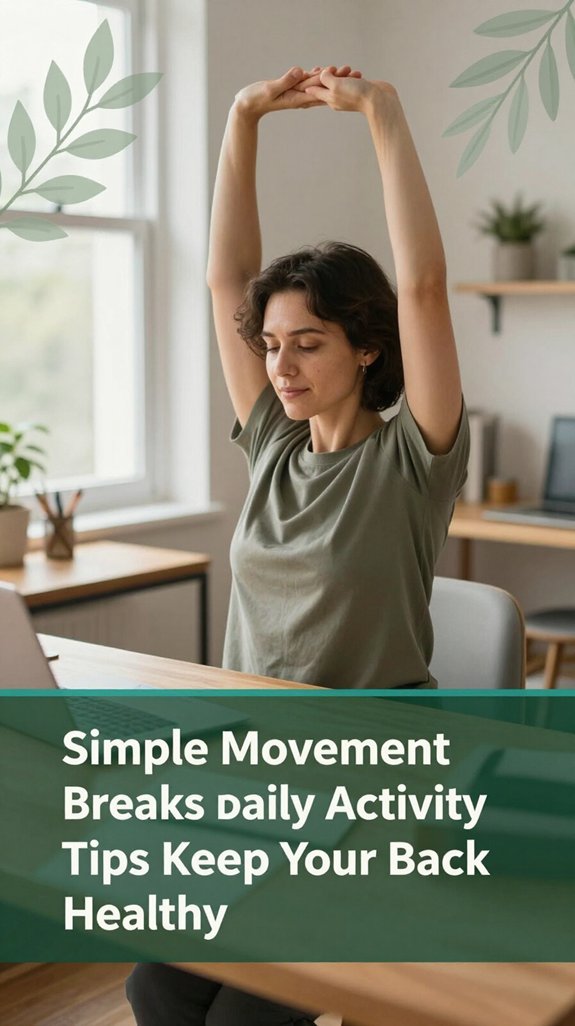
Your desk job probably feels like a marathon of sitting, which is great for your productivity but not so much for your lower back health. The good news is that moving regularly can help. Research on spinal biomechanics suggests that micro-movements every 20–30 minutes such as shoulder rolls, sit-to-stand shifts, or gentle neck circles break up static postures and improve comfort. Taking short walks for 3–5 minutes every hour hydrates intervertebral discs and reduces lumbar stiffness.
Even light activities like squats during kitchen breaks or simple arm circles can make a significant difference. According to OSHA ergonomic guidelines, these small movements help prevent musculoskeletal discomfort and promote circulation. Maintaining proper monitor height and chair settings further supports spinal health during your workday.
Here’s a quick overview of effective back-friendly habits:
| Idea | Action | Benefits |
|---|---|---|
| Micro-movements | Shoulder rolls, neck circles | Reduce tension in cervical and thoracic regions, enhance spinal mobility |
| Desk exercises | Push-ups, arm reaches | Strengthen and stretch supporting muscles of the shoulders and upper back |
| Walking breaks | Short walks every hour | Hydrate lumbar and cervical discs, lower discomfort and stiffness |
| Movement clusters | Squats during chores | Keep core and lower back muscles active, counteract effects of prolonged sitting |
| Light activity during calls | March in place, side steps | Maintain circulation, improve alertness and reduce fatigue |
Incorporating these simple movement breaks into your daily routine can significantly improve your back health, reduce discomfort, and support overall spinal function.
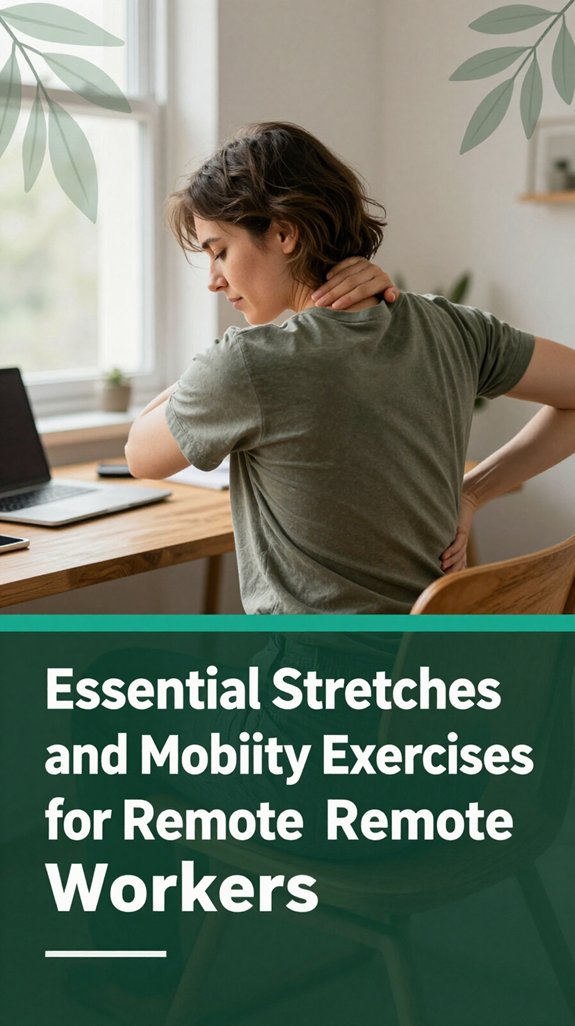
All right, let’s talk about how you can undo some of that tightness creeping into your neck and upper shoulders after hours in front of your screen. You’ve probably felt that pinch or headache lurking, right?
According to Mayo Clinic recommendations, these sensations can stem from muscle tension and trigger points caused by prolonged static postures.
Here’s what you do:
Research on spinal biomechanics suggests that these stretches can help prevent or reduce symptoms of “tech neck” and cervical strain.
Regularly incorporating mobility exercises like these encourages better posture, relieves muscle tension, and reduces headache frequency.
Neck mobility exercises are particularly effective at counteracting the effects of prolonged computer use and improving overall cervical health.
Your neck will thank you later.

When you spend hours sitting at your desk, it’s easy to notice your back starting to feel tired, maybe even a little wonky. Your core muscles deep inside your abdominal and lumbar regions act like tiny corsets that hold everything in place, reducing pressure on your intervertebral discs, according to Mayo Clinic recommendations.
The lumbar spine is essential for this support, and keeping these muscles strong helps maintain proper alignment. But if you’ve been slouching or sitting for extended periods, those muscles can lag behind, making your lower back vulnerable to microtrauma tiny injuries that can accumulate over time. Strengthening your core and glutes can help support your spine more effectively.
Think of your gluteal muscles as the powerhouses that shoulder some of the load during daily movements, relieving strain on your lumbar spine. Simple exercises like planks, bird dogs, and gentle pelvic tilts are effective, low-impact ways to begin your back, and your future self, will thank you. Incorporating muscle strengthening into your routine can reduce the risk of back pain and improve overall spinal stability. Maintaining a strong core and glutes is a proactive step toward a healthier, pain-free back.
The truth is, small changes in how you sit, stand, and move throughout the day can make a significant difference for your back. According to Mayo Clinic recommendations, these habits act like gentle relief for your spine with each conscious adjustment.
While these habits may seem small, they’re powerful steps in protecting your back from long-term issues like disc herniation, sciatica, or thoracic kyphosis.
Making consistent adjustments to your daily routine helps maintain spinal health and reduces discomfort risks.
Look, not all back pain is created equal, and knowing when to seek professional help can save you a lot of frustration plus, maybe a lot of time feeling miserable on the couch. If your pain persists beyond a week, especially if it’s worsening or dragging on for more than two weeks despite your best efforts, it’s time to reach out.
Not all back pain is the same seek help if it lasts over a week or worsens.
All right, maybe you’ve tried rest, over-the-counter medications, and stretching, but if symptoms continue beyond four weeks, chances are there’s a deeper issue such as nerve compression, herniated discs, or joint degeneration. Persistent back pain often indicates underlying health issues requiring attention. Research on spinal biomechanics suggests that persistent lower back or sciatic nerve pain may indicate conditions like lumbar radiculopathy that require medical evaluation.
If you notice new symptoms like numbness, weakness, or if your pain came after sudden trauma or fever, that’s your cue for urgent medical help. These signs could signal serious issues such as nerve damage, infections, or spinal fractures, which require immediate attention. Ignoring these signs risks worsening your condition or causing permanent damage.
Adjusting your office equipment mightn’t seem like the most exciting solution for back discomfort, but trust me, it can be a game-changer. Here’s what you should focus on:
Now, adjust your setup, test the comfort, and notice how much better your back and neck feel!
Ever catch yourself slipping into a slouch without even realizing it? Yeah, I do too. Time somehow sneaks by, and suddenly your cervical vertebrae might be strained, or your lumbar region becomes stiff and protests. Here’s the thing: balance and awareness are your friends. Every 15–30 minutes, do a quick posture check. Think “ears over shoulders over hips” it’s a mental little mantra recommended by ergonomists that helps keep your spine in proper alignment. Use visual cues like sticky notes or alarms to remind you to maintain good posture.
Take microbreaks often stand up, stretch, and move even if it’s just for a couple of minutes. These small movements can help prevent musculoskeletal discomfort and enhance circulation, especially for those who sit more than 6 hours a day. Applying ergonomic principles such as wrist rest use can further reduce strain, especially for those experiencing symptoms of carpal tunnel syndrome.
| Better Posture Habits | Why They Work |
|---|---|
| Reset after every email | Builds routine and mindfulness in posture |
| Do neck stretches | Eases tension in the cervical and thoracic regions |
| Alternate sitting and standing | Reduces lumbar pressure and prevents static load on the spine |
| Keep relaxed shoulders | Prevents shoulder and upper back fatigue |
Maintaining these habits can significantly reduce the risk of developing conditions such as thoracic kyphosis, sciatica, or carpal tunnel syndrome. The key takeaway is that consistent, mindful posture adjustments throughout the day promote spinal health and overall comfort.
Sometimes, your back gives you a little warning, such as a nagging ache after sitting too long or a sharp twinge when you stand up from your desk. If that pain persists for more than a week or begins to interfere with your daily activities, it’s important to see a healthcare provider.
According to Mayo Clinic recommendations, persistent back pain that lasts over two weeks warrants medical evaluation to identify underlying issues and prevent worsening. Recognizing these early signs can help ensure timely treatment and potentially avoid long-term complications.
Watch for additional concerning symptoms, including new or worsening numbness, muscle weakness, or leg or arm problems, especially if they follow a nerve pattern suggestive of radiculopathy or sciatica. If you experience these signs, seeking prompt medical attention can help prevent nerve damage.
Be alert for back pain associated with fever, unexplained weight loss, or following serious trauma, such as falls or car accidents. These are red flags, indicating potential serious conditions like infections, fractures, or spinal cord injury, which require immediate evaluation. Understanding the risks of prolonged sitting and incorporating movement strategies can also help mitigate these concerns.
If you’re like most of us staring at screens all day, you’ve probably noticed that your back and neck can start to protest after a while, resembling a whiny child who’s been ignored too long. I get it; your body feels stiff, tight, or like it’s been shoved into a corner, just waiting to remind you to move.
According to OSHA ergonomic guidelines, prolonged static postures can contribute to musculoskeletal discomfort, particularly in the lumbar, thoracic, and cervical regions.
Prolonged static postures can cause discomfort in the lower, mid, and upper back regions.
There are some smart apps and gadgets that can help you stay on top of your back health without transforming your day into a full-blown workout. For example, “Back Pain Relief Exercises at Home” offers hundreds of guided exercises tailored to lumbar, sacral, and thoracic regions, which can aid in alleviating common issues like lower back pain or sciatic nerve irritation.
The “Lia” posture trainer uses sensors to give you real-time feedback on your sitting posture, particularly targeting thoracic kyphosis and lumbar sagging issues often caused by poor ergonomics.
Recognizing optimal spinal alignment and incorporating ergonomic devices** such as adjustable-height desks, lumbar support cushions, or sit-stand desks can significantly improve spinal alignment and reduce discomfort for those who sit more than 6 hours a day.
You can tell if your workspace’s truly ergonomic by paying attention to your body signals.
Are your feet flat, knees at 90°, and back supported? Is your monitor at eye level, and your keyboard close enough?
If you’re slouching, stretching your neck, or feeling discomfort after a while, something’s off.
Basically, if you’re constantly adjusting, leaning, or feeling sore, your setup isn’t quite right and it’s worth fine-tuning for comfort’s sake.
You’ve gotta find ways to manage stress-related tension, seriously.
All right, when you feel that knot in your neck or shoulders, try a gentle stretch or some deep breathing it’s like telling your muscles to chill out.
Move around, do some neck releases, or even a quick walk. Heat packs work wonders, too.
Basically, you want to interrupt the tension cycle before it turns into real stiffness or pain, trust me.
You’ll love this eating your way to a happier back is kinda like giving your spine a cozy blanket.
Focus on calcium, magnesium, and omega-3s from foods like leafy greens, nuts, and fatty fish.
Ditch the energy-dense, sugar-loaded snacks they’re like adding gasoline to a fire.
Instead, choose vibrant fruits and veggies.
Your back will thank you, and hey, it might even help reduce that nagging pain you’re used to ignoring.
You’ve gotta make those movement breaks a non-negotiable, like brushing your teeth or your favorite snack. Use alarms, sticky notes, or even a “stretch dance” to keep it fun.
Start small just a minute of walking or stretching and gradually build. Reward yourself afterward, like a little mental high-five. Trust me, your back will thank you.
The key is consistency, even if it’s brief it all adds up.
You’ve probably heard that exercise worsens back pain that’s a misconception.
The truth? Moving gently, like walking or stretching, actually helps your back heal by keeping muscles strong and flexible.
Resting too long makes things worse, leading to stiffness and deconditioning.
So, are you really going to let back pain win the battle? No way because with a few tweaks to your workspace, some gentle movement, and awareness of your posture, you can keep that tension at bay. Trust me, I’ve been there, and it’s worth the effort. It’s like giving your back a little thank-you for all the hours you sit after all, your back’s been doing its best, so why not return the favor?